.ASC Bestandsextensie

PGP ASCII Armored File

Ontwikkelaar PGP
Populariteit
3.9  |  204 Stemmen
 

Wat is een ASC-bestand?

An ASC file is an armored ASCII file used by Pretty Good Privacy (PGP), an encryption program utilized for secure communication. It contains a digitally signed message and may store plain-text written information, as well as binary information encoded as text. ASC files also include a key as clear-signed text, which can be verified using PGP authentication methods.

Meer informatie

The ASC file is commonly used for posting online security notices as well as securely transmitting messages via email and text. Since ASC files can contain textual representations of binary information, they may be larger in size than the original pre-encoded file. However, this tradeoff is usually worth the overhead for verifying the source and content of transmitted information.

OPMERKING: In 2010, Symantec acquired PGP and was integrated into the company's Enterprise Security Group.

Open meer dan 400 bestandsformaten met File Viewer Plus.Gratis downloaden

Programma's die ASC-bestanden openen of ernaar verwijzen

ActionScript Communication File

Ontwikkelaar Adobe Systems
Populariteit
3.6  |  35 Stemmen
 

Script written in ActionScript, a programming language used to control Flash-based applications; contains code that is executed by the Flash Media Server hosting software; used for controlling application events, such as loading Flash applications, communicating with other servers, accessing resources, and streaming multimedia content.

Meer informatie

ASC files may be generated by Adobe Media Encoder (included with Adobe's Creative Suite) or the free Adobe Flash Media Live Encoder. They may be used by either Flash Media Streaming Server (for simple applications) or Flash Media Interactive Server (for applications that require multiway communication).

By default, Flash Media Server executes the file main.asc when it runs an application.

Programma's die ASC-bestanden openen of ernaar verwijzen

Windows
Mac

Autodesk ASCII Export File

Ontwikkelaar Autodesk
Populariteit
3.6  |  35 Stemmen
 

An ASC file is a text file containing geometric shapes and points information exported by various Autodesk programs, such as Civil 3D and Moldflow Insight. It stores data in a text format encoded in the ASCII standard, which is more compatible with other programs.

Meer informatie

While exporting models to ASC files allows you to import them into a larger number of applications, it also may remove data. For example, if you export an .IGS model to an ASC file with Moldflow Insight, information about keywords, materials, and unused property sets will not be exported.

You can create ASC files with various Autodesk applications, and the method differs with each application. For example, to save a model in the ASCII format with Moldflow Insight, click the Application button, select Export → Model and choose the ASCII export format from the "Save as type" dropdown menu.

Een ASC-bestand openen

You can open an ASC file with various CAD applications, including Autodesk applications. The method in which you open the ASC files is different with each application.

Since ASC files contain plain text, you can open them with any text editor or word processor. Possible options include:

Een ASC-bestand converteren

Many text editors and word processors, including Microsoft Wordpad, Microsoft Word, and Apple TextEdit, can convert ASC files to other formats.

For example, select File → Save as in Microsoft Wordpad to convert ASC files to one of the following formats:

  • .DOCX - Microsoft Word Document
  • .ODT - OpenDocument Text Document
  • .RTF - Rich Text Format

Programma's die ASC-bestanden openen

Windows
Gratis proefversie
Gratis proefversie
Mac
Gratis proefversie
Linux
Categorie: Tekst
Bijgewerkt: 2022-06-17

ASCII Text File

Ontwikkelaar American National Standards Institute
Populariteit
3.6  |  24 Stemmen
 

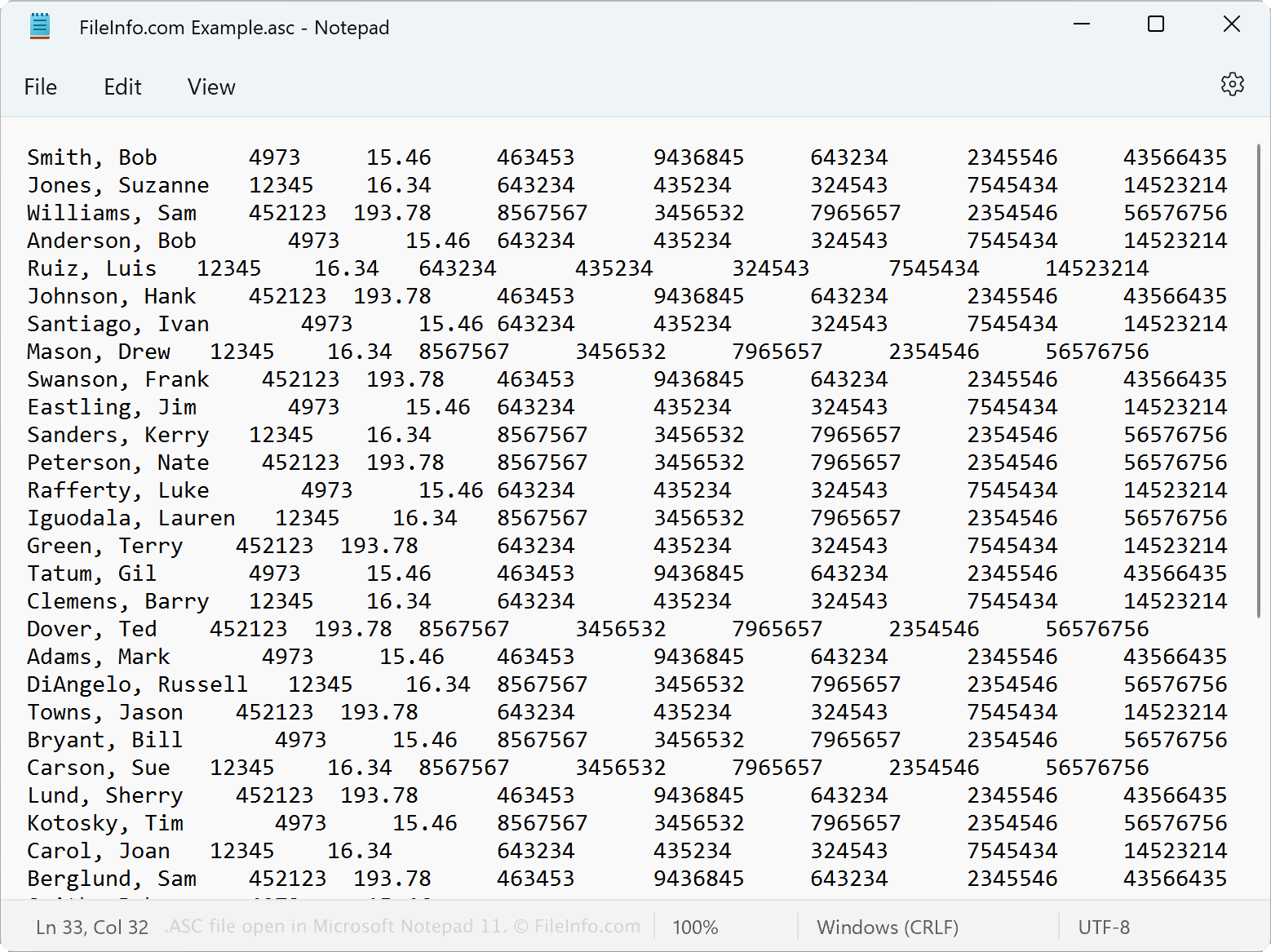
An ASC file is a plain text file encoded in the American Standard Code for Information Interchange (ASCII) standard. Various applications may create ASC files for different reasons, such as a word processor exporting the plain text of a document without formatting or a GIS application exporting the coordinates of a location. You can open an ASC file with most text editors and word processors.

Meer informatie

Schermafbeelding van een .asc-bestand in Microsoft Notepad 11
ASC-bestand geopend in Microsoft Notepad 11

The ASCII standard dates back to the 1960s and derives from telegraph code. The American National Standards Institute (ANSI) has revised the standard several times, and many applications have adopted it over the years.

Because of its widespread adoption, many applications support exporting information in the ASCII standard and creating ASC files. For example, a GIS application may allow you to export data recorded by the application as an ASC file you can import into a spreadsheet application to view the data.

Een ASC-bestand openen

You can open an ASC file with any text editor or word processor. Possible options include:

In some programs, such as Microsoft Notepad, you may have to select All files (*.*) from the Open window before you can open your ASC file.

Een ASC-bestand converteren

Many applications, including Microsoft WordPad, Apple TextEdit, and OpenOffice Writer, can convert ASC files to other formats. For example, TextEdit can convert ASC files to the following formats:

  • .TXT - Plain Text File
  • .RTF - Rich Text Format
  • .PDF - Portable Document Format

Programma's die ASC-bestanden openen

Windows
Inbegrepen bij het besturingssysteem
Gratis proefversie
Mac
Inbegrepen bij het besturingssysteem
Gratis proefversie
Linux
Categorie: Tekst
Bijgewerkt: 2022-06-29

LTspice Circuit Schematic File

Ontwikkelaar Linear Technology
Populariteit
3.6  |  19 Stemmen
 

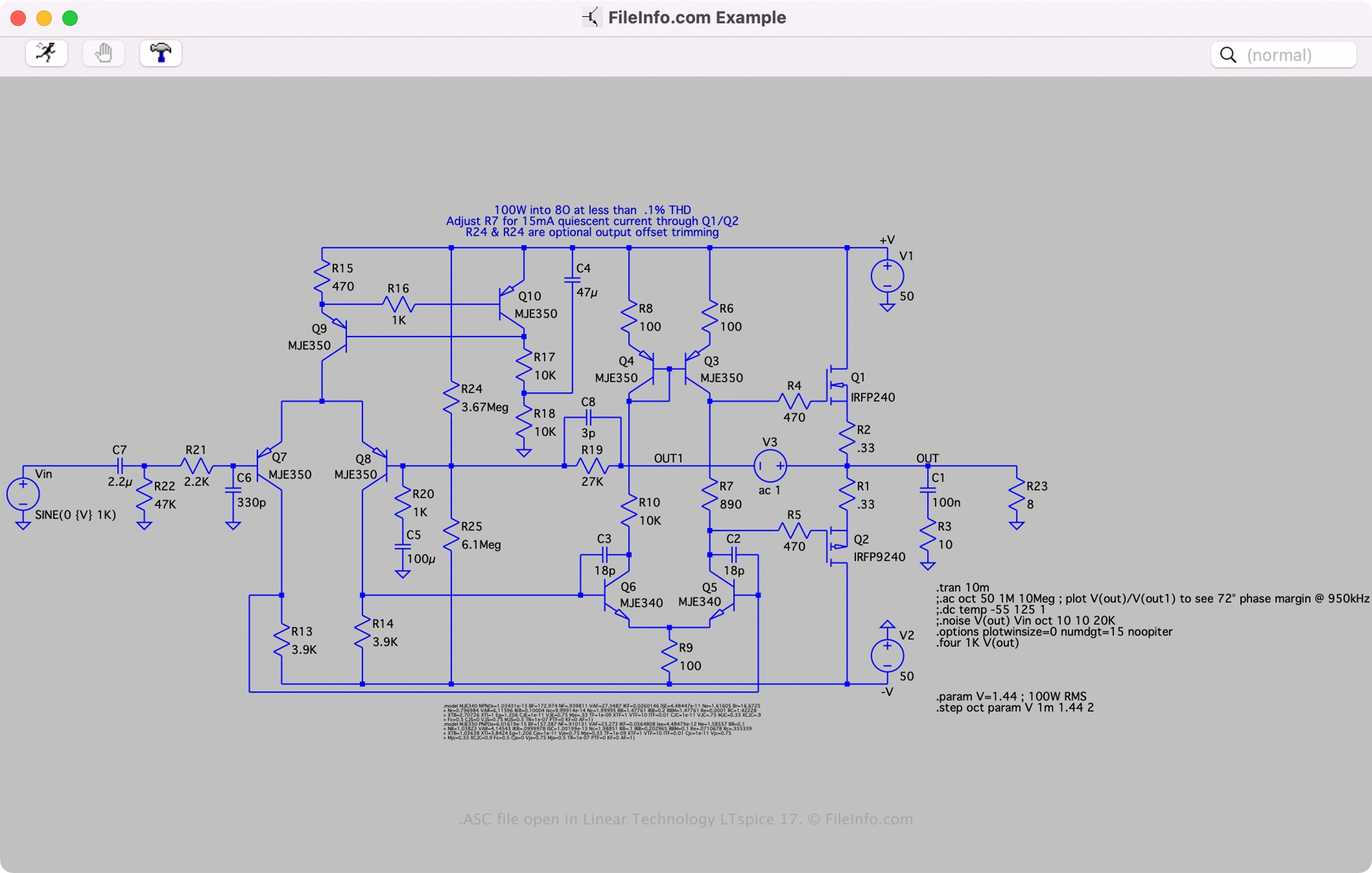
An ASC file is a CAD file created by Linear Technology LTspice, a Spice III circuit simulation application. It contains information about a circuit schematic in plain text, including the circuit layout, symbols (components stored in .ASY files), and connections. LTspice users often design circuit schematics, save them as ASC files, then test them in the software.

Meer informatie

Schermafbeelding van een .asc-bestand in Linear Technology LTspice 17
ASC-bestand geopend in Linear Technology LTspice 17

LTspice is a free Simulation Program with Integrated Circuit Emphasis (SPICE) for Windows and macOS. It includes tools for creating and simulating analog circuit schematics.

When saving a circuit schematic with LTspice, the software creates an ASC file to store the contents of the circuit schematic. After saving the file, you can close the circuit schematic, then re-open it to edit it further. To create an ASC file, select File → Save or Save as.

Een ASC-bestand openen

You can only open an ASC file with Linear Technology LTspice in Windows and macOS. To open an ASC file, select File → Open....

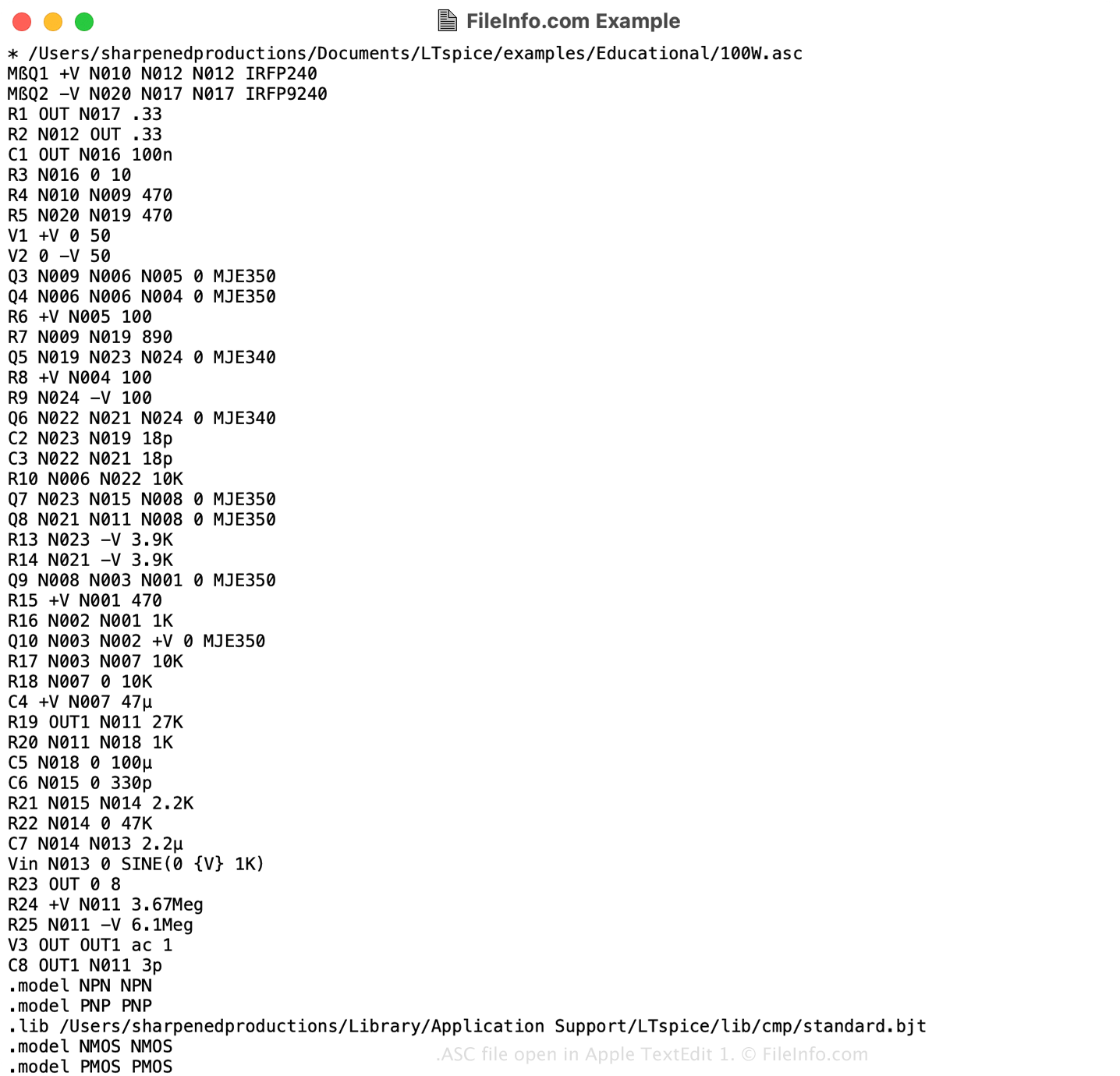
Opening an ASC file with a text editor

ASC file open in Apple TextEdit 1

Since ASC files contain information in plain text, you can also open them with a text editor, such as Microsoft Notepad (Windows) or Apple TextEdit (Mac), or a source code editor. You may need to rename the .asc file extension to .txt for the text editor to recognize it.

When opened in a text editor or source code editor, you can modify the properties of the ASC file. However, if you incorrectly edit the file, you may inadvertently corrupt the model.

Een ASC-bestand converteren

Linear Technology LTspice can convert an ASC file to SPICE Netlist NET files and Waveform Data RAW files. To convert an ASC file, right-click the schematic, select View, and choose the format you want to convert the ASC file.

Programma's die ASC-bestanden openen

Categorie: CAD
Bijgewerkt: 2022-05-24

Geverifieerd door FileInfo.com

Het FileInfo.com-team heeft onafhankelijk onderzoek gedaan naar alle bestandsformaten en softwareprogramma's die op deze pagina worden vermeld. Ons doel is 100% nauwkeurigheid en we publiceren alleen informatie over bestandstypen die we hebben geverifieerd.

Als u aanvullingen of updates voor deze pagina wilt voorstellen, kunt u het ons laten weten.