.CIN 파일 확장자

Kodak Cineon Bitmap Image

개발사 Kodak
인기도
3.2  |  19 투표
 
🔍File Helper(으)로 .CIN 파일을 웹 브라우저에서 바로 여세요.온라인으로 보기

CIN 파일이란 무엇인가요?

A CIN file is a bitmap image saved in the Cineon (CIN) format, which Kodak developed to transfer film images to a digital format for electronic compositing, manipulation, and enhancement. It stores a single frame from a motion picture or video data stream and supports 10-bit color depth per RGB channel. Kodak's Cineon System system may create CIN files, along with other third-party applications, such as Adobe Photoshop or XnViewMP.

추가 정보

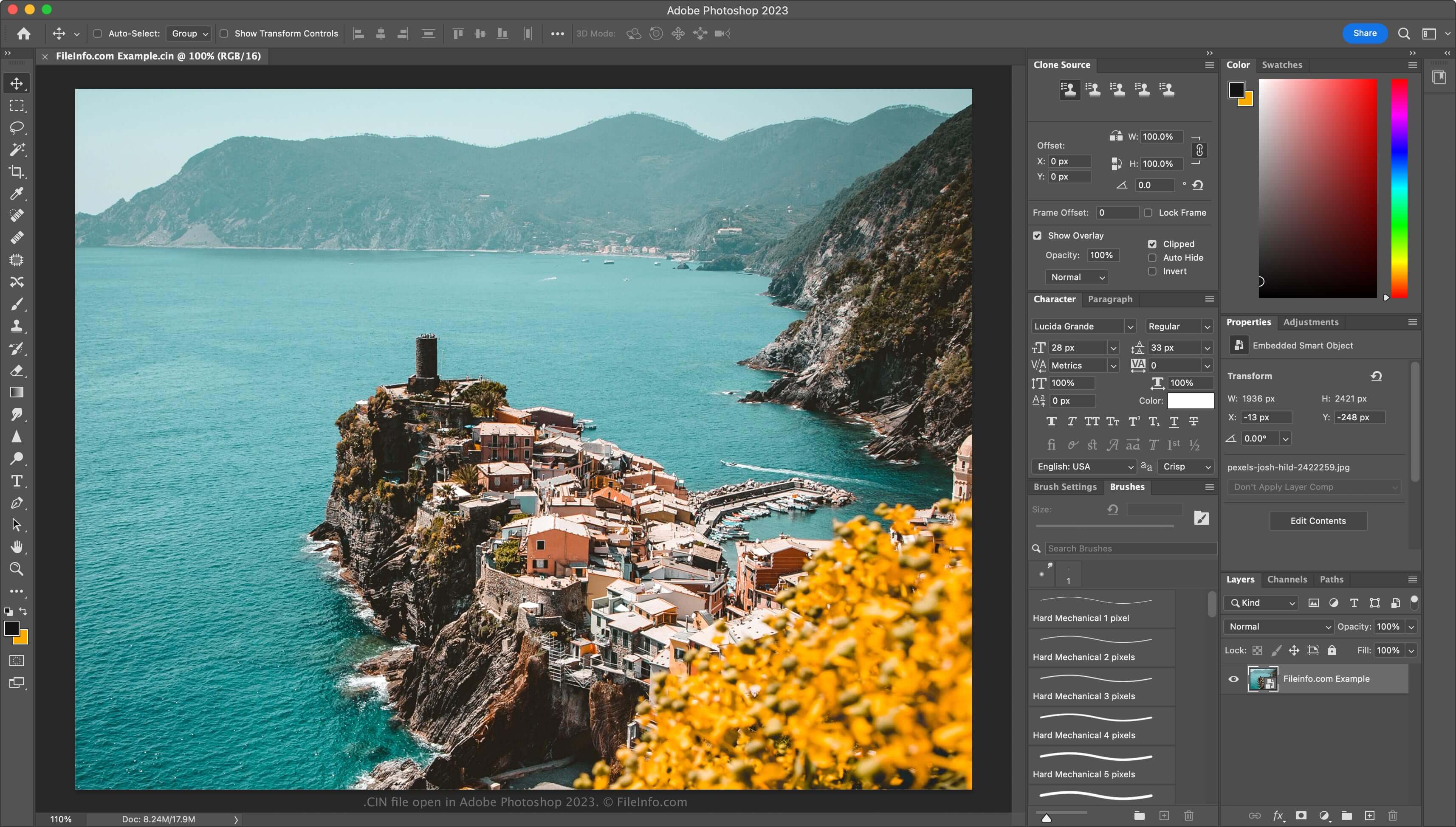
Adobe Photoshop 2023에서 열린 .cin 파일의 스크린샷
Adobe Photoshop 2023에서 열린 CIN 파일

Kodak released its Cineon System in 1992, with Hollywood studios primarily using it to restore old films and convert them to digital format. Film artists used the Cineon system to scan film, saving each frame as a CIN file. They then modified the frames digitally with software included with Cineon System and output them back to film via the Cineon System recorder with no loss of image quality.

While the Cineon System is no longer in use (discontinued in the late 1990s as Kodak introduced the .DPX format), the format has persisted. Therefore, you may still encounter CIN files if you are a visual effects artist.

CIN 파일을 여는 방법

You can open CIN files with several visual effects and image-editing applications. Some options include Adobe Photoshop (multiplatform), Adobe After Effects (multiplatform), and XnViewMP (multiplatform).

CIN 파일을 변환하는 방법

Various image editors, including Adobe Photoshop and XnViewMP, can convert CIN files to other image formats.

For example, Photoshop can convert CIN files to many file types, including the following formats:

  • .JPG - JPEG Image
  • .PNG - Portable Network Graphic
  • .TIF - Tagged Image File Format
  • .GIF - Graphical Interchange Format
  • .WEBP - WebP Image
  • .BMP - Bitmap Image
  • .PDF - Portable Document Format
  • .PSD - Adobe Photoshop Document

CIN 파일을 여는 프로그램

Windows
Mac
무료 체험판
무료 체험판
무료
Web

Delphine Software CIN Video

개발사 Delphine Software International
인기도
3.5  |  2 투표
 

A CIN file is a video used in the MS-DOS version of the video game Fade to Black. It contains a scene played within the game. CIN files are quite uncommon, so most popular media players cannot play them.

추가 정보

Fade to Black was a third-person shooter and puzzle-solving game produced by Delphine Software International, a French video game developer. It was a sequel to Flashback: The Quest for Identity, and it starred that game's protagonist, Conrad B. Hart. In Fade to Black, Conrad must reclaim Earth from the alien Morphs.

Fade to Black was released for MS-DOS, PlayStation, and Dreamcast, but only the MS-DOS version used CIN videos.

CIN 파일을 여는 방법

Because CIN files are so uncommon, most popular media players cannot play them. You can play CIN files in VLC media player, but you will likely encounter playback issues. You can also convert CIN files to a more usable video format using FFmpeg.

CIN 파일을 여는 프로그램

카테고리: 게임
업데이트: 2020-09-03

Champions' Interlace Bitmap

개발사 해당 없음
인기도
1.0  |  1 투표
 

A CIN file is a bitmap image created by Champions' Interlace, a graphics program for Atari computers. It contains an up to 160 x 200 pixel image. Most CIN images are 160 x 192 pixels.

추가 정보

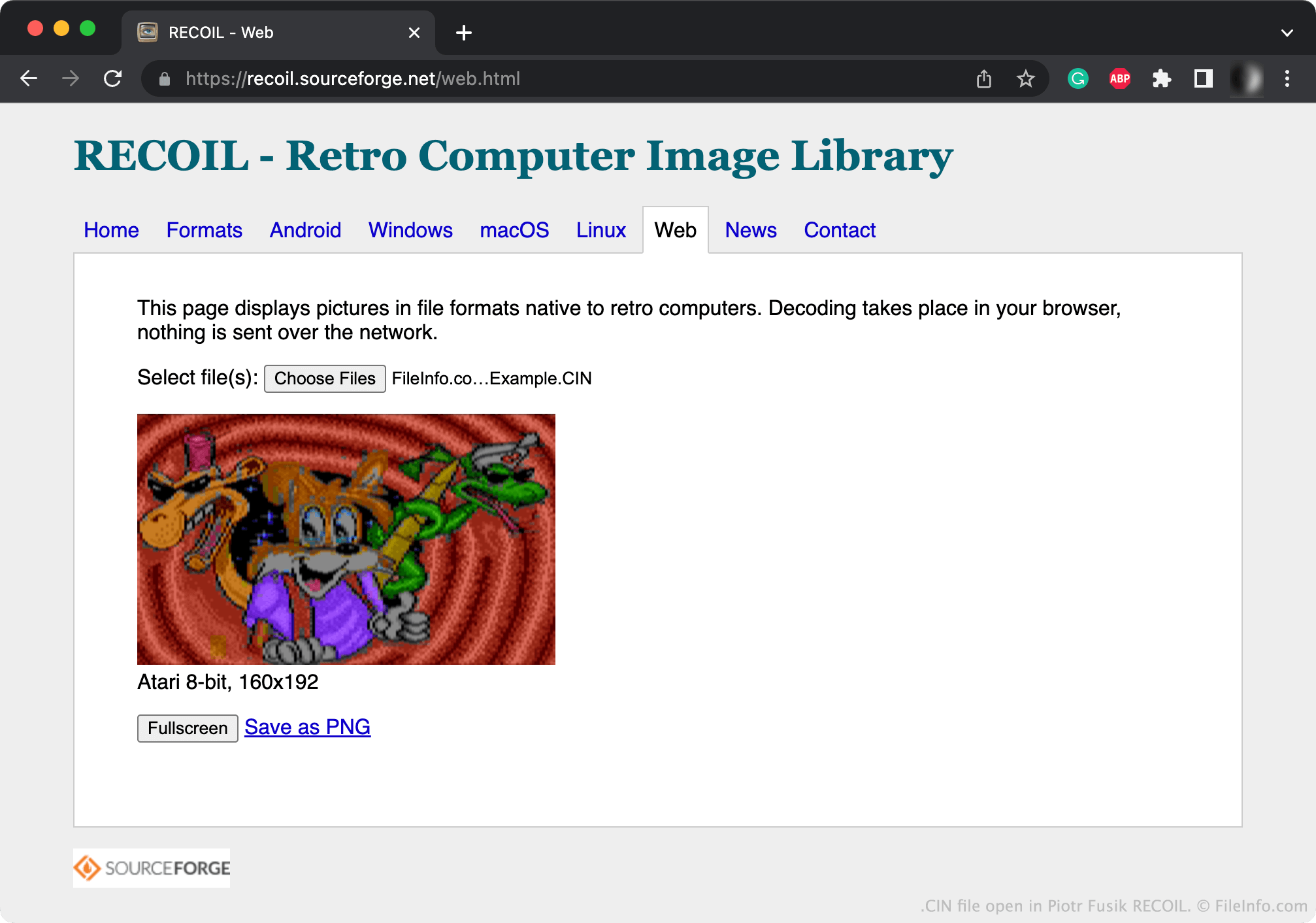
Piotr Fusik RECOIL에서 열린 .cin 파일의 스크린샷
Piotr Fusik RECOIL에서 열린 CIN 파일

Bitmap graphics are digital images comprised of a matrix of dots known as pixels. Champions' Interlace allows users to create small bitmap graphics.

Typically, Chamipions' Interlace saves the graphics users create as CIN files. Champions Interlace can also save images as compressed .CCI (Compressed Champions' Interlace Bitmap) files.

CIN 파일을 여는 방법

You can open a CIN file with Piotr Fusik RECOIL (multiplatform) or Tom's Editor (Web) to view the image it contains.

CIN 파일을 변환하는 방법

You can use RECOIL or Tom's Editor to convert CIN files to more common image formats. For example, Tom's Editor can convert CIN files to the following formats:

  • .BMP - Bitmap Image
  • .JPG - JPEG Image
  • .PNG - Portable Network Graphic
  • .GIF - Graphical Interchange Format
  • .DDS - DirectDraw Surface Image
  • .PCX - Paintbrush Bitmap Image
  • .TGA - Targa Graphic
  • .WEBP - WebP Image
  • .PSD - Photoshop Document
  • .SVG - Scalable Vector Graphic

CIN 파일을 여는 프로그램

Windows
Mac
Linux
Android

검증자 FileInfo.com

FileInfo.com 팀 이 페이지에 나열된 모든 파일 형식과 소프트웨어 프로그램을 독자적으로 조사했습니다. 저희의 목표는 100% 정확성이며, 검증한 파일 유형에 대한 정보만 게시합니다.

이 페이지에 추가하거나 업데이트할 내용을 제안하고 싶으시면 알려 주세요.