.AFDESIGN 파일 확장자

Affinity Design Document

개발사 Serif Labs
인기도
3.8  |  26 투표
 

AFDESIGN 파일이란 무엇인가요?

An AFDESIGN file is a design document created by Serif Affinity Designer, a vector and raster graphics design application. It stores a design, which includes one or more image layers, shapes, text, pencil or pen drawings, paint strokes, and other Affinity Designer elements. Affinity Designer users often save designs, such as icons, logos, print materials, and website mockups as AFDESIGN files.

추가 정보

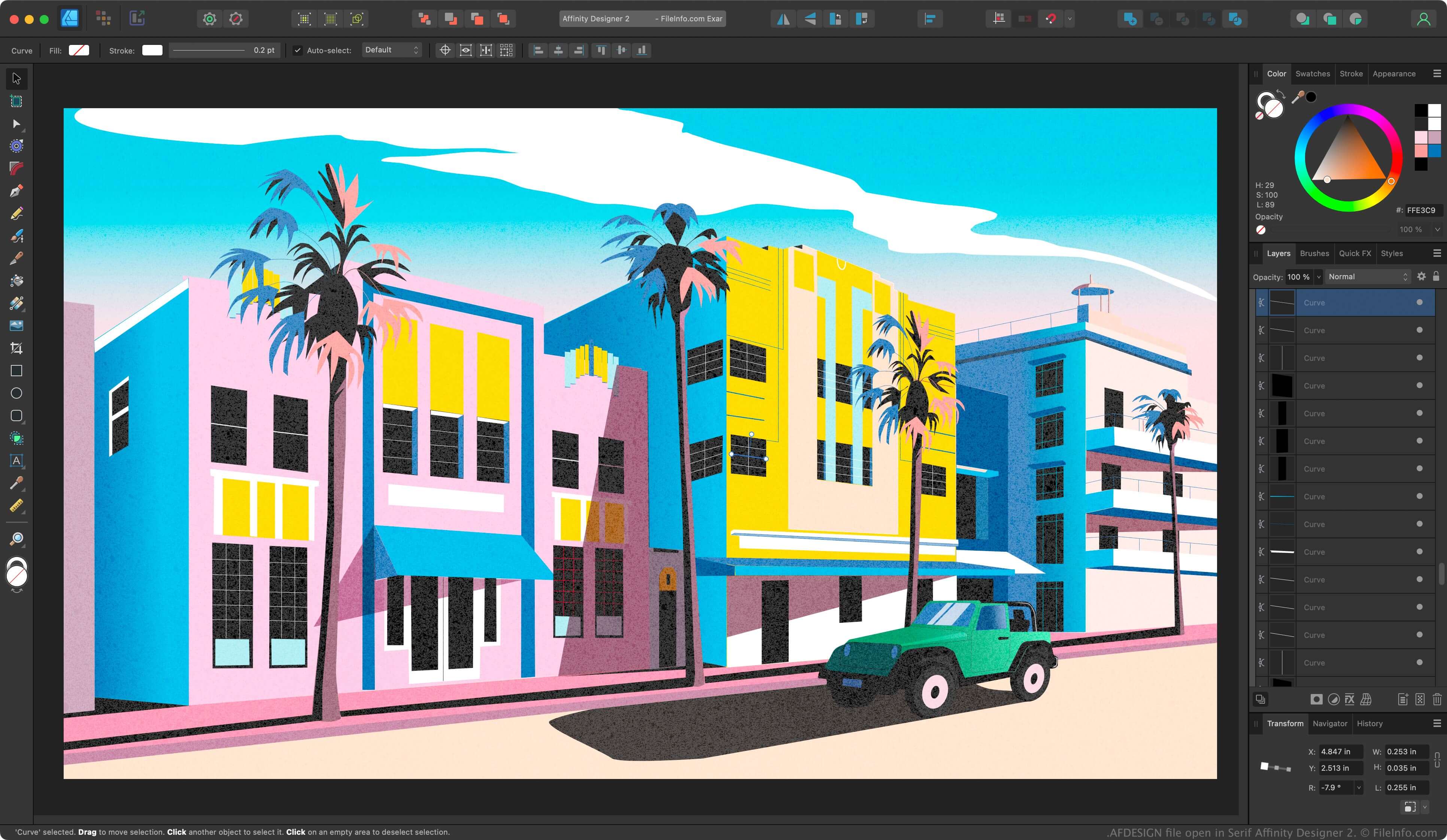
Serif Affinity Designer 2에서 열린 .afdesign 파일의 스크린샷
Serif Affinity Designer 2에서 열린 AFDESIGN 파일

Affinity Designer is a professional vector designing application similar to Adobe Illustrator. While Illustrator saves designs in the Illustrator Artwork (.AI) format by default, Affinity Designer saves designs in the AFDESIGN format.

After saving your design progress as an AFDESIGN file, you can close the file, then re-open it for further editing. If you create a design you want to replicate, you can export it as a template by selecting File → Export as Template.

참고: Canva acquired Serif in 2024 and replaced Affinity Designer with Affinity.

AFDESIGN 파일을 여는 방법

You can open an AFDESIGN file with Canva Affinity in Windows or macOS. To open an AFDESIGN file, select File → Open.

AFDESIGN 파일을 변환하는 방법

Canva Affinity can convert AFDESIGN files to the following formats:

  • .PSD - Adobe Photoshop Document
  • .PDF - Portable Document Format
  • .JPG - JPEG Image
  • .PNG - Portable Network Graphic
  • .GIF - Graphical Interchange Format
  • .EPS - Encapsulated PostScript
  • .SVG - Scalable Vector Graphics
  • .TGA - Targa Graphic
  • .TIFF - Tagged Image File Format
  • .HDR - High Dynamic Range Image
File Viewer Plus(으)로 400개 이상의 파일 형식을 여세요.무료 다운로드

AFDESIGN 파일을 여는 프로그램

Windows
Mac

검증자 FileInfo.com

FileInfo.com 팀 이 페이지에 나열된 Affinity Design Document 파일 형식과 Mac and Windows 앱을 독자적으로 조사했습니다. 저희의 목표는 100% 정확성이며, 검증한 파일 유형에 대한 정보만 게시합니다.

이 페이지에 추가하거나 업데이트할 내용을 제안하고 싶으시면 알려 주세요.