

.PTB Estensione file
File Power Tab
| Sviluppatore | Power Tab Community |
| Popolarità |
3,1 | 16 Voti |
Che cos'è un file PTB?
Un file PTB contiene una tablatura per chitarra o basso creata da Power Tab Editor, un programma per creare, modificare e condividere tablature per chitarra e basso destinato ai musicisti. Memorizza informazioni dettagliate su come suonare una canzone o un brano musicale, con una tablatura che indica le note esatte, la posizione delle dita e il tempo. I file PTB possono includere anche la notazione musicale standard, il testo e altre note sulla canzone.
Maggiori informazioni
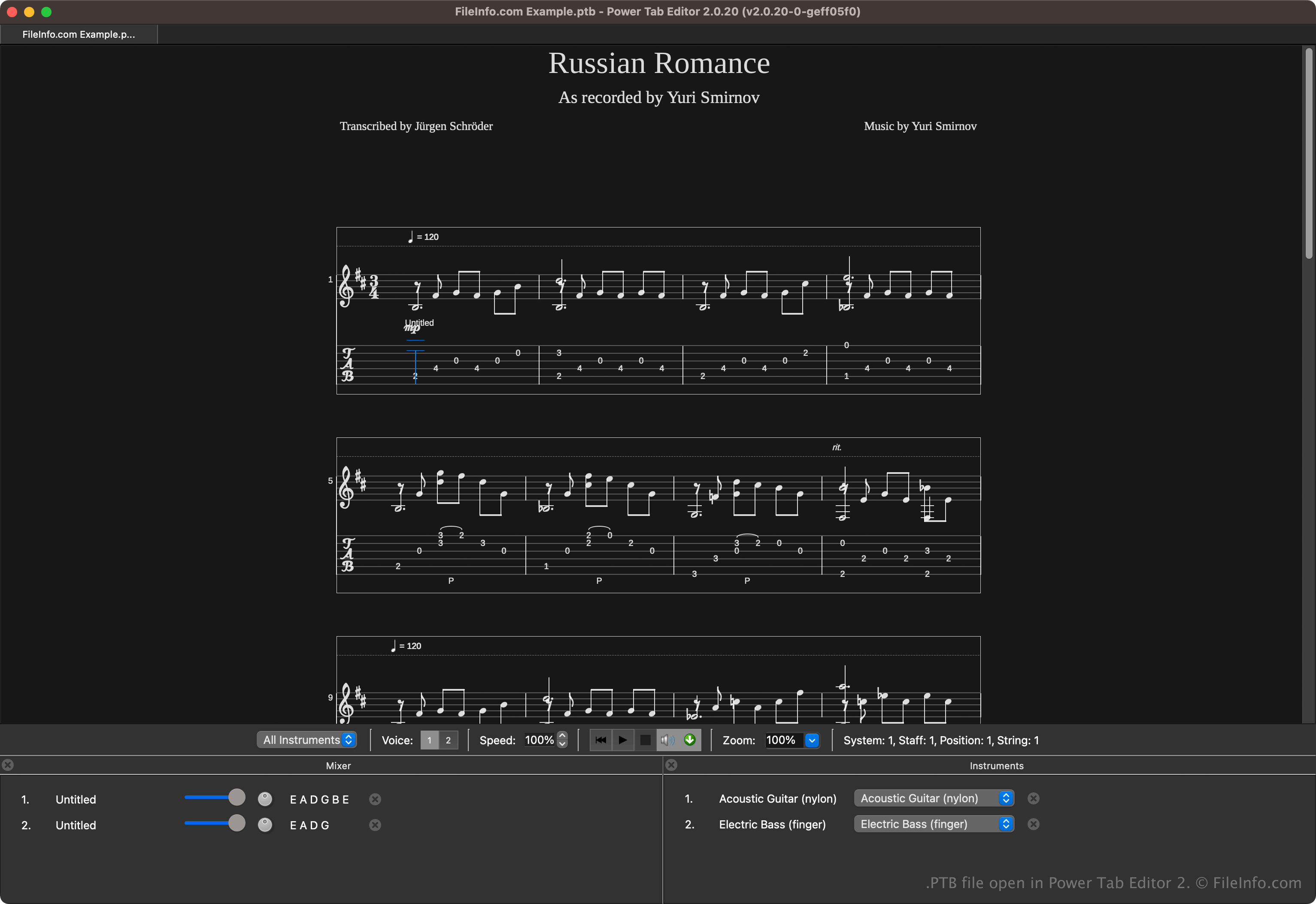
Power Tab Editor permette ai musicisti di scrivere e condividere tablature in un formato accessibile. Il formato è ampiamente condiviso nella comunità musicale perché è utile sia ai principianti sia ai musicisti esperti che desiderano un modo più semplice per imparare la musica senza leggere gli spartiti tradizionali.
Brad Larsen ha sviluppato e pubblicato inizialmente Power Tab Editor alla fine degli anni '90. Sebbene il programma sia diventato popolare tra chitarristi e bassisti, il suo sviluppo è terminato nei primi anni 2000. Tuttavia, gli appassionati del software hanno continuato a svilupparlo dopo averne acquisito il codice sorgente e hanno pubblicato una seconda versione open source, che salva le tablature come file .PT2 invece che come file PTB.
Come aprire un file PTB
Puoi aprire i file PTB con Power Tab Editor. Per aprire un file PTB, seleziona .
Anche diverse applicazioni di terze parti possono aprire i file PTB. Tra le opzioni ci sono TuxGuitar e Arobas Music Guitar Pro.
Come convertire un file PTB
Diverse applicazioni, tra cui TuxGuitar, Power Tab Editor e Arobas Music Guitar Pro, possono convertire i file PTB in altri tipi di file.
Ad esempio, TuxGuitar può convertire i file PTB nei seguenti formati:
Programmi che aprono i file PTB
Backup delle impostazioni di PowerToys
| Sviluppatore | Microsoft |
| Popolarità |
4,0 | 2 Voti |
Un file PTB è un file di backup creato da Microsoft PowerToys, un'utilità che consente agli utenti di personalizzare Microsoft Windows. Contiene una copia delle impostazioni PowerToys di un utente. Gli utenti creano e caricano i file PTB dalla finestra Impostazioni di PowerToys dell'app.
Maggiori informazioni
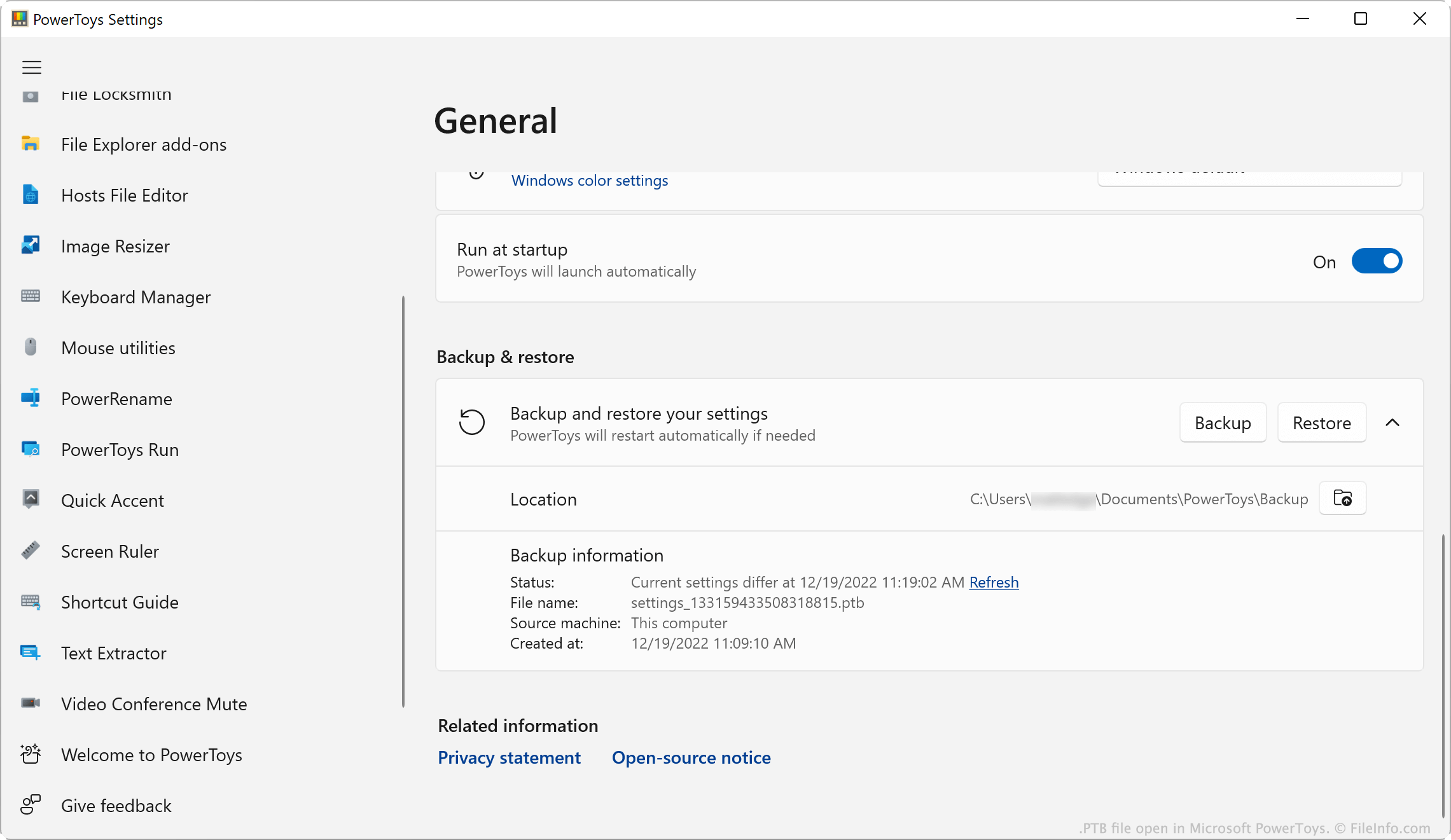
Microsoft PowerToys è un insieme di utilità che consente agli utenti di Windows 10 e 11 di aggiungere e modificare le funzionalità di Windows. Ad esempio, PowerToys consente agli utenti di installare componenti aggiuntivi per Esplora file, usare un selettore colore per copiare i colori tra le finestre e usare un righello dello schermo per misurare i pixel sullo schermo.
Gli utenti di PowerToys possono modificare le impostazioni di ciascuna utilità dell'app. Se un utente vuole creare una copia di backup delle proprie impostazioni, può farlo aprendo il menu Impostazioni di PowerToys e selezionando . In questo modo viene salvata una copia delle impostazioni dell'utente come file PTB. In genere, i file PTB vengono salvati nella seguente directory:
C:/Users/YourUserName/Documents/PowerToys/Backup
NOTA: I file PTB sono archivi .ZIP che memorizzano le impostazioni come file .JSON. Se vuoi visualizzare i file JSON contenuti in un file PTB, modifica l'estensione del file in .zip e aprilo come faresti con qualsiasi file ZIP.
Come aprire un file PTB
Puoi aprire un file PTB con Microsoft PowerToys (Windows). Per farlo:
- Inserisci il file PTB nella directory ~/PowerToys/Backup ed elimina tutti gli altri file PTB presenti.
- Apri PowerToys e, nella finestra Impostazioni di PowerToys, seleziona .
- Scorri fino alla sezione .
- Fai clic su .
PowerToys applicherà le impostazioni salvate nel file PTB.