

.PTB Extensão de arquivo
Arquivo Power Tab
| Desenvolvedor | Power Tab Community |
| Popularidade |
3,1 | 16 Votos |
O que é um arquivo PTB?
Um arquivo PTB contém tablaturas de guitarra ou baixo criadas pelo Power Tab Editor, um programa para criar, editar e compartilhar tablaturas de guitarra e baixo para músicos. Ele armazena informações detalhadas sobre como tocar uma música ou peça musical, com a tablatura indicando as notas exatas, as posições dos dedos e o tempo. Os arquivos PTB também podem incluir notação musical padrão, letras e outras observações sobre a música.
Mais informações
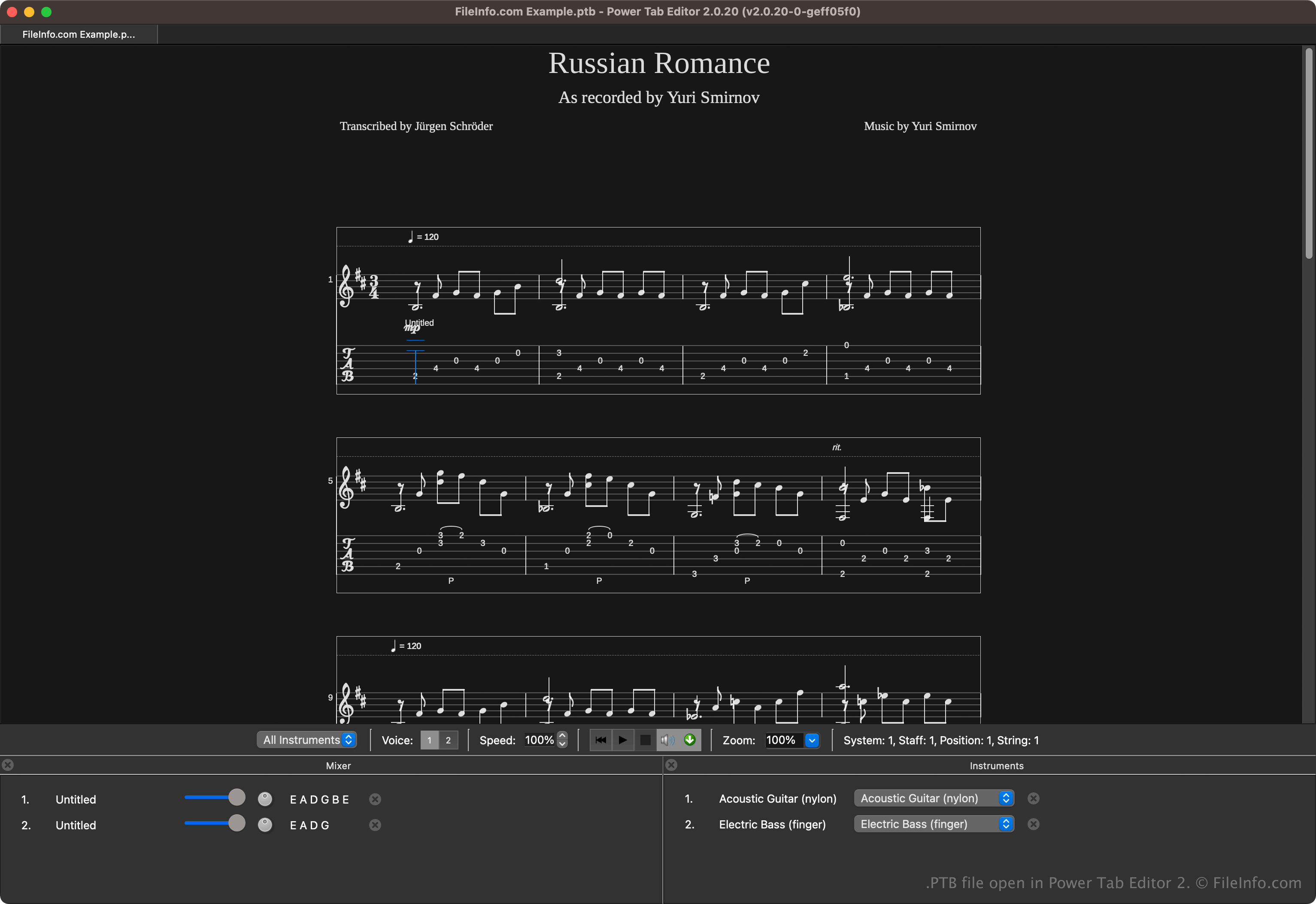
O Power Tab Editor permite que músicos escrevam e compartilhem tablaturas em um formato acessível. O formato é amplamente compartilhado na comunidade musical, pois é útil para iniciantes e músicos experientes que querem uma maneira mais simples de aprender música sem ler partituras tradicionais.
Brad Larsen desenvolveu e lançou inicialmente o Power Tab Editor no final da década de 1990. Embora o programa tenha se tornado popular entre guitarristas e baixistas, seu desenvolvimento acabou sendo interrompido no início dos anos 2000. No entanto, fãs do software continuaram a desenvolvê-lo depois de adquirir seu código-fonte e lançaram uma segunda versão de código aberto, que salva as tablaturas como arquivos .PT2, em vez de arquivos PTB.
Como abrir um arquivo PTB
Você pode abrir arquivos PTB com o Power Tab Editor. Para abrir um arquivo PTB, selecione .
Vários aplicativos de terceiros também podem abrir arquivos PTB. Algumas opções incluem o TuxGuitar e o Arobas Music Guitar Pro.
Como converter um arquivo PTB
Vários aplicativos, incluindo o TuxGuitar, o Power Tab Editor e o Arobas Music Guitar Pro, podem converter arquivos PTB para outros tipos de arquivo.
Por exemplo, o TuxGuitar pode converter arquivos PTB para os seguintes formatos:
Programas que abrem arquivos PTB
Backup de configurações do PowerToys
| Desenvolvedor | Microsoft |
| Popularidade |
4,0 | 2 Votos |
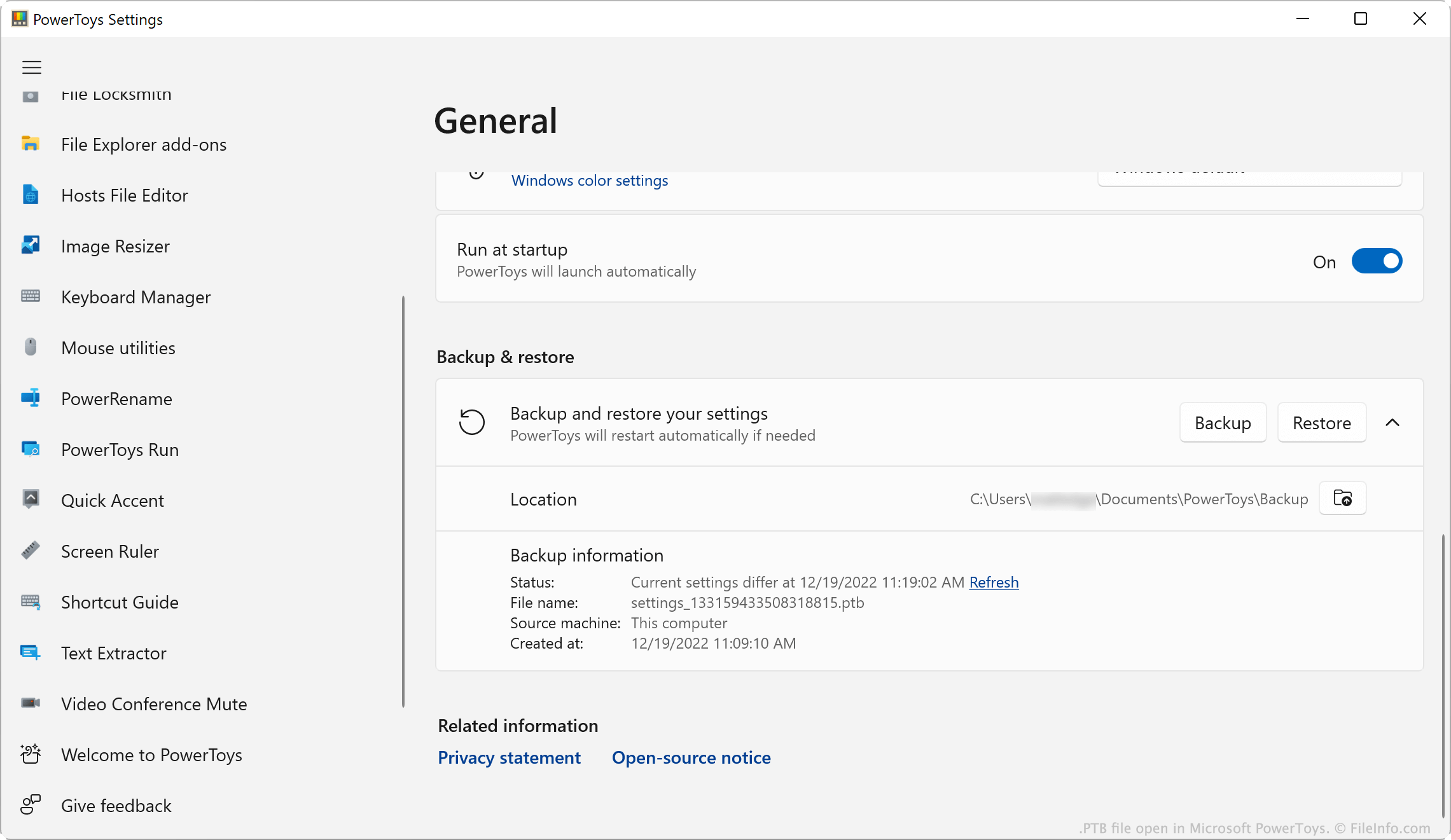
Um arquivo PTB é um arquivo de backup criado pelo Microsoft PowerToys, um utilitário que permite aos usuários personalizar o Microsoft Windows. Ele contém uma cópia das configurações do PowerToys de um usuário. Os usuários criam e carregam arquivos PTB na janela PowerToys Settings do aplicativo.
Mais informações
O Microsoft PowerToys é um conjunto de utilitários que permite aos usuários do Windows 10 e 11 adicionar e ajustar recursos do Windows. Por exemplo, o PowerToys permite que os usuários instalem complementos para o Explorador de Arquivos, usem um Seletor de Cores para copiar cores entre janelas e usem uma Régua de Tela para medir pixels na tela.
Os usuários do PowerToys podem modificar as configurações de cada um dos utilitários do aplicativo. Se um usuário quiser fazer backup das configurações, poderá fazer isso abrindo o menu PowerToys Settings e selecionando . Isso salva uma cópia das configurações do usuário como um arquivo PTB. Normalmente, os arquivos PTB são salvos no seguinte diretório:
C:/Users/YourUserName/Documents/PowerToys/Backup
NOTA: Os arquivos PTB são arquivos .ZIP que armazenam configurações como arquivos .JSON. Se quiser visualizar os arquivos JSON contidos em um arquivo PTB, altere a extensão do arquivo para .zip e abra-o como faria com qualquer arquivo ZIP.
Como abrir um arquivo PTB
Você pode abrir um arquivo PTB com o Microsoft PowerToys (Windows). Para fazer isso:
- Coloque seu arquivo PTB no diretório ~/PowerToys/Backup e exclua todos os outros arquivos PTB localizados nele.
- Abra o PowerToys e, na janela PowerToys Settings, selecione .
- Role até a seção .
- Clique em .
O PowerToys aplicará as configurações salvas no seu arquivo PTB.