.VCP 文件扩展名

eMbedded Visual C++ Project File

开发者 Microsoft
受欢迎程度
2.0  |  4 
 

什么是 VCP 文件?

Software development project created by eMbedded Visual C++ (eVC), a Microsoft application used to develop programs for the Windows CE (Compact Edition) platform; contains project settings as well as references to source code files and project assets.

更多信息

VCP files are used for saving and loading development progress, as well as building Windows CE applications. They can be converted into .VCPROJ files using Visual Studio 2005 and later.

使用File Viewer Plus打开 400 多种文件格式。免费下载

可打开 VCP 文件的程序

分类: 开发者
更新时间: 2010-07-08

Casio ClassPad Data File

开发者 Casio
受欢迎程度
2.0  |  2 
 

A VCP file is a data file used by Casio ClassPad graphing calculators, which include ClassPad 300, ClassPad 330, and fx-CP400 calculators. It may contain eActivity data or a backup of all the data on a ClassPad device. VCP files are saved in the proprietary Virtual ClassPad (VCP) format and are only supported by the ClassPad graphing calculator and ClassPad software.

更多信息

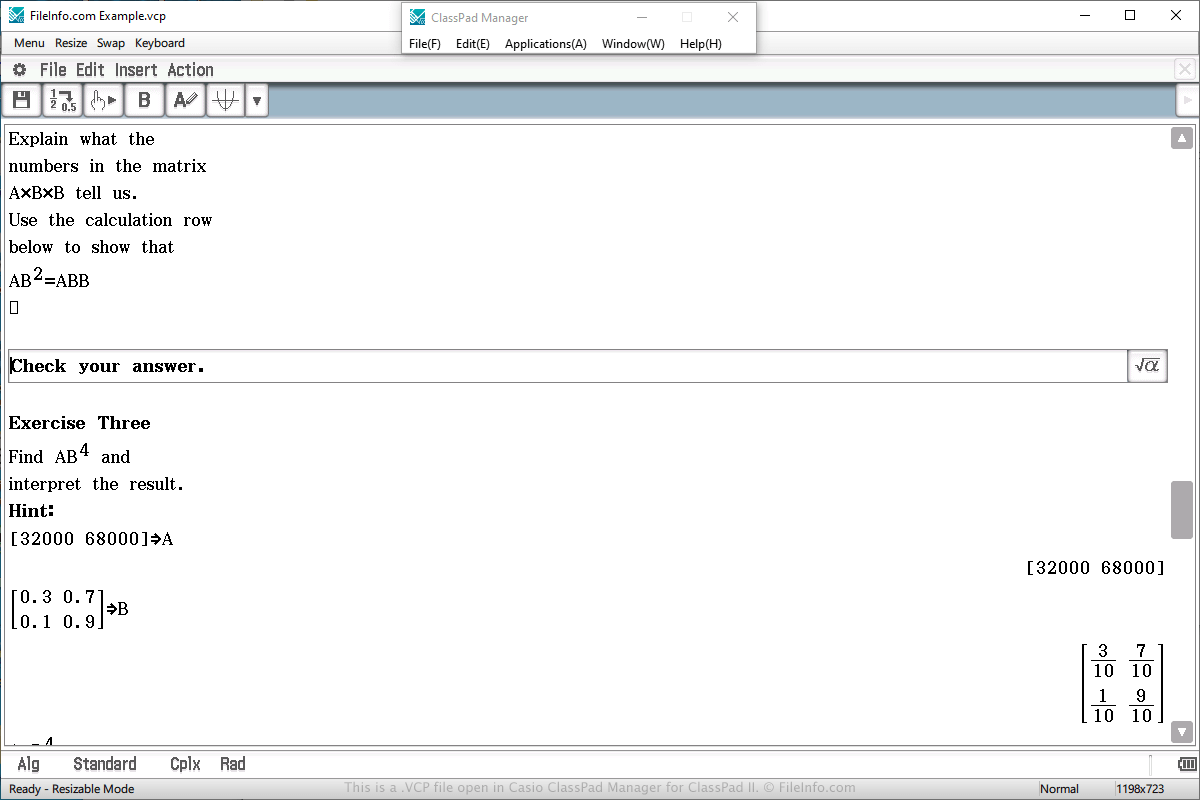
在 Casio ClassPad Manager for ClassPad II 中打开的 .vcp 文件截图
在 Casio ClassPad Manager for ClassPad II 中打开的 VCP 文件

You will most likely only encounter a VCP data file if you own a Casio ClassPad graphing calculator. You may also encounter the file if you use the ClassPad Manager for ClassPad II program, which emulates the calculator in Windows or macOS.

VCP files are often used to save an eActivity, which is similar to a document created by a word processor, but more simplified for a calculator. It is designed to enhance the presentation of information on the calculator and supports text, images, tables, graphs, and equations.

To create a VCP file that stores eActivity data, select "eActivity" from the main menu on the calculator or software, compose the document, select File → Save, choose the save location, name the file, and click Save.

To open a VCP file that stores eActivity data, select "eActivity" from the main menu on the calculator or software, compose the document, select File → Open, choose the file, and click Open.

On a ClassPad calculator, eActivity VCP files are saved in the "Flash memory" area of the calculator. eActivity VCP files created by ClassPad Manager for ClassPad II software are saved on the hard drive on the computer.

To open a VCP file that stores backup data, select "System" from the main menu on the calculator or software, choose the "View Storage & Import" option and click Select, choose the VCP back up file, and click Import.

可打开 VCP 文件的程序

分类: 数据
更新时间: 2020-04-03

验证者 FileInfo.com

FileInfo.com 团队 独立研究了本页面列出的所有文件格式和软件程序。 我们的目标是达到 100% 的准确率,并且仅发布我们已验证过的文件类型信息。

如果您想为此页面提出新增或更新建议,请告诉我们