

.VCP Dateiendung
Casio ClassPad-Datendatei
| Entwickler | Casio |
| Beliebtheit |
2,0 | 2 Stimmen |
Eine VCP-Datei ist eine Datendatei, die von grafischen Taschenrechnern der Casio-ClassPad-Serie verwendet wird, darunter die Taschenrechner ClassPad 300, ClassPad 330 und fx-CP400. Sie kann eActivity-Daten oder eine Sicherung aller Daten auf einem ClassPad-Gerät enthalten. VCP-Dateien werden im proprietären Virtual-ClassPad- (VCP-)Format gespeichert und nur vom grafischen ClassPad-Taschenrechner und der ClassPad-Software unterstützt.
Weitere Informationen
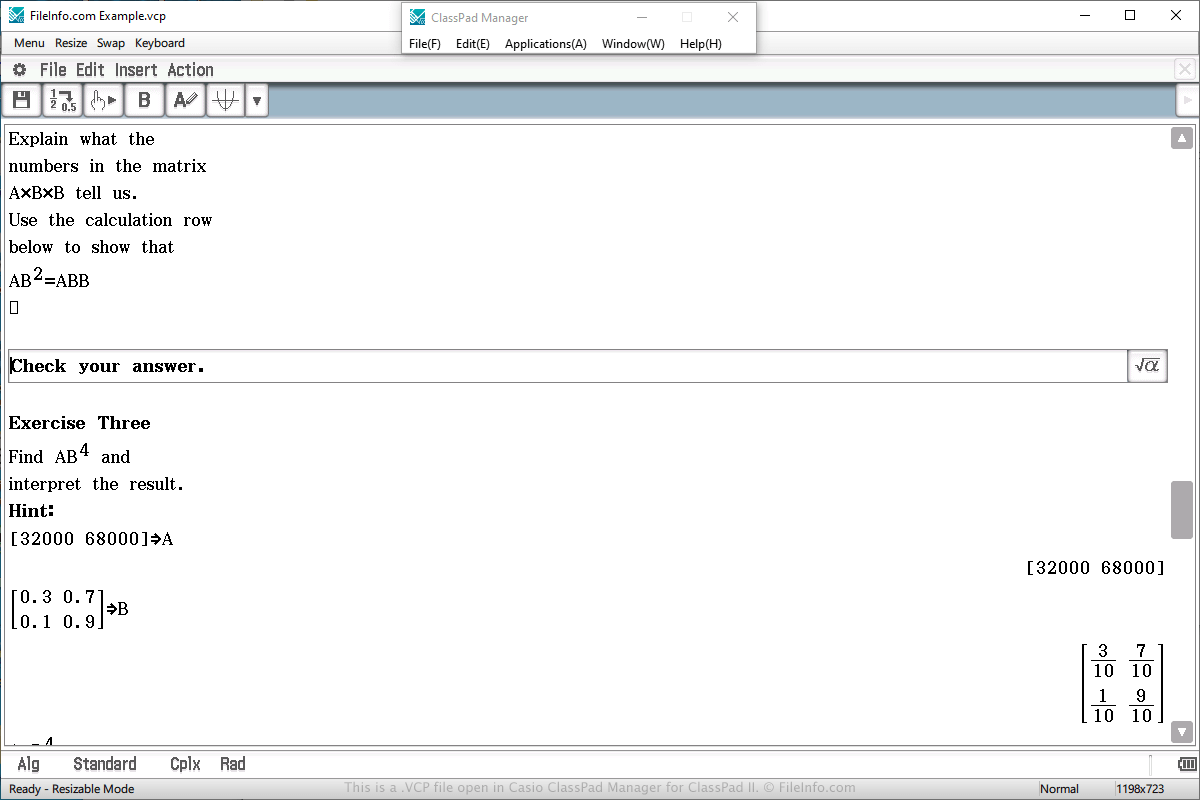
Eine VCP-Datendatei werden Sie höchstwahrscheinlich nur dann antreffen, wenn Sie einen grafischen Casio-ClassPad-Taschenrechner besitzen. Sie können der Datei auch begegnen, wenn Sie das Programm ClassPad Manager for ClassPad II verwenden, das den Taschenrechner unter Windows oder macOS simuliert.
VCP-Dateien werden häufig zum Speichern einer eActivity verwendet, die einem Dokument ähnelt, das mit einem Textverarbeitungsprogramm erstellt wurde, aber für einen Taschenrechner stärker vereinfacht ist. Sie dient dazu, die Darstellung von Informationen auf dem Taschenrechner zu verbessern, und unterstützt Text, Bilder, Tabellen, Diagramme und Gleichungen.
Um eine VCP-Datei zu erstellen, in der eActivity-Daten gespeichert werden, wählen Sie im Hauptmenü des Taschenrechners oder der Software „eActivity“ aus, erstellen Sie das Dokument, wählen Sie , wählen Sie den Speicherort aus, geben Sie der Datei einen Namen und klicken Sie auf .
Um eine VCP-Datei zu öffnen, in der eActivity-Daten gespeichert sind, wählen Sie im Hauptmenü des Taschenrechners oder der Software „eActivity“ aus, erstellen Sie das Dokument, wählen Sie , wählen Sie die Datei aus und klicken Sie auf .
Auf einem ClassPad-Taschenrechner werden eActivity-VCP-Dateien im Bereich „Flash memory“ des Taschenrechners gespeichert. Von der ClassPad-Manager-for-ClassPad-II-Software erstellte eActivity-VCP-Dateien werden auf der Festplatte des Computers gespeichert.
Um eine VCP-Datei zu öffnen, in der Sicherungsdaten gespeichert sind, wählen Sie im Hauptmenü des Taschenrechners oder der Software „System“ aus, wählen Sie die Option „View Storage & Import“ und klicken Sie auf , wählen Sie die VCP-Sicherungsdatei aus und klicken Sie auf .