

.VCP Estensione file
File di dati Casio ClassPad
| Sviluppatore | Casio |
| Popolarità |
2,0 | 2 Voti |
Un file VCP è un file di dati utilizzato dalle calcolatrici grafiche Casio ClassPad, tra cui ClassPad 300, ClassPad 330 e fx-CP400. Può contenere dati eActivity o un backup di tutti i dati presenti su un dispositivo ClassPad. I file VCP vengono salvati nel formato proprietario Virtual ClassPad (VCP) e sono supportati solo dalla calcolatrice grafica ClassPad e dal software ClassPad.
Maggiori informazioni
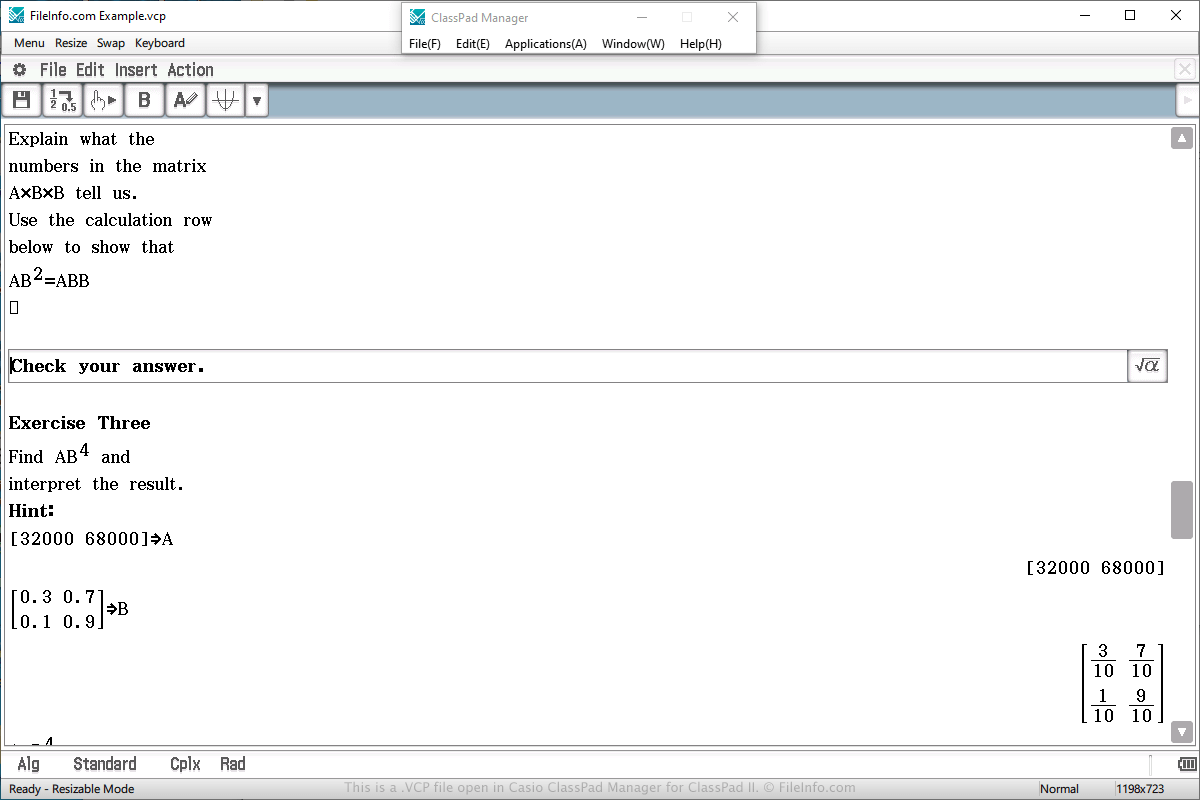
Molto probabilmente incontrerai un file di dati VCP solo se possiedi una calcolatrice grafica Casio ClassPad. Potresti incontrare questo file anche se utilizzi il programma ClassPad Manager for ClassPad II, che emula la calcolatrice in Windows o macOS.
I file VCP vengono spesso utilizzati per salvare un'eActivity, simile a un documento creato da un elaboratore di testi, ma più semplificata per una calcolatrice. È progettata per migliorare la presentazione delle informazioni sulla calcolatrice e supporta testo, immagini, tabelle, grafici ed equazioni.
Per creare un file VCP che memorizza dati eActivity, seleziona "eActivity" dal menu principale della calcolatrice o del software, componi il documento, seleziona , scegli la posizione di salvataggio, assegna un nome al file e fai clic su .
Per aprire un file VCP che memorizza dati eActivity, seleziona "eActivity" dal menu principale della calcolatrice o del software, componi il documento, seleziona , scegli il file e fai clic su .
Su una calcolatrice ClassPad, i file VCP eActivity vengono salvati nell'area "Flash memory" della calcolatrice. I file VCP eActivity creati dal software ClassPad Manager for ClassPad II vengono salvati sul disco rigido del computer.
Per aprire un file VCP che memorizza dati di backup, seleziona "System" dal menu principale della calcolatrice o del software, scegli l'opzione "View Storage & Import" e fai clic su , scegli il file VCP di backup e fai clic su .