.VCP ファイル拡張子

eMbedded Visual C++ Project File

開発元 Microsoft
人気度
2.0  |  4 
 

VCPファイルとは?

Software development project created by eMbedded Visual C++ (eVC), a Microsoft application used to develop programs for the Windows CE (Compact Edition) platform; contains project settings as well as references to source code files and project assets.

詳細情報

VCP files are used for saving and loading development progress, as well as building Windows CE applications. They can be converted into .VCPROJ files using Visual Studio 2005 and later.

File Viewer Plusで400種類以上のファイル形式を開けます。無料ダウンロード

VCPファイルを開くプログラム

カテゴリ: 開発者
更新日: 2010-07-08

Casio ClassPad Data File

開発元 Casio
人気度
2.0  |  2 
 

A VCP file is a data file used by Casio ClassPad graphing calculators, which include ClassPad 300, ClassPad 330, and fx-CP400 calculators. It may contain eActivity data or a backup of all the data on a ClassPad device. VCP files are saved in the proprietary Virtual ClassPad (VCP) format and are only supported by the ClassPad graphing calculator and ClassPad software.

詳細情報

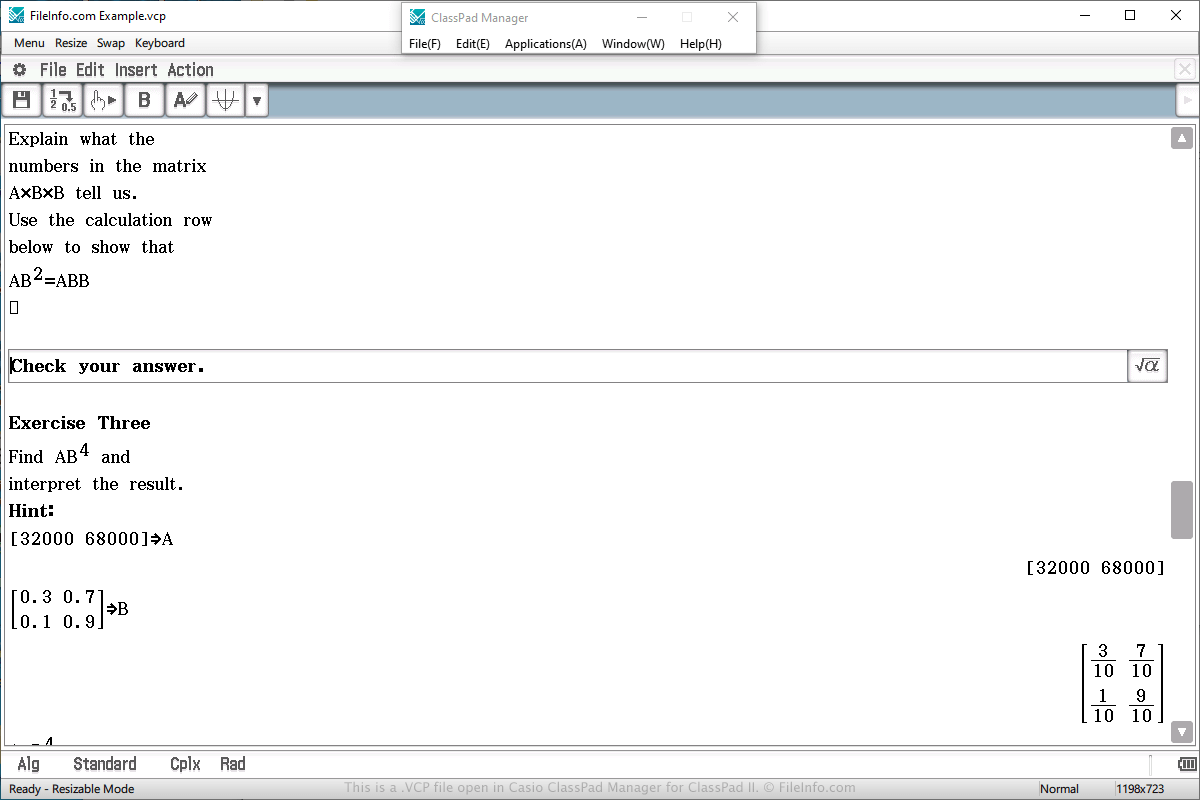
Casio ClassPad Manager for ClassPad IIで開いた.vcpファイルのスクリーンショット
Casio ClassPad Manager for ClassPad IIで開いたVCPファイル

You will most likely only encounter a VCP data file if you own a Casio ClassPad graphing calculator. You may also encounter the file if you use the ClassPad Manager for ClassPad II program, which emulates the calculator in Windows or macOS.

VCP files are often used to save an eActivity, which is similar to a document created by a word processor, but more simplified for a calculator. It is designed to enhance the presentation of information on the calculator and supports text, images, tables, graphs, and equations.

To create a VCP file that stores eActivity data, select "eActivity" from the main menu on the calculator or software, compose the document, select File → Save, choose the save location, name the file, and click Save.

To open a VCP file that stores eActivity data, select "eActivity" from the main menu on the calculator or software, compose the document, select File → Open, choose the file, and click Open.

On a ClassPad calculator, eActivity VCP files are saved in the "Flash memory" area of the calculator. eActivity VCP files created by ClassPad Manager for ClassPad II software are saved on the hard drive on the computer.

To open a VCP file that stores backup data, select "System" from the main menu on the calculator or software, choose the "View Storage & Import" option and click Select, choose the VCP back up file, and click Import.

VCPファイルを開くプログラム

カテゴリ: データ
更新日: 2020-04-03

検証者 FileInfo.com

FileInfo.comチーム は、このページに掲載されているすべてのファイル形式とソフトウェアについて独自に調査しました。 私たちの目標は100%の正確性であり、検証済みのファイルタイプに関する情報のみを公開しています。

このページへの追加や更新をご提案いただける場合は、お知らせください。