

.VCP Přípona souboru
Datový soubor Casio ClassPad
| Vývojář | Casio |
| Popularita |
2,0 | 2 hlasy |
Soubor VCP je datový soubor používaný grafickými kalkulačkami Casio ClassPad, mezi které patří kalkulačky ClassPad 300, ClassPad 330 a fx-CP400. Může obsahovat data eActivity nebo zálohu všech dat v zařízení ClassPad. Soubory VCP se ukládají v proprietárním formátu Virtual ClassPad (VCP) a podporují je pouze grafická kalkulačka ClassPad a software ClassPad.
Další informace
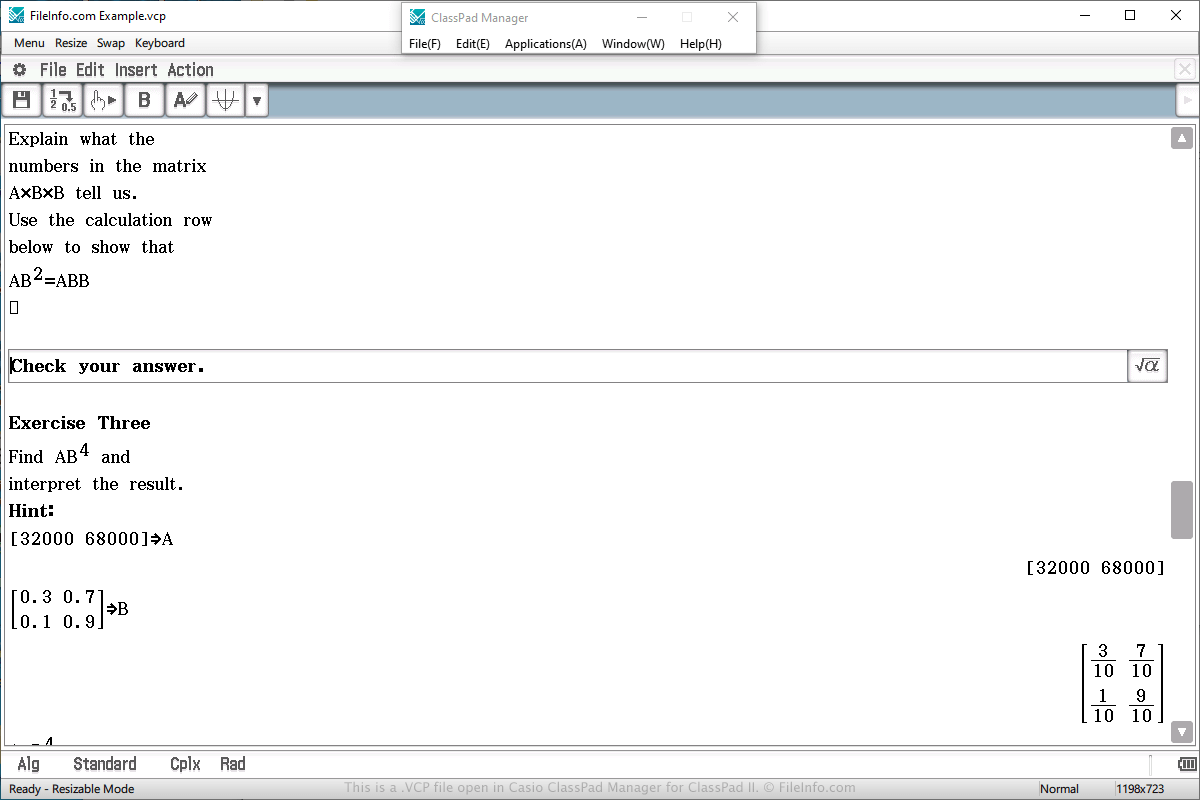
Na datový soubor VCP pravděpodobně narazíte pouze v případě, že vlastníte grafickou kalkulačku Casio ClassPad. Se souborem se můžete setkat také při používání programu ClassPad Manager for ClassPad II, který v systému Windows nebo macOS emuluje kalkulačku.
Soubory VCP se často používají k ukládání eActivity, která se podobá dokumentu vytvořenému v textovém procesoru, ale je zjednodušená pro použití v kalkulačce. Je navržena tak, aby zlepšila prezentaci informací na kalkulačce, a podporuje text, obrázky, tabulky, grafy a rovnice.
Chcete-li vytvořit soubor VCP, který ukládá data eActivity, vyberte v hlavní nabídce kalkulačky nebo softwaru možnost „eActivity“, vytvořte dokument, vyberte , zvolte umístění pro uložení, pojmenujte soubor a klikněte na .
Chcete-li otevřít soubor VCP, který obsahuje data eActivity, vyberte v hlavní nabídce kalkulačky nebo softwaru možnost „eActivity“, otevřete dokument, vyberte , zvolte soubor a klikněte na .
V kalkulačce ClassPad se soubory eActivity VCP ukládají do oblasti „Flash memory“ kalkulačky. Soubory eActivity VCP vytvořené softwarem ClassPad Manager for ClassPad II se ukládají na pevný disk počítače.
Chcete-li otevřít soubor VCP, který obsahuje zálohovaná data, vyberte v hlavní nabídce kalkulačky nebo softwaru možnost „System“, zvolte možnost „View Storage & Import“ a klikněte na , vyberte záložní soubor VCP a klikněte na .