

.VCP Extension de fichier
Fichier de données Casio ClassPad
| Développeur | Casio |
| Popularité |
2,0 | 2 Votes |
Un fichier VCP est un fichier de données utilisé par les calculatrices graphiques Casio ClassPad, notamment les calculatrices ClassPad 300, ClassPad 330 et fx-CP400. Il peut contenir des données eActivity ou une sauvegarde de toutes les données présentes sur un appareil ClassPad. Les fichiers VCP sont enregistrés au format propriétaire Virtual ClassPad (VCP) et sont uniquement pris en charge par la calculatrice graphique ClassPad et le logiciel ClassPad.
Plus d'informations
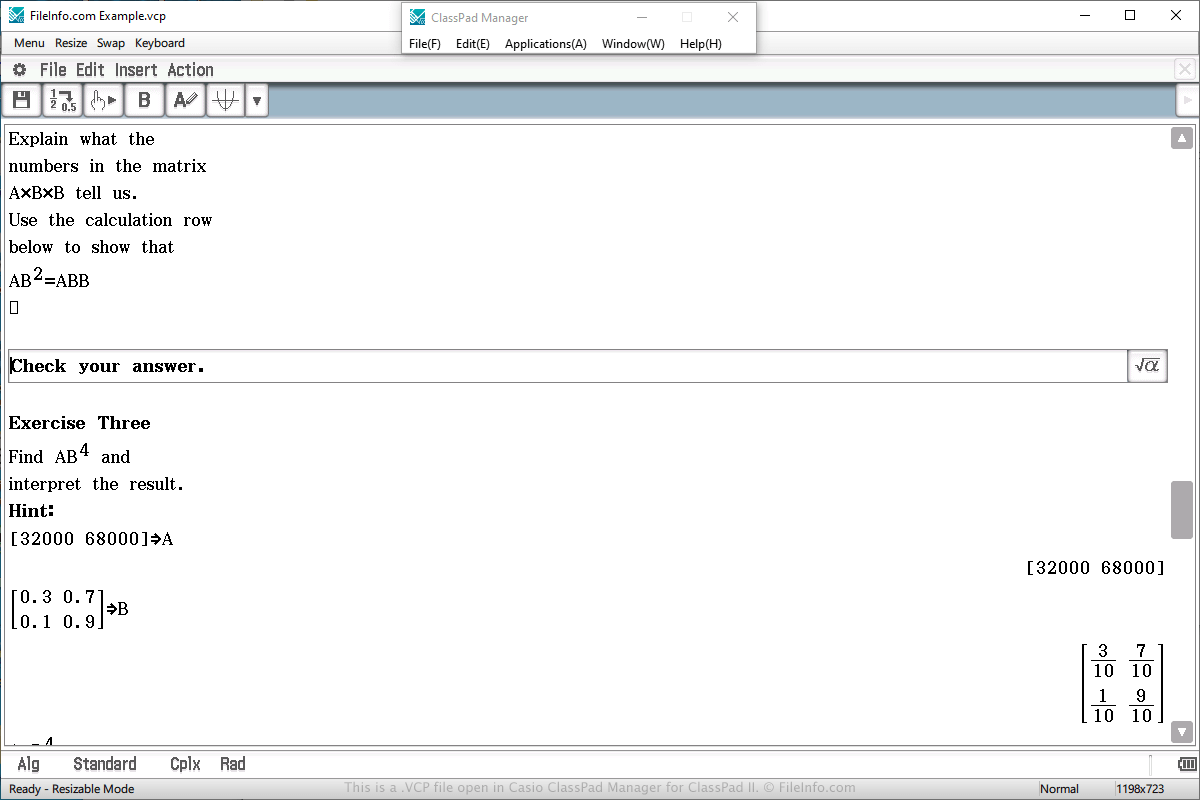
Vous rencontrerez probablement un fichier de données VCP uniquement si vous possédez une calculatrice graphique Casio ClassPad. Vous pouvez également rencontrer ce fichier si vous utilisez le programme ClassPad Manager for ClassPad II, qui émule la calculatrice sous Windows ou macOS.
Les fichiers VCP sont souvent utilisés pour enregistrer une eActivity, qui ressemble à un document créé avec un traitement de texte, mais qui est plus simplifié pour une calculatrice. Elle est conçue pour améliorer la présentation des informations sur la calculatrice et prend en charge le texte, les images, les tableaux, les graphiques et les équations.
Pour créer un fichier VCP contenant des données eActivity, sélectionnez « eActivity » dans le menu principal de la calculatrice ou du logiciel, composez le document, sélectionnez , choisissez l’emplacement d’enregistrement, donnez un nom au fichier et cliquez sur .
Pour ouvrir un fichier VCP contenant des données eActivity, sélectionnez « eActivity » dans le menu principal de la calculatrice ou du logiciel, composez le document, sélectionnez , choisissez le fichier et cliquez sur .
Sur une calculatrice ClassPad, les fichiers VCP eActivity sont enregistrés dans la zone « Flash memory » de la calculatrice. Les fichiers VCP eActivity créés par le logiciel ClassPad Manager for ClassPad II sont enregistrés sur le disque dur de l’ordinateur.
Pour ouvrir un fichier VCP contenant des données de sauvegarde, sélectionnez « System » dans le menu principal de la calculatrice ou du logiciel, choisissez l’option « View Storage & Import » et cliquez sur , choisissez le fichier de sauvegarde VCP et cliquez sur .