.TRASHES 文件扩展名

macOS USB Flash Drive Trash Folder

开发者 Apple
受欢迎程度
2.9  |  15 
 

什么是 TRASHES 文件?

A folder with the .TRASHES extension is a hidden folder macOS created on a USB flash drive to store files marked for deletion. If you need to free up space on a flash drive that contains a .TRASHES folder, you can delete the folder.

更多信息

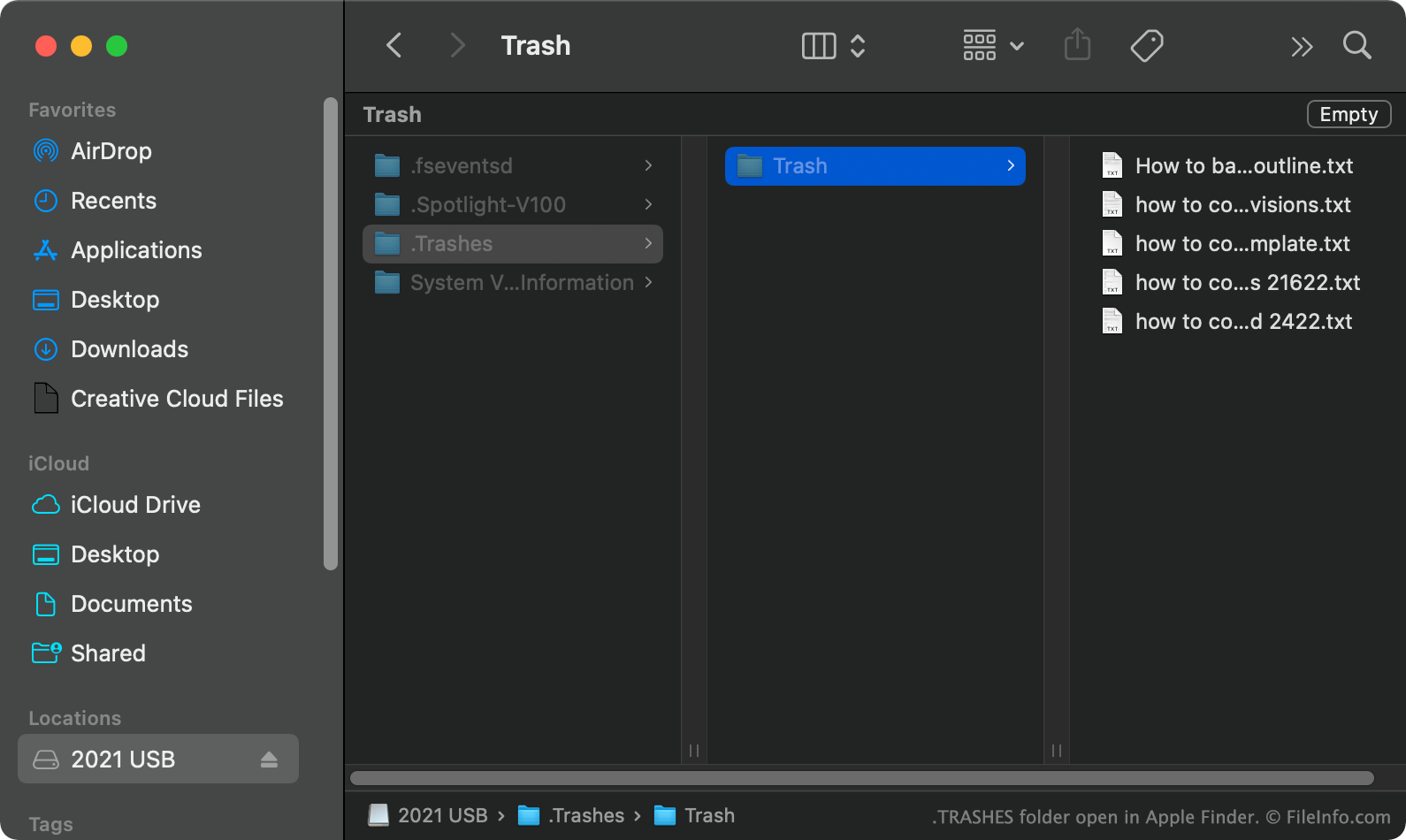
在 Apple Finder 中打开的 .trashes 文件截图
在 Apple Finder 中打开的 TRASHES 文件

In macOS, when you move a file from a USB flash drive to Trash, macOS creates a hidden .TRASHES folder and places a copy of the file in that folder. This allows you to restore the file if necessary. When you empty your Trash while the USB flash drive is connected to your computer, macOS automatically deletes all files in the drive's .TRASHES folder.

How do I find the TRASHES folder on my USB flash drive?

In macOS, you can see the .TRASHES folder by pressing CMD + SHIFT + . to show hidden files. You can also see the .TRASHES folder in Windows using File Explorer and ChromeOS using the Files app.

Can I delete the TRASHES folder on my USB flash drive?

As long as you are okay with losing the copies of to-be-deleted files stored in the .TRASHES folder, you can delete the folder and files to free up space on your USB flash drive.

注: iOS devices can also create .TRASHES folders on USB flash drives connected to them.

如何打开 TRASHES 文件

After you've found the .TRASHES folder on your USB flash drive, you can open and explore it as you would any other folder.

使用File Viewer Plus打开 400 多种文件格式。免费下载

可打开 TRASHES 文件的程序

Windows
操作系统自带
Mac
操作系统自带
Chrome OS
操作系统自带
分类: 系统
更新时间: 2022-02-24

验证者 FileInfo.com

FileInfo.com 团队 独立研究了本页面列出的 macOS USB Flash Drive Trash Folder 文件格式和 Mac and Windows 应用。 我们的目标是达到 100% 的准确率,并且仅发布我们已验证过的文件类型信息。

如果您想为此页面提出新增或更新建议,请告诉我们