

.TRASHES Extensão de arquivo
Pasta da lixeira de pen drive USB do macOS
| Desenvolvedor | Apple |
| Popularidade |
2,9 | 15 Votos |
O que é um arquivo TRASHES?
Uma pasta com a extensão .TRASHES é uma pasta oculta que o macOS criou em um pen drive USB para armazenar arquivos marcados para exclusão. Se você precisar liberar espaço em um pen drive que contenha uma pasta .TRASHES, poderá excluir a pasta.
Mais informações
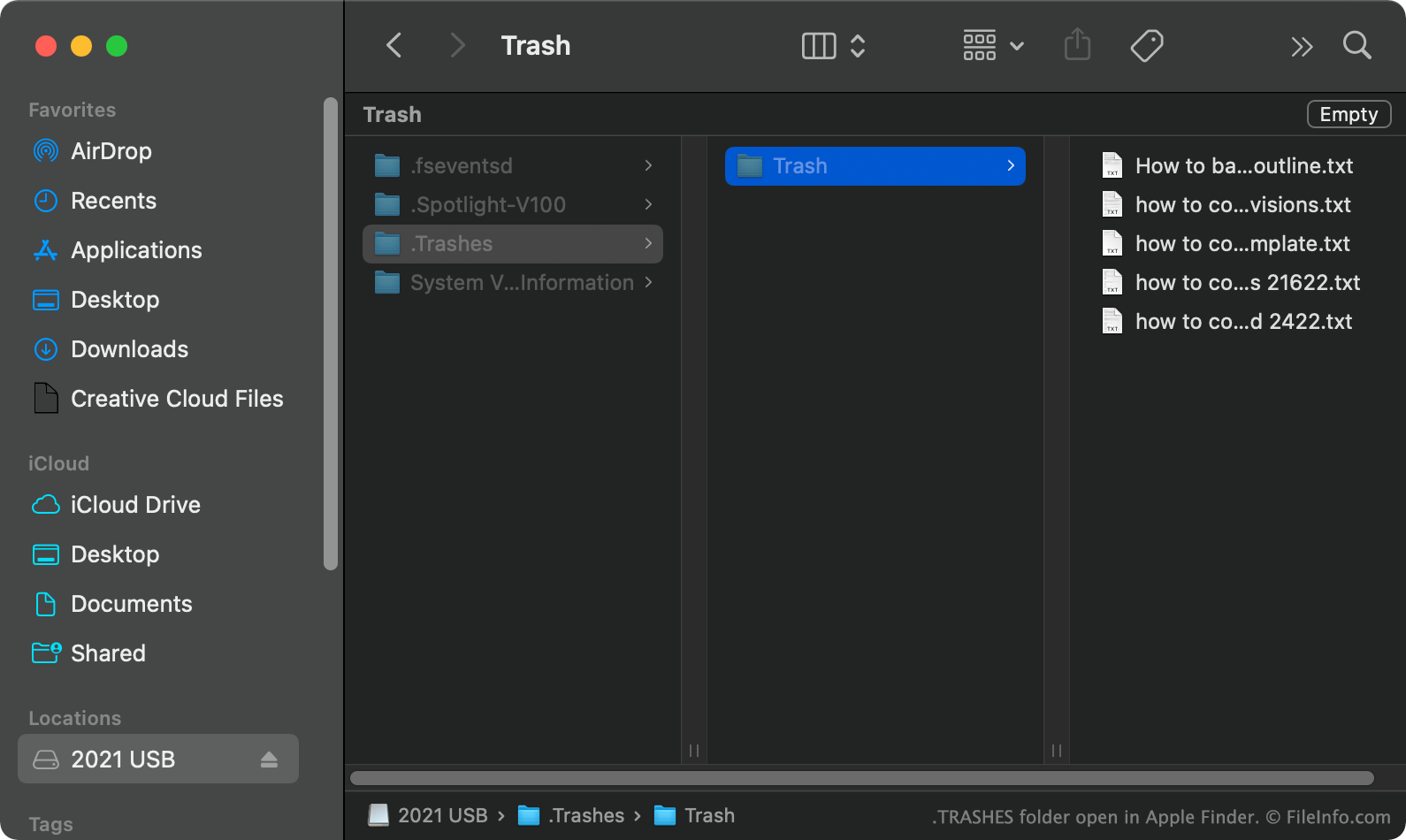
No macOS, quando você move um arquivo de um pen drive USB para a Lixeira, o macOS cria uma pasta oculta .TRASHES e coloca uma cópia do arquivo nessa pasta. Isso permite restaurar o arquivo, se necessário. Quando você esvazia a Lixeira enquanto o pen drive USB está conectado ao computador, o macOS exclui automaticamente todos os arquivos da pasta .TRASHES da unidade.
Como encontro a pasta TRASHES no meu pen drive USB?
No macOS, você pode ver a pasta .TRASHES pressionando CMD + SHIFT + . para mostrar os arquivos ocultos. Você também pode ver a pasta .TRASHES no Windows usando o Explorador de Arquivos e no ChromeOS usando o app Files.
Posso excluir a pasta TRASHES do meu pen drive USB?
Desde que você não se importe em perder as cópias dos arquivos que serão excluídos armazenadas na pasta .TRASHES, poderá excluir a pasta e os arquivos para liberar espaço no pen drive USB.
NOTA: Dispositivos iOS também podem criar pastas .TRASHES em pen drives USB conectados a eles.
Como abrir um arquivo TRASHES
Depois de encontrar a pasta .TRASHES no pen drive USB, você poderá abri-la e explorá-la como faria com qualquer outra pasta.