

.TRASHES Přípona souboru
Složka koše USB flash disku v macOS
| Vývojář | Apple |
| Popularita |
2,9 | 15 hlasů |
Co je soubor TRASHES?
Složka s příponou .TRASHES je skrytá složka, kterou macOS vytvořil na USB flash disku pro ukládání souborů označených k odstranění. Pokud potřebujete uvolnit místo na flash disku, který obsahuje složku .TRASHES, můžete tuto složku odstranit.
Další informace
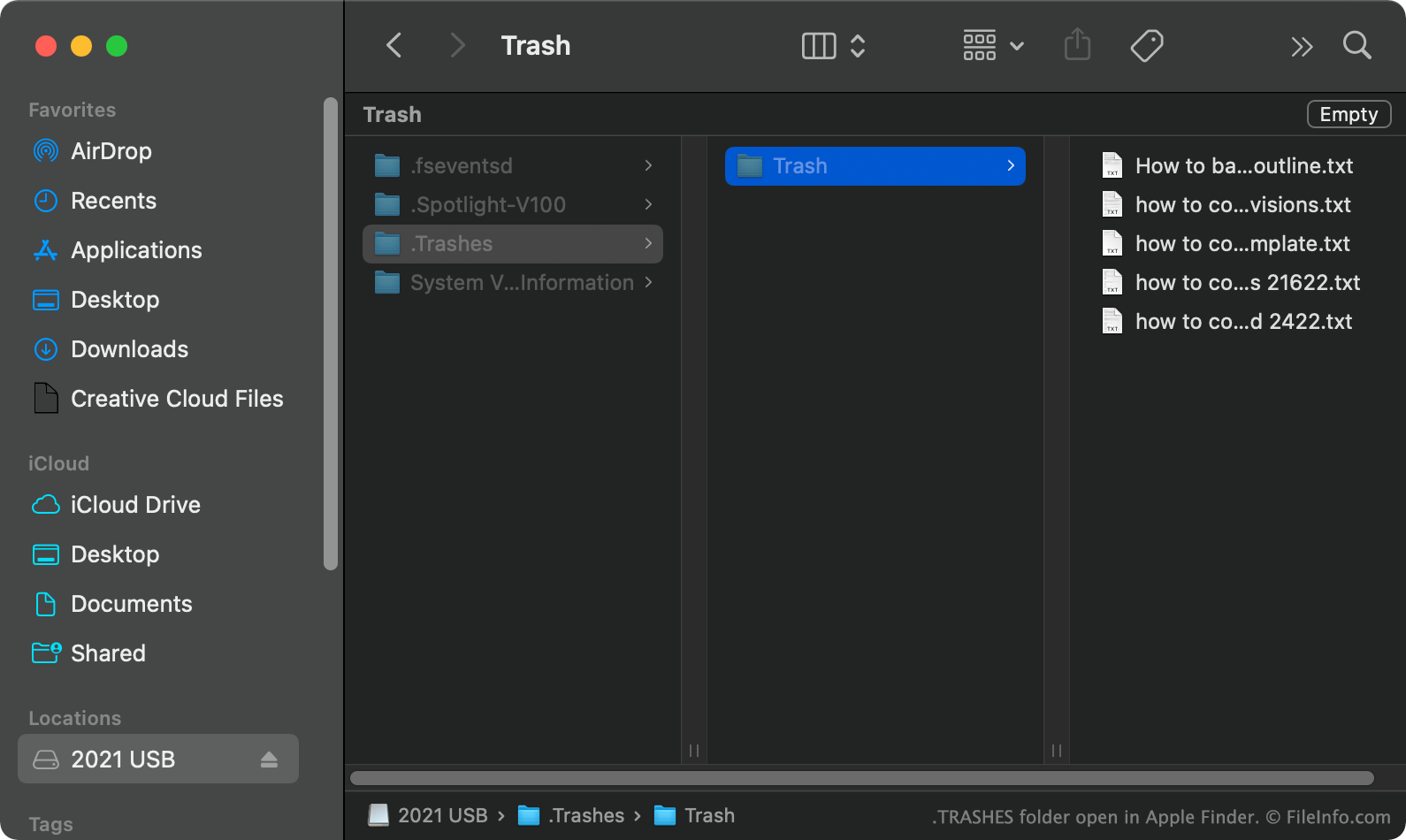
V macOS vytvoří systém při přesunutí souboru z USB flash disku do koše skrytou složku .TRASHES a umístí do ní kopii souboru. Díky tomu můžete soubor v případě potřeby obnovit. Když vyprázdníte koš, zatímco je USB flash disk připojený k počítači, macOS automaticky odstraní všechny soubory ve složce .TRASHES na disku.
Jak najdu složku TRASHES na USB flash disku?
V macOS můžete složku .TRASHES zobrazit stisknutím CMD + SHIFT + ., čímž zobrazíte skryté soubory. Složku .TRASHES můžete zobrazit také ve Windows pomocí Průzkumníku souborů a v ChromeOS pomocí aplikace Soubory.
Mohu složku TRASHES na USB flash disku odstranit?
Pokud vám nevadí přijít o kopie souborů určených k odstranění uložené ve složce .TRASHES, můžete složku i soubory odstranit a uvolnit tak místo na USB flash disku.
POZNÁMKA: Složky .TRASHES mohou na USB flash discích, které jsou k nim připojené, vytvářet také zařízení iOS.
Jak otevřít soubor TRASHES
Po nalezení složky .TRASHES na USB flash disku ji můžete otevřít a procházet stejně jako jakoukoli jinou složku.