

.TRASHES Dateiendung
Papierkorb-Ordner für macOS-USB-Flash-Laufwerke
| Entwickler | Apple |
| Beliebtheit |
2,9 | 15 Stimmen |
Was ist eine TRASHES-Datei?
Ein Ordner mit der Erweiterung .TRASHES ist ein versteckter Ordner, den macOS auf einem USB-Flash-Laufwerk erstellt, um zum Löschen markierte Dateien zu speichern. Wenn Sie Speicherplatz auf einem Flash-Laufwerk freigeben müssen, das einen .TRASHES-Ordner enthält, können Sie den Ordner löschen.
Weitere Informationen
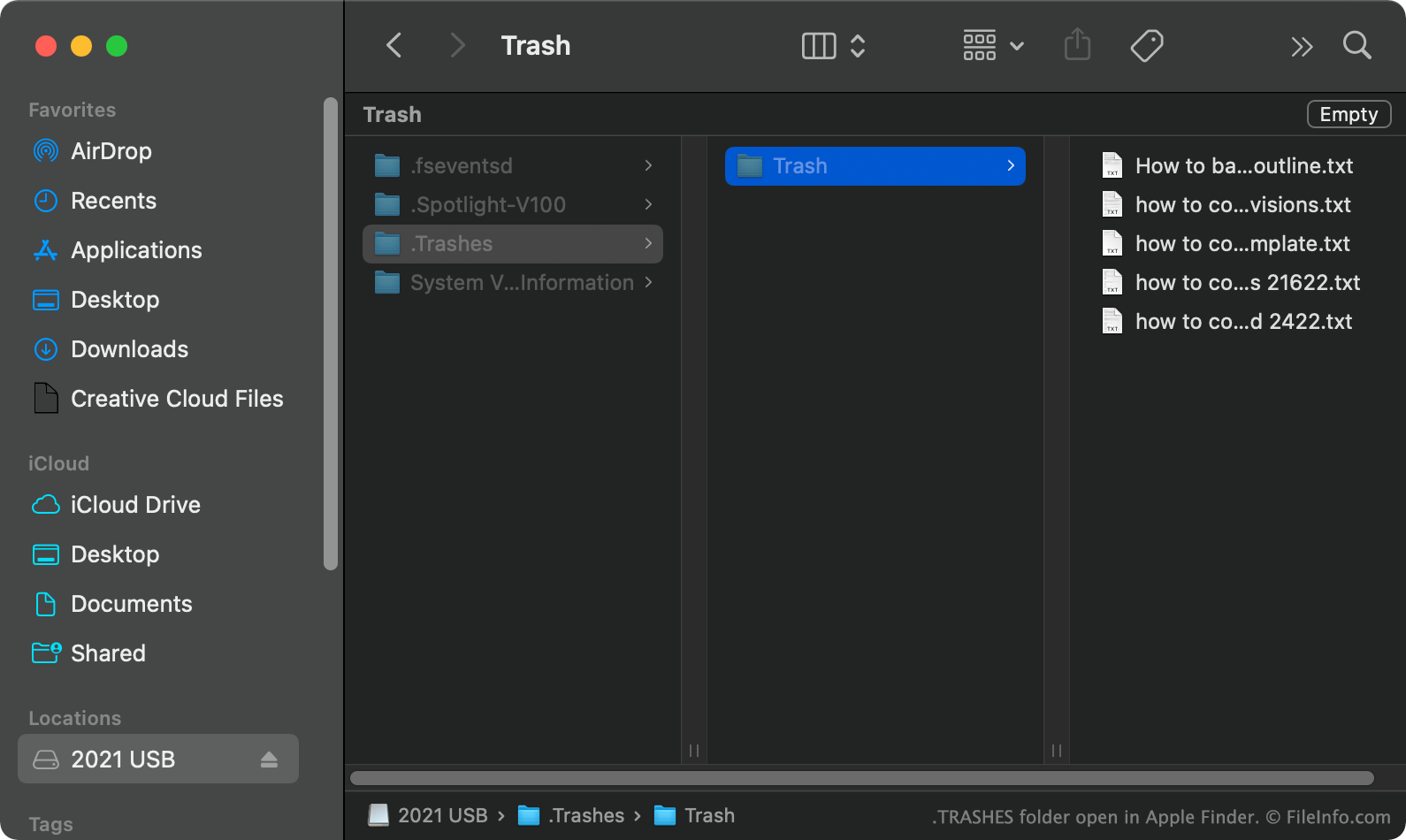
Wenn Sie in macOS eine Datei von einem USB-Flash-Laufwerk in den Papierkorb verschieben, erstellt macOS einen versteckten .TRASHES-Ordner und legt eine Kopie der Datei in diesem Ordner ab. So können Sie die Datei bei Bedarf wiederherstellen. Wenn Sie den Papierkorb leeren, während das USB-Flash-Laufwerk mit Ihrem Computer verbunden ist, löscht macOS automatisch alle Dateien im .TRASHES-Ordner des Laufwerks.
Wie finde ich den TRASHES-Ordner auf meinem USB-Flash-Laufwerk?
In macOS können Sie den .TRASHES-Ordner anzeigen, indem Sie CMD + SHIFT + . drücken, um versteckte Dateien einzublenden. Sie können den .TRASHES-Ordner auch in Windows mit dem Datei-Explorer und in ChromeOS mit der Dateien-App anzeigen.
Kann ich den TRASHES-Ordner auf meinem USB-Flash-Laufwerk löschen?
Solange es für Sie in Ordnung ist, die Kopien der zu löschenden Dateien zu verlieren, die im .TRASHES-Ordner gespeichert sind, können Sie den Ordner und die Dateien löschen, um Speicherplatz auf Ihrem USB-Flash-Laufwerk freizugeben.
HINWEIS: Auch iOS-Geräte können .TRASHES-Ordner auf USB-Flash-Laufwerken erstellen, die mit ihnen verbunden sind.
So öffnen Sie eine TRASHES-Datei
Nachdem Sie den .TRASHES-Ordner auf Ihrem USB-Flash-Laufwerk gefunden haben, können Sie ihn wie jeden anderen Ordner öffnen und durchsuchen.