

.TRASHES Extension de fichier
Dossier de corbeille de clé USB macOS
| Développeur | Apple |
| Popularité |
2,9 | 15 Votes |
Qu'est-ce qu'un fichier TRASHES ?
Un dossier portant l’extension .TRASHES est un dossier caché que macOS crée sur une clé USB pour stocker les fichiers marqués comme devant être supprimés. Si vous devez libérer de l’espace sur une clé USB qui contient un dossier .TRASHES, vous pouvez supprimer ce dossier.
Plus d'informations
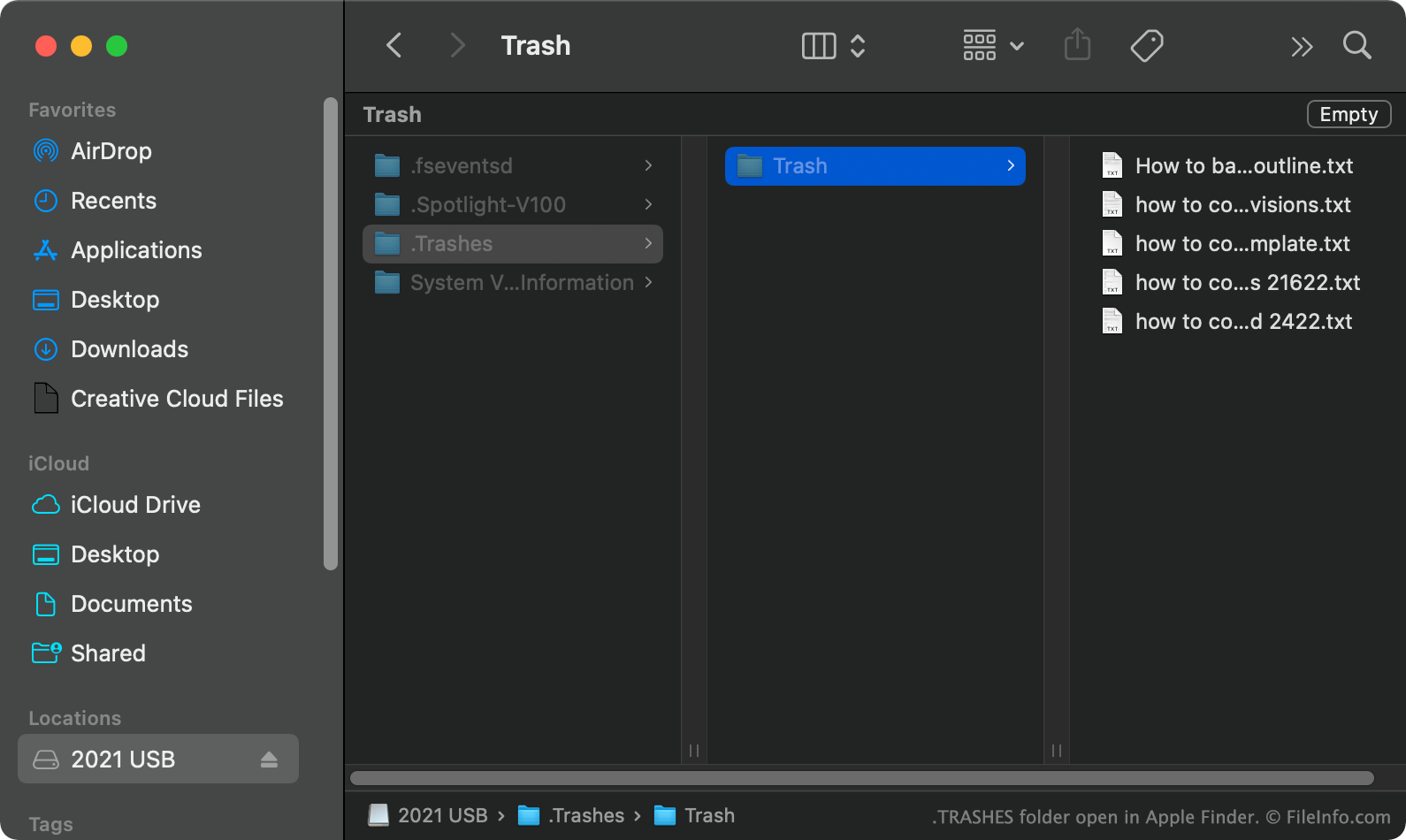
Dans macOS, lorsque vous déplacez un fichier d’une clé USB vers la corbeille, macOS crée un dossier caché .TRASHES et place une copie du fichier dans ce dossier. Cela vous permet de restaurer le fichier si nécessaire. Lorsque vous videz la corbeille alors que la clé USB est connectée à votre ordinateur, macOS supprime automatiquement tous les fichiers du dossier .TRASHES de la clé.
Comment trouver le dossier TRASHES sur ma clé USB ?
Dans macOS, vous pouvez voir le dossier .TRASHES en appuyant sur CMD + SHIFT + . pour afficher les fichiers cachés. Vous pouvez également voir le dossier .TRASHES dans Windows avec l’Explorateur de fichiers et dans ChromeOS avec l’application Fichiers.
Puis-je supprimer le dossier TRASHES de ma clé USB ?
Tant que vous acceptez de perdre les copies des fichiers à supprimer stockées dans le dossier .TRASHES, vous pouvez supprimer le dossier et les fichiers pour libérer de l’espace sur votre clé USB.
REMARQUE : Les appareils iOS peuvent également créer des dossiers .TRASHES sur les clés USB qui leur sont connectées.
Comment ouvrir un fichier TRASHES
Après avoir trouvé le dossier .TRASHES sur votre clé USB, vous pouvez l’ouvrir et l’explorer comme n’importe quel autre dossier.