

.PUPPET 文件扩展名
Adobe Character Animator木偶
| 开发者 | Adobe Systems |
| 受欢迎程度 |
3.3 | 6 票 |
什么是 PUPPET 文件?
PUPPET文件包含一个角色或对象,称为“木偶”,由Adobe Character Animator创建。Adobe Character Animator是一款用于制作插画角色动画的程序。该文件以Character Animator木偶格式存储图形,其中包含木偶每个部分的图层以及应用的动画行为。Character Animator用户可以从Photoshop .PSD文档或Illustrator .AI插图创建PUPPET文件。
更多信息
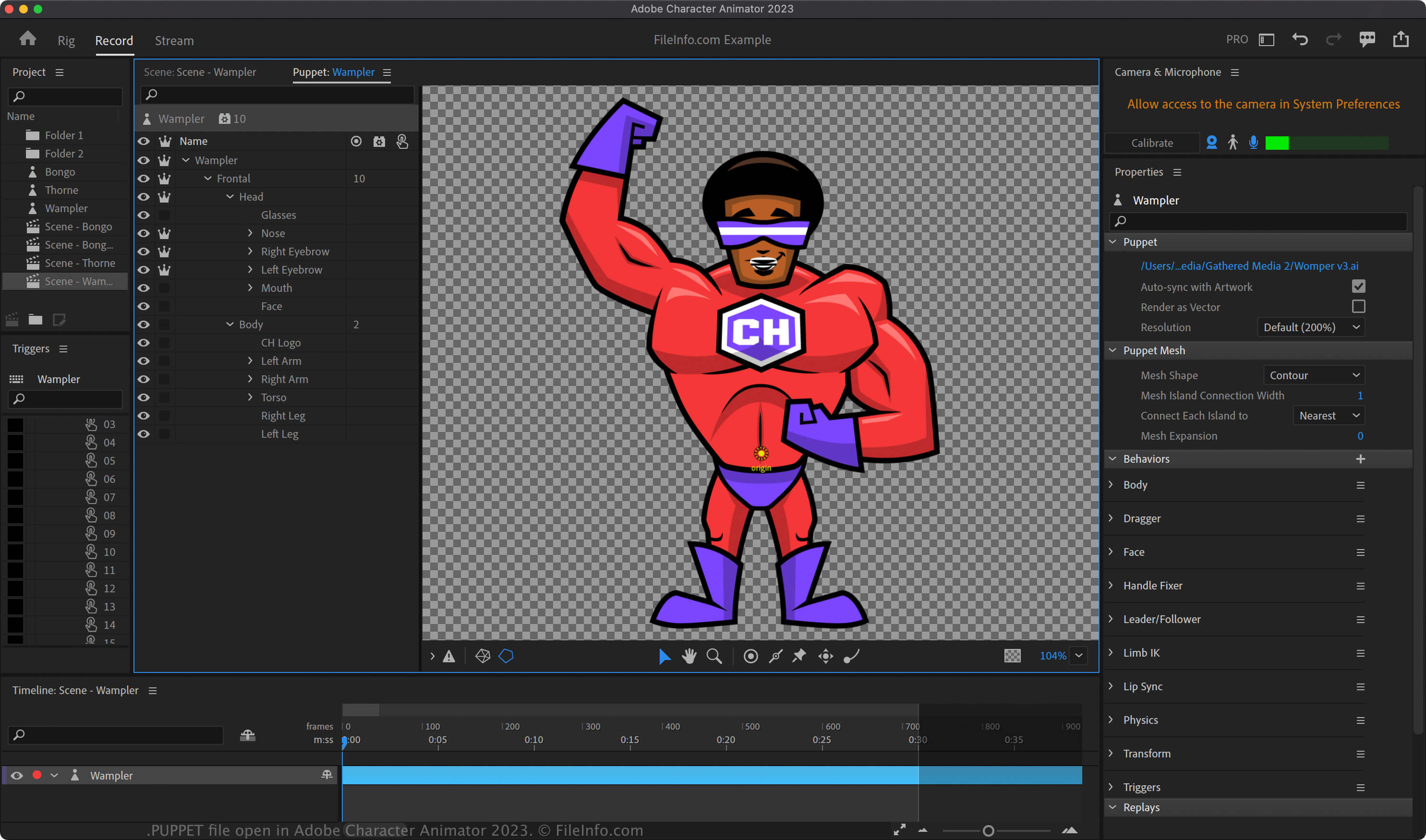
Character Animator是一款Adobe Creative Cloud (CC)应用程序,可根据你的动作以及软件中包含的模板为角色制作动画。你还可以导入使用其他Adobe CC应用创建的设计,例如Adobe Photoshop和Adobe Illustrator。
你可以使用Character Animator将木偶导出为PUPPET文件,并与其他Character Animator用户共享。他们随后可以将这些木偶导入自己的场景中。要在Adobe Character Animator中创建PUPPET文件,请选择。
如何打开 PUPPET 文件
你只能在Windows和macOS中使用Adobe Character Animator打开PUPPET文件。要打开PUPPET文件,请选择,或将PUPPET文件拖入Character Animator中的项目面板。
要在Character Animator的场景中放置木偶,请在项目面板中选择木偶,然后点击,或选择。你也可以将木偶从项目面板直接拖入Character Animator .CHPROJ项目文件中的场景。
如何转换 PUPPET 文件
可打开 PUPPET 文件的程序
Windows
Mac