.CLP 文件扩展名

CrazyTalk Clip File

开发者 Reallusion
受欢迎程度
3.8  |  12 
 

什么是 CLP 文件?

Motion clip created by CrazyTalk, a facial animation program used for synchronizing speech audio with facial movements; saves a short clip of a facial expression recorded in real-time; used for inserting pre-recorded facial movements in the animation timeline.

更多信息

CLP files can be used for saving rolling eyes, mouth gestures, and other expressions that convey facial emotions.

使用File Viewer Plus打开 400 多种文件格式。免费下载

可打开 CLP 文件的程序

Windows
Mac
分类: 数据
更新时间: 2020-10-01

Windows Clipboard File

开发者 不适用
受欢迎程度
3.8  |  6 
 

Information copied to the Windows clipboard; typically copied by selecting an object or section of text and pressing Control-C or choosing "Copy" from the Edit menu; can be pasted into an open window or document by pressing Control-V or selecting "Paste" from the Edit menu.

可打开 CLP 文件的程序

Windows
分类: 数据
更新时间: 2018-03-22

Finale Clip

开发者 MakeMusic
受欢迎程度
2.8  |  6 
 

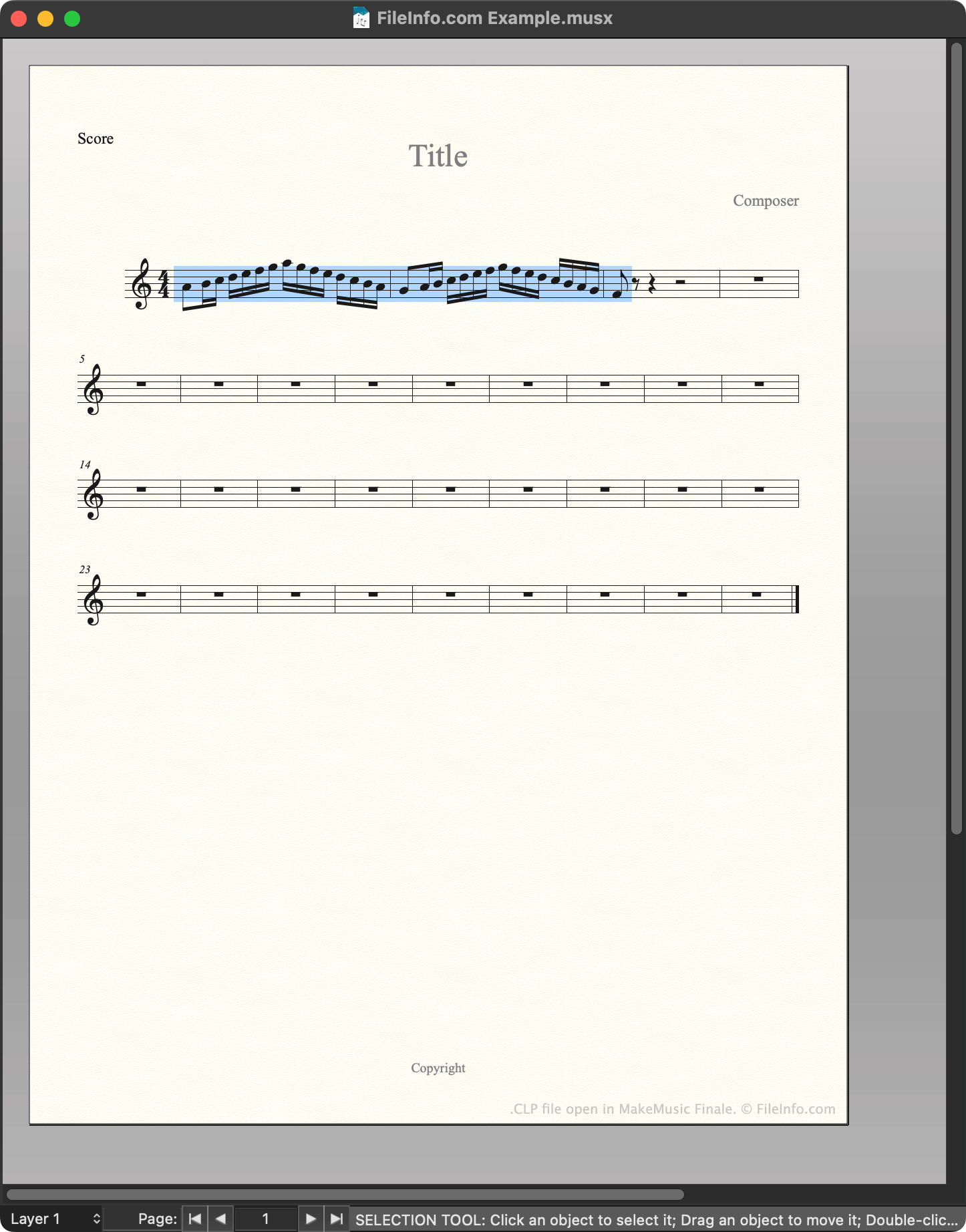
A CLP file is a MakeMusic Finale clip file. It contains a motif, passage, or other section of music that a composer saved as a clip. Saving notation as a CLP file allows composers to quickly insert a copy of that notation into a score.

更多信息

在 MakeMusic Finale 中打开的 .clp 文件截图
在 MakeMusic Finale 中打开的 CLP 文件

MakeMusic Finale is a scorewriter for Windows and macOS. Composers use Finale to create, edit, and play back musical scores.

While creating a score, composers can save a section of that score as a clip, or CLP file. This allows them to quickly insert or paste the saved clip into their current score or future scores. For example, if a composer knows they'll use the same motif in multiple related pieces of music, they may save that motif as a CLP file, to make it easier to insert in multiple scores.

How to create a CLP file

To save a section of a score as CLP file:

  1. Select that section of the score (such that it is highlighted).
  2. Press and hold CTRL (Windows) or OPTION (Mac) on your keyboard.
  3. Right-click on the selected section and click Copy to Clip File....
  4. Name and save your CLP file.

如何打开 CLP 文件

You can open a CLP file with MakeMusic Finale (Windows, Mac). To do so:

  1. Open or create a musical score.
  2. Press and hold CTRL (Windows) or OPTION (Mac) on your keyboard.
  3. Right-click on the point in your score to which you want to add the clip.
  4. Select Insert from Clip File... or Paste from Clip File.... (Insert inserts the clip between existing measures; Paste overwrites the existing music.)

可打开 CLP 文件的程序

Windows
免费试用
Mac
免费试用
分类: 音频
更新时间: 2023-02-23

Clipper Compiler Instructions File

开发者 Grafx Software Development Tools
受欢迎程度
1.7  |  3 
 
🔍使用File Helper直接在您的网络浏览器中打开 .CLP 文件在线查看

A CLP file is a plain text file that contains instructions for Clipper, a compiler used to generate programs from source code. Its instructions tell Clipper how to combine multiple programming modules into a single object so that it can be used to produce a final running program.

更多信息

注: Clipper is an older xBase-based compiler which is not frequently used anymore.

可打开 CLP 文件的程序

Windows
Web
分类: 开发者
更新时间: 2018-03-06

验证者 FileInfo.com

FileInfo.com 团队 独立研究了本页面列出的所有文件格式和软件程序。 我们的目标是达到 100% 的准确率,并且仅发布我们已验证过的文件类型信息。

如果您想为此页面提出新增或更新建议,请告诉我们