.CLP ファイル拡張子

CrazyTalk Clip File

開発元 Reallusion
人気度
3.8  |  12 
 

CLPファイルとは?

Motion clip created by CrazyTalk, a facial animation program used for synchronizing speech audio with facial movements; saves a short clip of a facial expression recorded in real-time; used for inserting pre-recorded facial movements in the animation timeline.

詳細情報

CLP files can be used for saving rolling eyes, mouth gestures, and other expressions that convey facial emotions.

File Viewer Plusで400種類以上のファイル形式を開けます。無料ダウンロード

CLPファイルを開くプログラム

Windows
無料体験版
Mac
カテゴリ: データ
更新日: 2020-10-01

Windows Clipboard File

開発元 不明
人気度
3.8  |  6 
 

Information copied to the Windows clipboard; typically copied by selecting an object or section of text and pressing Control-C or choosing "Copy" from the Edit menu; can be pasted into an open window or document by pressing Control-V or selecting "Paste" from the Edit menu.

CLPファイルを開くプログラム

Windows
無料
カテゴリ: データ
更新日: 2018-03-22

Finale Clip

開発元 MakeMusic
人気度
2.8  |  6 
 

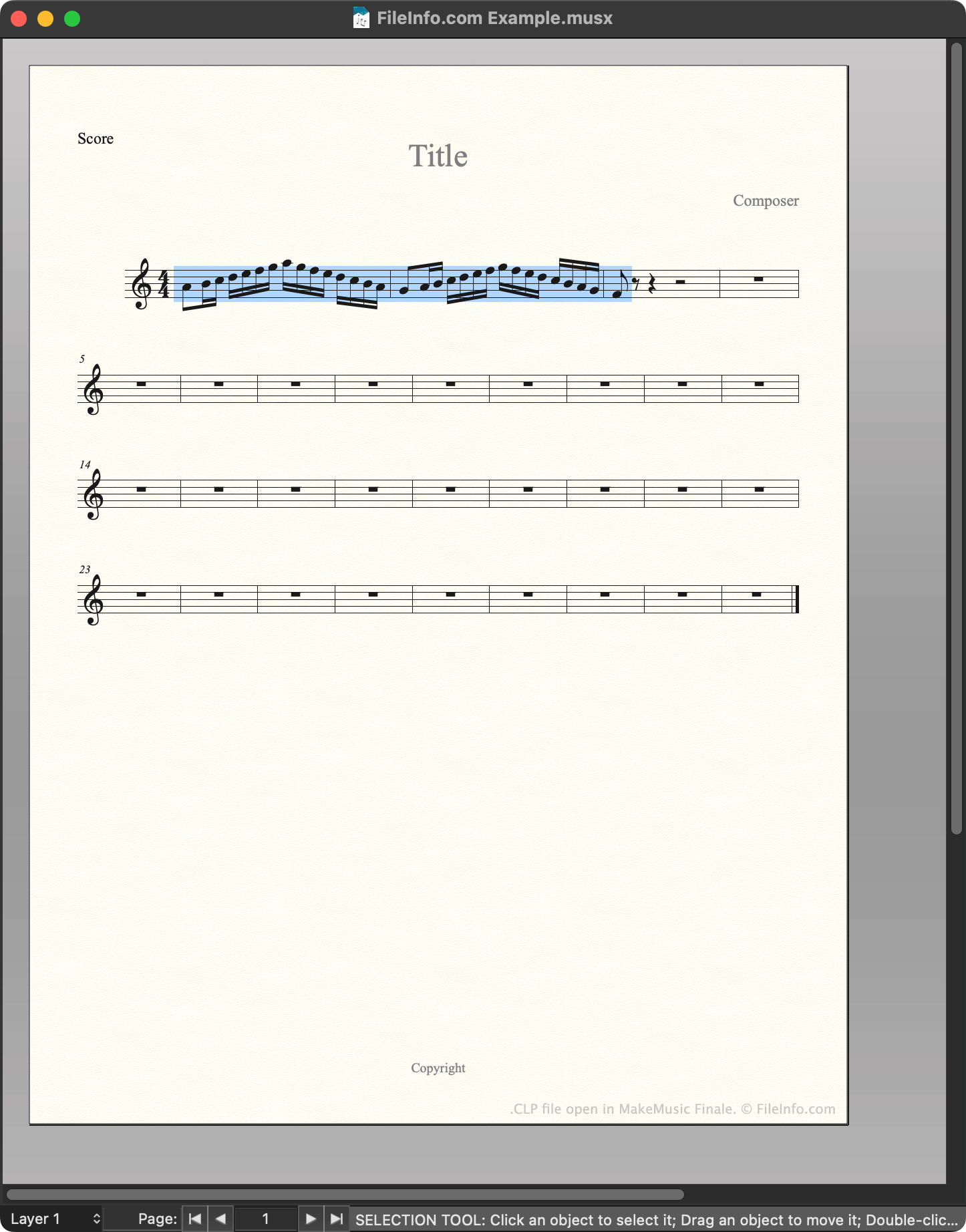
A CLP file is a MakeMusic Finale clip file. It contains a motif, passage, or other section of music that a composer saved as a clip. Saving notation as a CLP file allows composers to quickly insert a copy of that notation into a score.

詳細情報

MakeMusic Finaleで開いた.clpファイルのスクリーンショット
MakeMusic Finaleで開いたCLPファイル

MakeMusic Finale is a scorewriter for Windows and macOS. Composers use Finale to create, edit, and play back musical scores.

While creating a score, composers can save a section of that score as a clip, or CLP file. This allows them to quickly insert or paste the saved clip into their current score or future scores. For example, if a composer knows they'll use the same motif in multiple related pieces of music, they may save that motif as a CLP file, to make it easier to insert in multiple scores.

How to create a CLP file

To save a section of a score as CLP file:

  1. Select that section of the score (such that it is highlighted).
  2. Press and hold CTRL (Windows) or OPTION (Mac) on your keyboard.
  3. Right-click on the selected section and click Copy to Clip File....
  4. Name and save your CLP file.

CLPファイルの開き方

You can open a CLP file with MakeMusic Finale (Windows, Mac). To do so:

  1. Open or create a musical score.
  2. Press and hold CTRL (Windows) or OPTION (Mac) on your keyboard.
  3. Right-click on the point in your score to which you want to add the clip.
  4. Select Insert from Clip File... or Paste from Clip File.... (Insert inserts the clip between existing measures; Paste overwrites the existing music.)

CLPファイルを開くプログラム

Windows
無料体験版
Mac
無料体験版

Clipper Compiler Instructions File

開発元 Grafx Software Development Tools
人気度
1.7  |  3 
 
🔍.CLPファイルFile Helperでウェブブラウザから直接開けます。オンラインで表示

A CLP file is a plain text file that contains instructions for Clipper, a compiler used to generate programs from source code. Its instructions tell Clipper how to combine multiple programming modules into a single object so that it can be used to produce a final running program.

詳細情報

注: Clipper is an older xBase-based compiler which is not frequently used anymore.

CLPファイルを開くプログラム

Windows
Web
カテゴリ: 開発者
更新日: 2018-03-06

検証者 FileInfo.com

FileInfo.comチーム は、このページに掲載されているすべてのファイル形式とソフトウェアについて独自に調査しました。 私たちの目標は100%の正確性であり、検証済みのファイルタイプに関する情報のみを公開しています。

このページへの追加や更新をご提案いただける場合は、お知らせください。