.CLP 파일 확장자

CrazyTalk Clip File

개발사 Reallusion
인기도
3.8  |  12 투표
 

CLP 파일이란 무엇인가요?

Motion clip created by CrazyTalk, a facial animation program used for synchronizing speech audio with facial movements; saves a short clip of a facial expression recorded in real-time; used for inserting pre-recorded facial movements in the animation timeline.

추가 정보

CLP files can be used for saving rolling eyes, mouth gestures, and other expressions that convey facial emotions.

File Viewer Plus(으)로 400개 이상의 파일 형식을 여세요.무료 다운로드

CLP 파일을 여는 프로그램

Windows
무료 체험판
Mac
카테고리: 데이터
업데이트: 2020-10-01

Windows Clipboard File

개발사 해당 없음
인기도
3.8  |  6 투표
 

Information copied to the Windows clipboard; typically copied by selecting an object or section of text and pressing Control-C or choosing "Copy" from the Edit menu; can be pasted into an open window or document by pressing Control-V or selecting "Paste" from the Edit menu.

CLP 파일을 여는 프로그램

Windows
무료 체험판
무료
카테고리: 데이터
업데이트: 2018-03-22

Finale Clip

개발사 MakeMusic
인기도
2.8  |  6 투표
 

A CLP file is a MakeMusic Finale clip file. It contains a motif, passage, or other section of music that a composer saved as a clip. Saving notation as a CLP file allows composers to quickly insert a copy of that notation into a score.

추가 정보

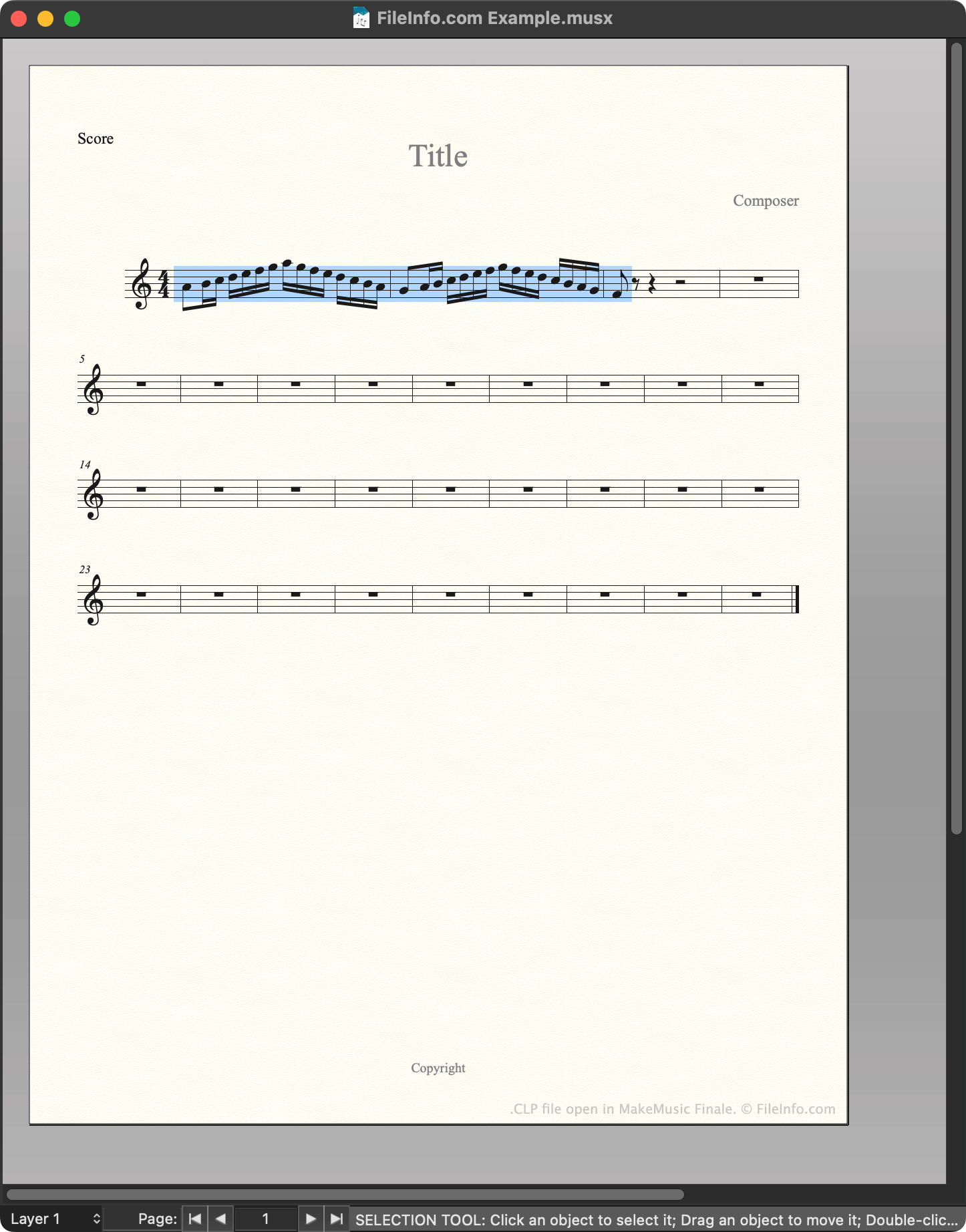
MakeMusic Finale에서 열린 .clp 파일의 스크린샷
MakeMusic Finale에서 열린 CLP 파일

MakeMusic Finale is a scorewriter for Windows and macOS. Composers use Finale to create, edit, and play back musical scores.

While creating a score, composers can save a section of that score as a clip, or CLP file. This allows them to quickly insert or paste the saved clip into their current score or future scores. For example, if a composer knows they'll use the same motif in multiple related pieces of music, they may save that motif as a CLP file, to make it easier to insert in multiple scores.

How to create a CLP file

To save a section of a score as CLP file:

  1. Select that section of the score (such that it is highlighted).
  2. Press and hold CTRL (Windows) or OPTION (Mac) on your keyboard.
  3. Right-click on the selected section and click Copy to Clip File....
  4. Name and save your CLP file.

CLP 파일을 여는 방법

You can open a CLP file with MakeMusic Finale (Windows, Mac). To do so:

  1. Open or create a musical score.
  2. Press and hold CTRL (Windows) or OPTION (Mac) on your keyboard.
  3. Right-click on the point in your score to which you want to add the clip.
  4. Select Insert from Clip File... or Paste from Clip File.... (Insert inserts the clip between existing measures; Paste overwrites the existing music.)

CLP 파일을 여는 프로그램

Windows
무료 체험판
Mac
무료 체험판
카테고리: 오디오
업데이트: 2023-02-23

Clipper Compiler Instructions File

개발사 Grafx Software Development Tools
인기도
1.7  |  3 투표
 
🔍File Helper(으)로 .CLP 파일을 웹 브라우저에서 바로 여세요.온라인으로 보기

A CLP file is a plain text file that contains instructions for Clipper, a compiler used to generate programs from source code. Its instructions tell Clipper how to combine multiple programming modules into a single object so that it can be used to produce a final running program.

추가 정보

참고: Clipper is an older xBase-based compiler which is not frequently used anymore.

CLP 파일을 여는 프로그램

Windows
Web
카테고리: 개발자
업데이트: 2018-03-06

검증자 FileInfo.com

FileInfo.com 팀 이 페이지에 나열된 모든 파일 형식과 소프트웨어 프로그램을 독자적으로 조사했습니다. 저희의 목표는 100% 정확성이며, 검증한 파일 유형에 대한 정보만 게시합니다.

이 페이지에 추가하거나 업데이트할 내용을 제안하고 싶으시면 알려 주세요.