.CLP Extension de fichier

CrazyTalk Clip File

Développeur Reallusion
Popularité
3.8  |  12 Votes
 

Qu'est-ce qu'un fichier CLP ?

Motion clip created by CrazyTalk, a facial animation program used for synchronizing speech audio with facial movements; saves a short clip of a facial expression recorded in real-time; used for inserting pre-recorded facial movements in the animation timeline.

Plus d'informations

CLP files can be used for saving rolling eyes, mouth gestures, and other expressions that convey facial emotions.

Ouvrez plus de 400 formats de fichiers avec File Viewer Plus.Téléchargement gratuit

Programmes qui ouvrent les fichiers CLP

Windows
Version d'essai gratuite
Mac
Version d'essai gratuite
Catégorie : Données
Mis à jour : 2020-10-01

Windows Clipboard File

Développeur N/D
Popularité
3.8  |  6 Votes
 

Information copied to the Windows clipboard; typically copied by selecting an object or section of text and pressing Control-C or choosing "Copy" from the Edit menu; can be pasted into an open window or document by pressing Control-V or selecting "Paste" from the Edit menu.

Programmes qui ouvrent les fichiers CLP

Windows
Version d'essai gratuite
Gratuit
Catégorie : Données
Mis à jour : 2018-03-22

Finale Clip

Développeur MakeMusic
Popularité
2.8  |  6 Votes
 

A CLP file is a MakeMusic Finale clip file. It contains a motif, passage, or other section of music that a composer saved as a clip. Saving notation as a CLP file allows composers to quickly insert a copy of that notation into a score.

Plus d'informations

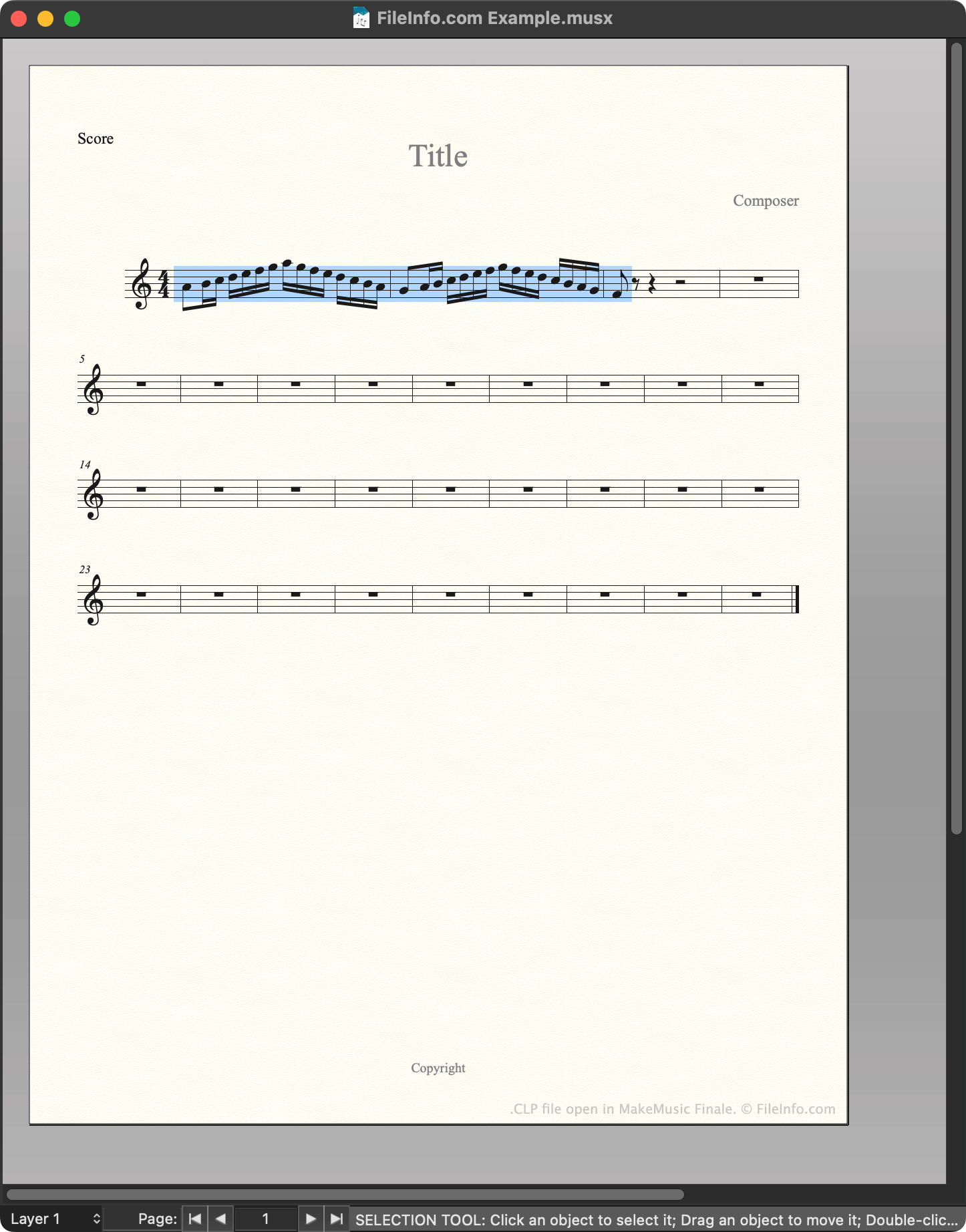
Capture d'écran d'un fichier .clp dans MakeMusic Finale
Fichier CLP ouvert dans MakeMusic Finale

MakeMusic Finale is a scorewriter for Windows and macOS. Composers use Finale to create, edit, and play back musical scores.

While creating a score, composers can save a section of that score as a clip, or CLP file. This allows them to quickly insert or paste the saved clip into their current score or future scores. For example, if a composer knows they'll use the same motif in multiple related pieces of music, they may save that motif as a CLP file, to make it easier to insert in multiple scores.

How to create a CLP file

To save a section of a score as CLP file:

  1. Select that section of the score (such that it is highlighted).
  2. Press and hold CTRL (Windows) or OPTION (Mac) on your keyboard.
  3. Right-click on the selected section and click Copy to Clip File....
  4. Name and save your CLP file.

Comment ouvrir un fichier CLP

You can open a CLP file with MakeMusic Finale (Windows, Mac). To do so:

  1. Open or create a musical score.
  2. Press and hold CTRL (Windows) or OPTION (Mac) on your keyboard.
  3. Right-click on the point in your score to which you want to add the clip.
  4. Select Insert from Clip File... or Paste from Clip File.... (Insert inserts the clip between existing measures; Paste overwrites the existing music.)

Programmes qui ouvrent les fichiers CLP

Windows
Version d'essai gratuite
Mac
Version d'essai gratuite
Catégorie : Audio
Mis à jour : 2023-02-23

Clipper Compiler Instructions File

Développeur Grafx Software Development Tools
Popularité
1.7  |  3 Votes
 
🔍Ouvrez les fichiers .CLP directement dans votre navigateur avec File Helper.Voir en ligne

A CLP file is a plain text file that contains instructions for Clipper, a compiler used to generate programs from source code. Its instructions tell Clipper how to combine multiple programming modules into a single object so that it can be used to produce a final running program.

Plus d'informations

REMARQUE: Clipper is an older xBase-based compiler which is not frequently used anymore.

Programmes qui ouvrent les fichiers CLP

Windows
Web

Vérifié par FileInfo.com

L'équipe FileInfo.com a mené des recherches indépendantes sur tous les formats de fichiers et logiciels répertoriés sur cette page. Notre objectif est une précision de 100%, et nous ne publions que des informations sur les types de fichiers que nous avons vérifiés.

Si vous souhaitez suggérer des ajouts ou des mises à jour de cette page, faites-le-nous savoir.