

.LCF Extensão de arquivo
Arquivo de contêiner de biblioteca do Archicad
| Desenvolvedor | GRAPHISOFT |
| Popularidade |
4,2 | 20 Votos |
O que é um arquivo LCF?
Um arquivo LCF é um arquivo de contêiner de biblioteca que armazena uma hierarquia completa de bibliotecas usadas pelo GRAPHISOFT Archicad, um programa de projeto arquitetônico. Ele pode conter objetos individuais e estruturas de pastas, .PLA arquivos e outros arquivos LCF acessíveis por um usuário que esteja projetando uma construção.
Mais informações
O GRAPHISOFT Archicad é um aplicativo de modelagem de informações da construção (BIM) com vários recursos de modelagem. Arquitetos costumam usar o software para projetar estruturas de construções, incluindo interiores, exteriores e paisagens.
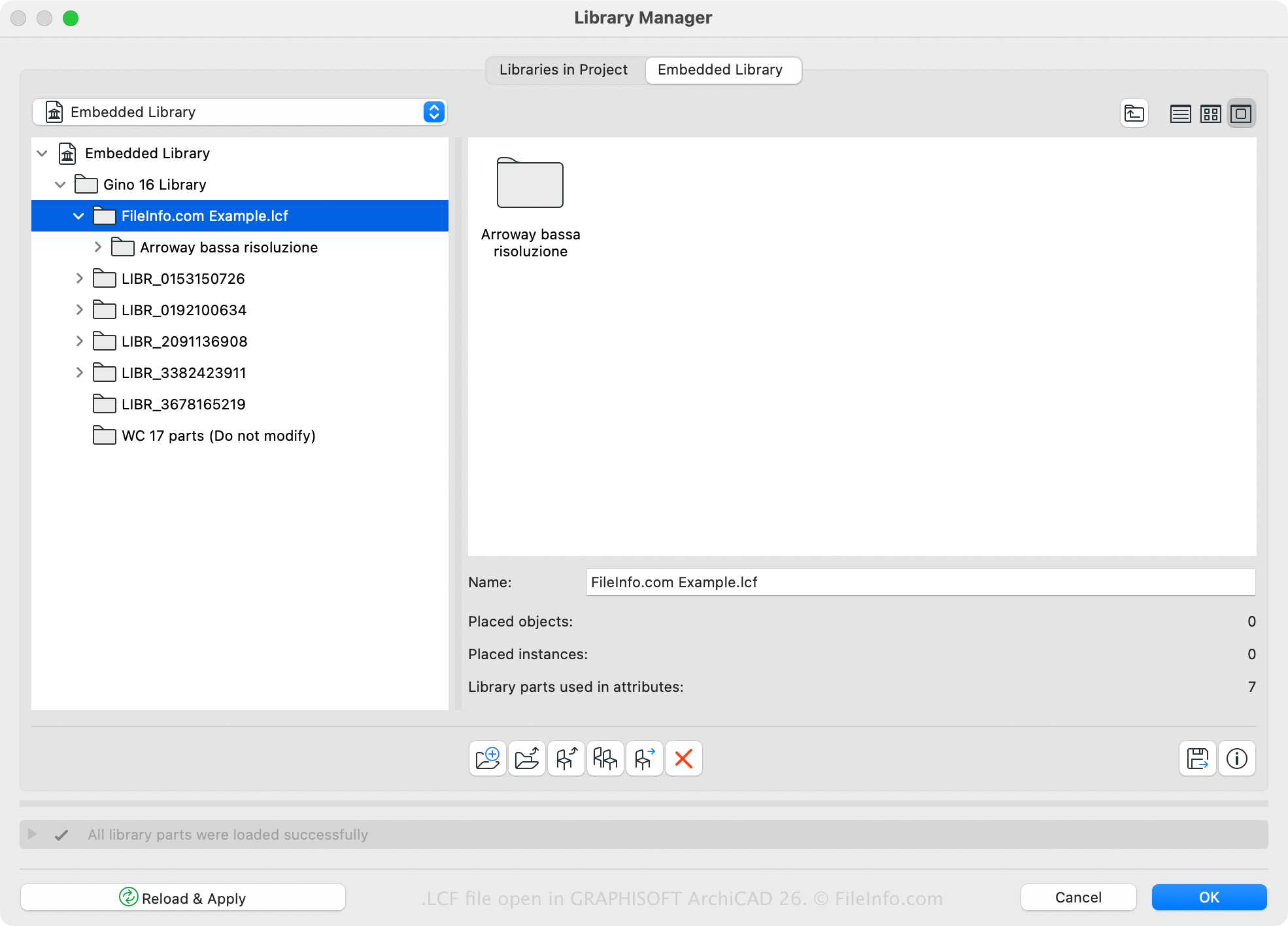
O Archicad tem uma biblioteca LCF padrão, mas você também pode criar ou abrir bibliotecas personalizadas com o software. Por exemplo, você pode salvar todas as bibliotecas e os objetos de biblioteca carregados com um projeto do Archicad em um único arquivo LCF usando o Gerenciador de Bibliotecas do Archicad (acessível ao selecionar ). Uma vantagem de salvar bibliotecas no formato LCF é que elas são carregadas duas a três vezes mais rápido do que bibliotecas individuais.
Você também pode criar um arquivo LCF com o Archicad seguindo estas etapas:
- Selecione .
- Escolha as pastas a serem incluídas no contêiner da biblioteca e clique em .
- Dê um nome ao arquivo LCF e clique em .
Como abrir um arquivo LCF
Você pode abrir um arquivo LCF com o GRAPHISOFT Archicad (Windows, macOS). Para abrir um arquivo LCF, selecione , escolha o arquivo LCF e clique em .