.LCF ファイル拡張子

Archicad Library Container File

開発元 GRAPHISOFT
人気度
4.2  |  20 
 

LCFファイルとは?

An LCF file is a library container file that stores a complete hierarchy of libraries used by GRAPHISOFT Archicad, an architectural design program. It may contain individual objects and folder structures, .PLA files, and other LCF files accessible by a user designing a building.

詳細情報

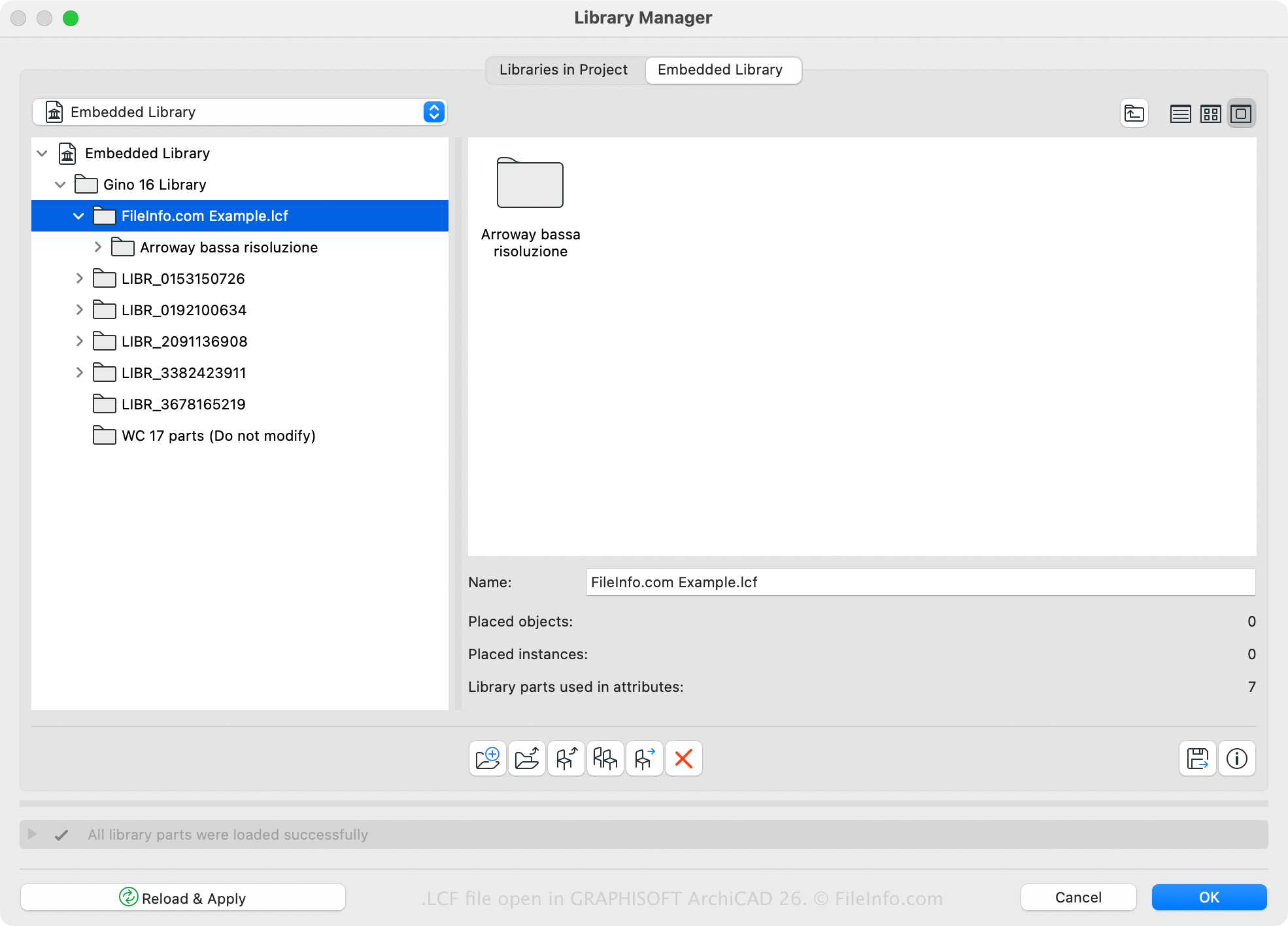
Graphisoft Archicad 26で開いた.lcfファイルのスクリーンショット
Graphisoft Archicad 26で開いたLCFファイル

GRAPHISOFT Archicad is a building information modeling (BIM) application with various modeling capabilities. Architects commonly use the software to design building structures, including interiors, exteriors, and landscapes.

Archicad has a default LCF library, but you may also create or open custom libraries with the software. For example, you can save all libraries and library objects that are loaded with an Archicad project into a single LCF file using the Archicad Library Manager (accessible by selecting File → Libraries and Objects → Library Manager...). One advantage of saving libraries in the LCF format is that they load two to three times faster than individual libraries.

You can also create an LCF file with Archicad by following these steps:

  1. Select File → Libraries and Objects → Create Container.
  2. Choose the folders to be included in the library container and click Create.
  3. Name the LCF file and click Save.

LCFファイルの開き方

You can open an LCF file with GRAPHISOFT Archicad (Windows, macOS). To open an LCF file, select File → Libraries and Objects → Extract a Container, choose the LCF file, and click Open.

File Viewer Plusで400種類以上のファイル形式を開けます。無料ダウンロード

LCFファイルを開く、または参照するプログラム

Windows
無料体験版
Mac
無料体験版
カテゴリ: CAD
更新日: 2023-03-23

検証者 FileInfo.com

FileInfo.comチーム は、このページに掲載されているArchicad Library Containerファイル形式とMac and Windowsアプリについて独自に調査しました。 私たちの目標は100%の正確性であり、検証済みのファイルタイプに関する情報のみを公開しています。

このページへの追加や更新をご提案いただける場合は、お知らせください。