

.SVP Bestandsextensie
Synthesizer V-project
| Ontwikkelaar | Dreamtonics |
| Populariteit |
4,8 | 9 stemmen |
Wat is een SVP-bestand?
Een SVP-bestand is een Dreamtronics Synthesizer V-project. Het bevat JSON-geformatteerde tekst die wordt gebruikt om een stemsynthesizerproject in Synthesizer V te laden. Wanneer je SVP-bestanden opent in Synthesizer V, verschijnen ze als een reeks muzieknoten, vaak verdeeld over meerdere audiotracks.
Meer informatie
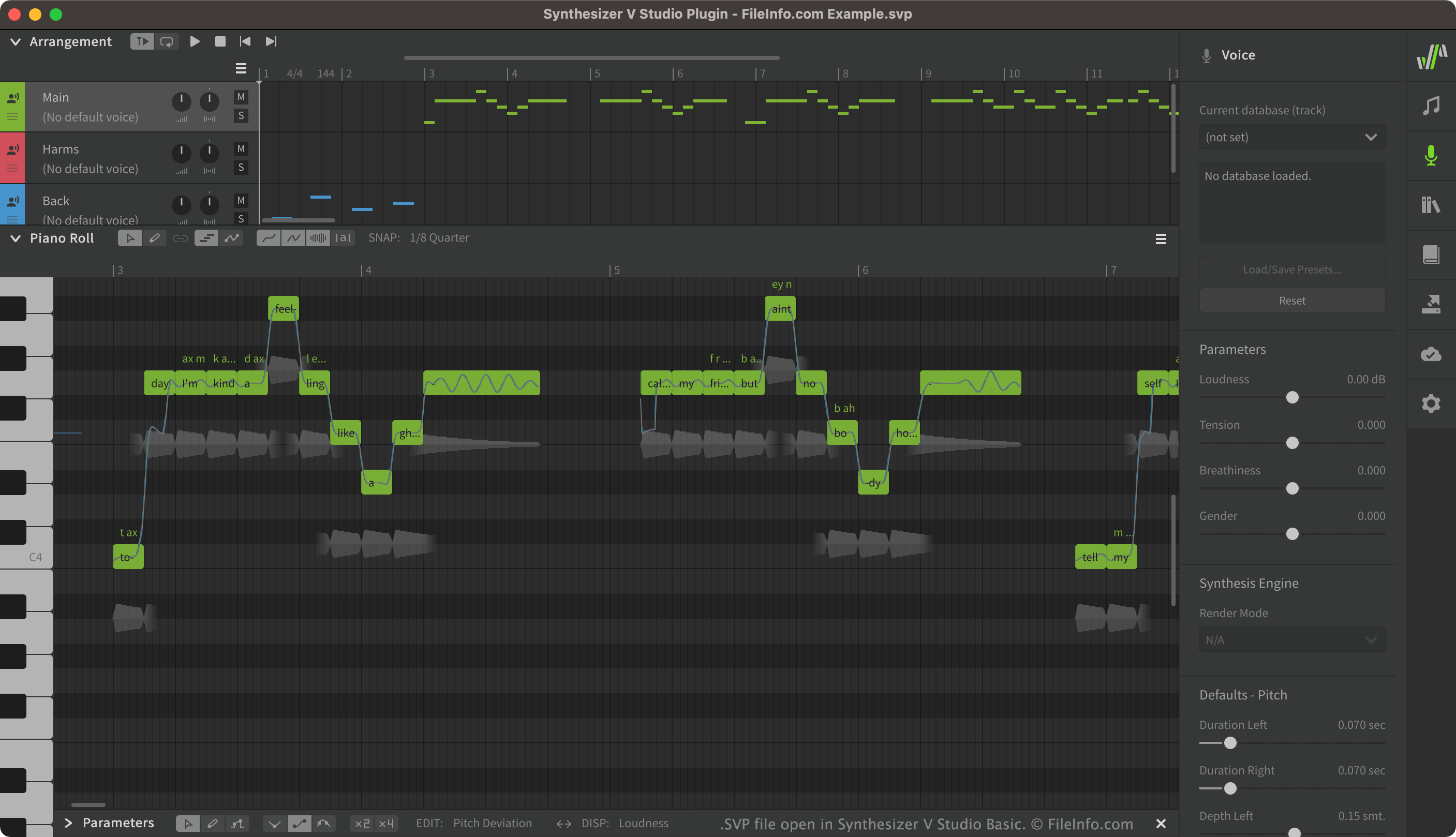
Met Synthesizer V kunnen gebruikers gesynthetiseerde zangstemmen maken, bewerken en afspelen. Vervolgens kunnen ze de zangstemmen die ze hebben gemaakt exporteren als .UST- of .MID-bestanden. Synthesizer V-projecten, die als SVP-bestanden worden opgeslagen, bevatten vaak veel verschillende zangtracks, waaronder hoofdzang, achtergrondzang en effecten die op die zangstemmen zijn toegepast.
Hoewel SVP-bestanden in Synthesizer V als zangtracks verschijnen, zijn het eigenlijk JSON-bestanden met platte tekst. Wanneer je een SVP-bestand opent in Synthesizer V, zet het programma de tekst in het bestand om in de grafische elementen die in Synthesizer V verschijnen.
Een SVP-bestand openen
Je kunt een SVP-bestand openen in Synthesizer V (platformonafhankelijk). Selecteer hiervoor in de menubalk van Synthesizer V. Navigeer vervolgens naar je SVP-bestand en open het.
Als je de JSON-tekst in je SVP-bestand wilt bekijken, kun je het bestand openen in een teksteditor, zoals Microsoft Notepad (Windows) of Apple TextEdit (Mac).
Programma's die SVP-bestanden openen
Subsurface Viewer-project
| Ontwikkelaar | INSIGHT |
| Populariteit |
1,7 | 3 stemmen |
Een SVP-bestand is een project dat is gemaakt met INSIGHT Subsurface Viewer, een geologisch programma dat wordt gebruikt om seismische gegevens van de ondergrond in 3D te visualiseren en analyseren. Het bevat een geologisch model van de ondergrond, dat secties, kaarten, gegevens over geologische eenheden, boorgatlogs, lagen, VOXEL-modellen, breuken en gesteente-eigenschappen kan bevatten.
Meer informatie
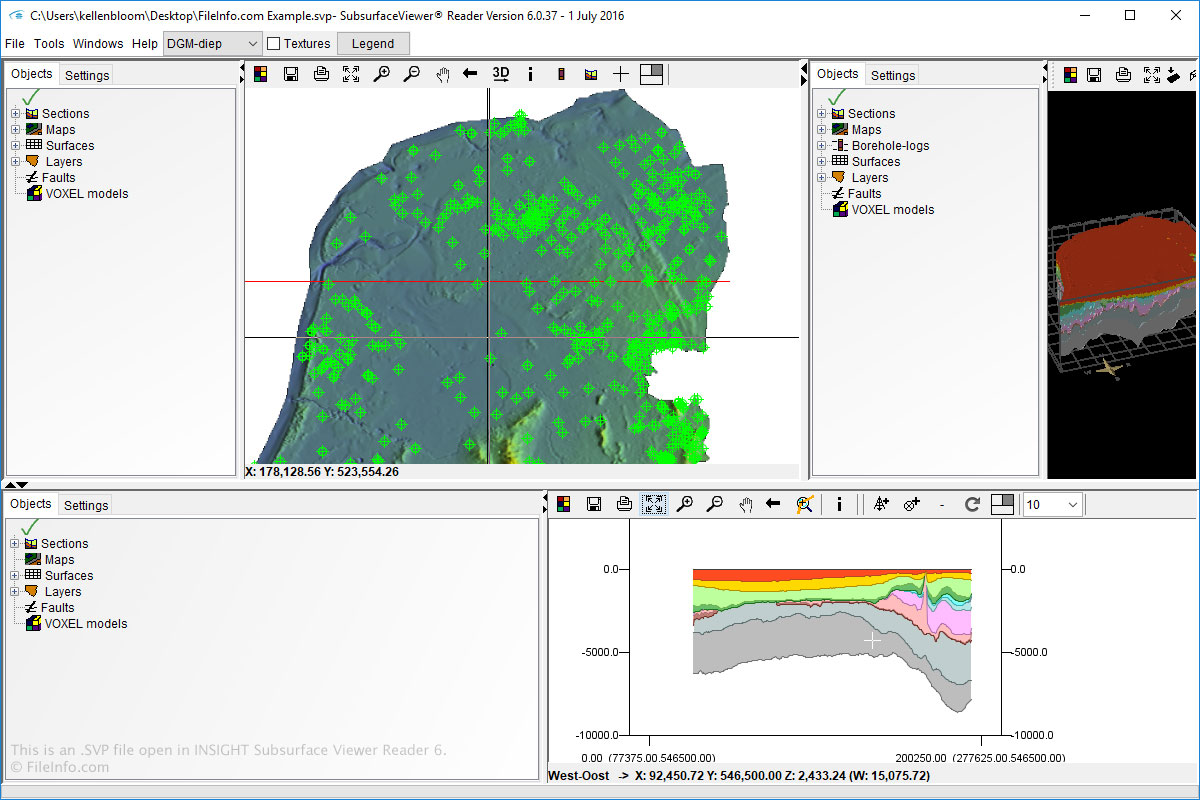
Je kunt SVP-bestanden in Windows openen en maken met Subsurface Viewer. Je kunt SVP-bestanden ook openen met Subsurface Viewer Reader, dat beschikbaar is voor Windows en macOS.
Als je SVP-bestanden wilt openen in Subsurface Viewer en Subsurface Viewer Reader, selecteer je eenvoudig en navigeer je naar het SVP-bestand.
OPMERKING: De INSIGHT Subsurface Viewer-software is niet langer beschikbaar.