

.SVP Dateiendung
Synthesizer-V-Projekt
| Entwickler | Dreamtonics |
| Beliebtheit |
4,8 | 9 Stimmen |
Was ist eine SVP-Datei?
Eine SVP-Datei ist ein Synthesizer-V-Projekt von Dreamtronics. Sie enthält JSON-formatierten Text, der zum Laden eines Sprachsyntheseprojekts in Synthesizer V verwendet wird. Wenn SVP-Dateien in Synthesizer V geöffnet werden, erscheinen sie als eine Reihe von Musiknoten, die oft auf mehrere Audiospuren verteilt sind.
Weitere Informationen
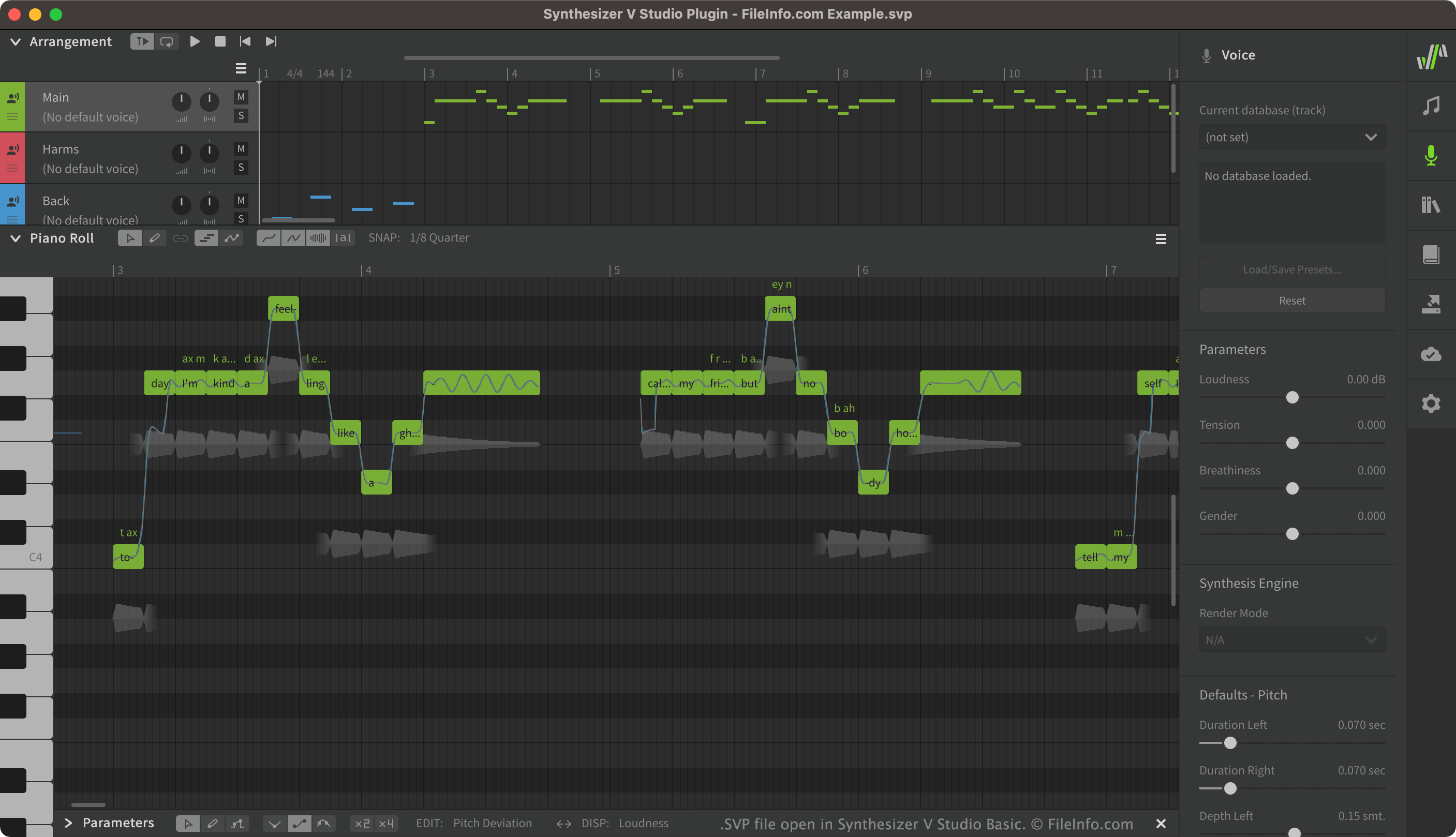
Mit Synthesizer V können Benutzer synthetisierten Gesang erstellen, bearbeiten und wiedergeben. Anschließend können sie den erstellten Gesang als .UST- oder .MID-Dateien exportieren. Synthesizer-V-Projekte, die als SVP-Dateien gespeichert werden, enthalten oft viele verschiedene Gesangsspuren, darunter Hauptgesang, Begleitgesang und auf diesen Gesang angewendete Effekte.
Obwohl SVP-Dateien in Synthesizer V als Gesangsspuren erscheinen, handelt es sich tatsächlich um reine Text-JSON-Dateien. Wenn Sie eine SVP-Datei in Synthesizer V öffnen, wandelt das Programm den darin enthaltenen Text in die grafischen Elemente um, die in Synthesizer V angezeigt werden.
So öffnen Sie eine SVP-Datei
Sie können eine SVP-Datei in Synthesizer V (plattformübergreifend) öffnen. Wählen Sie dazu in der Menüleiste von Synthesizer V aus. Navigieren Sie anschließend zu Ihrer SVP-Datei und öffnen Sie sie.
Wenn Sie den JSON-Text Ihrer SVP-Datei anzeigen möchten, können Sie sie in jedem Texteditor öffnen, beispielsweise in Microsoft Notepad (Windows) oder Apple TextEdit (Mac).
Programme, die .SVP-Dateien öffnen
Subsurface Viewer-Projekt
| Entwickler | INSIGHT |
| Beliebtheit |
1,7 | 3 Stimmen |
Eine SVP-Datei ist ein von INSIGHT Subsurface Viewer erstelltes Projekt. Dabei handelt es sich um ein geologisches Programm zur Visualisierung und Analyse seismischer Daten des Untergrunds in 3D. Sie enthält ein geologisches Modell des Untergrunds, das Abschnitte, Karten, Daten zu geologischen Einheiten, Bohrlochprotokolle, Schichten, VOXEL-Modelle, Verwerfungen und Gesteinseigenschaften umfassen kann.
Weitere Informationen
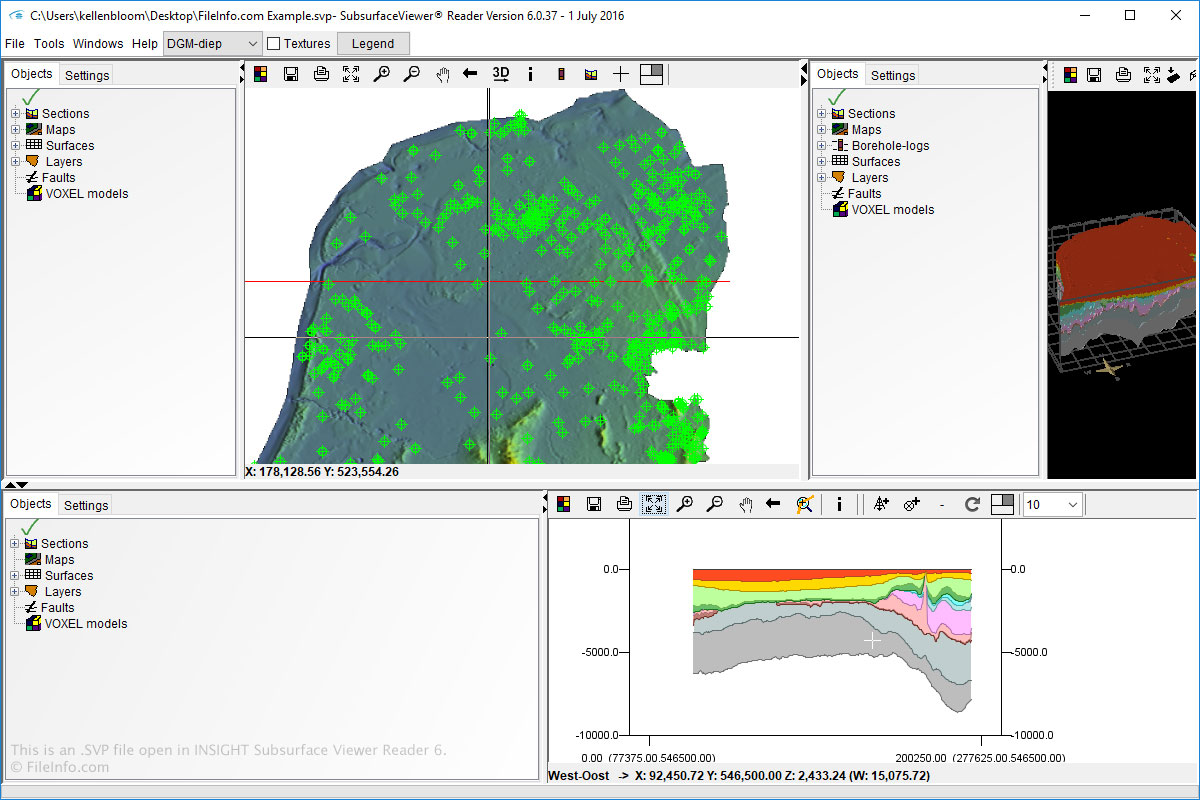
Unter Windows können Sie SVP-Dateien mit Subsurface Viewer öffnen und erstellen. Sie können SVP-Dateien auch mit Subsurface Viewer Reader öffnen, das für Windows und macOS verfügbar ist.
Um SVP-Dateien in Subsurface Viewer und Subsurface Viewer Reader zu öffnen, wählen Sie einfach aus und navigieren Sie zur SVP-Datei.
HINWEIS: Die Software INSIGHT Subsurface Viewer wird nicht mehr weiterentwickelt.