

.MPP Bestandsextensie
Microsoft Project-bestand
| Ontwikkelaar | Microsoft |
| Populariteit |
3,5 | 161 stemmen |
Wat is een MPP-bestand?
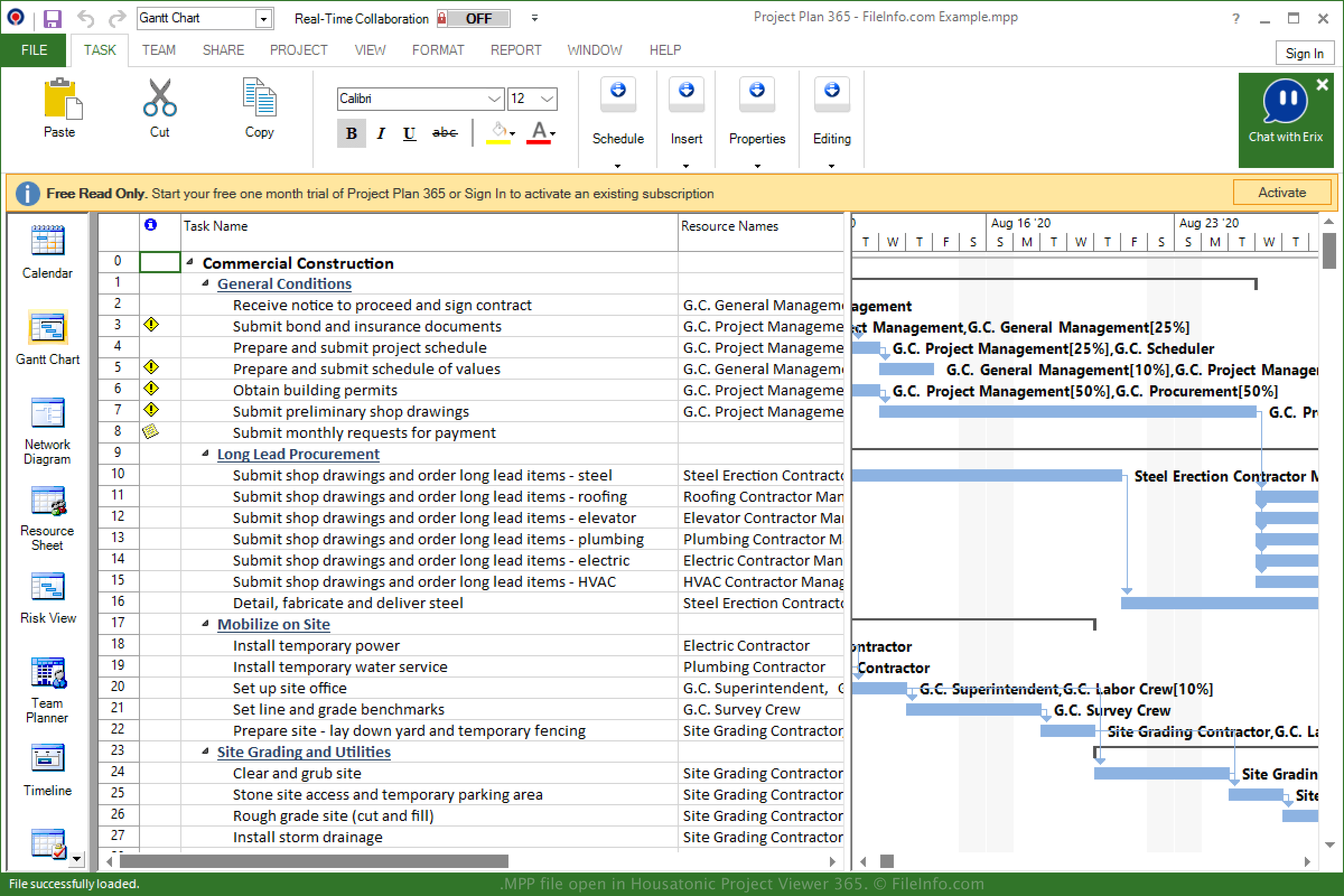
Een MPP-bestand is een project dat is gemaakt met Microsoft Project, een programma voor het organiseren, bijhouden en beheren van projecten. Het bevat een tijdlijn, een lijst met taken, budgetten, aan taken toegewezen resources en andere projectinformatie. MPP-bestanden worden vaak gebruikt om werkbelastingen, planningen en financiën op te slaan.
Meer informatie
Microsoft bracht Project in 1984 uit om projecten te beheren, planningen te ontwikkelen, budgetten in te stellen en resources toe te wijzen. De MPP-indeling is het oorspronkelijke bestandstype dat bij Microsoft Project hoort en slaat projectinformatie op wanneer je een project opslaat.
Sinds 1984 heeft Microsoft verschillende versies van Project en de MPP-indeling uitgebracht. Je kunt de volgende lijst bekijken om te controleren welke versies van MPP-bestanden worden ondersteund door verschillende versies van Project:
- MS Project 98 kan Project 4.x- en Project 98-bestanden openen.
- MS Project 2000 kan Project 98- en Project 2000-bestanden openen.
- MS Project 2002 kan Project 98-, Project 2000- en Project 2002-bestanden openen.
- MS Project 2003 kan Project 98-, 2000-, 2002- en 2003-bestanden openen.
- MS Project 2007 kan Project 98-, 2000-2003- en 2007-bestanden openen.
- MS Project 2010 kan Project 98-, 2000-2003-, 2007- en 2010-bestanden openen.
- MS Project 2013 kan Project 2000-2003-, 2007-, 2010- en 2013-bestanden openen.
- MS Project 2016 kan Project 2000-2003-, 2007-, 2010-, 2013- en 2016-bestanden openen.
- MS Project 2019 kan Project 2000-2003-, 2007-, 2010-, 2013-, 2016- en 2019-bestanden openen.
Een MPP-bestand openen
Je kunt een MPP-bestand openen en bewerken met Microsoft Project in Windows. Als je een MPP-bestand met Project wilt openen, selecteer je .
Je kunt een MPP-bestand ook openen met toepassingen van derden, zoals MOOS Project Viewer (multiplatform), OpenProj (multiplatform) en Steelray Project Viewer (multiplatform).
Housatonic Project Viewer 365 is een andere toepassing die MPP-bestanden ondersteunt. Deze is beschikbaar voor Android, iOS en als webtoepassing.
Een MPP-bestand converteren
Verschillende toepassingen, waaronder Microsoft Project en OpenProj, kunnen MPP-bestanden naar andere indelingen converteren.
Microsoft Project kan MPP-bestanden bijvoorbeeld converteren naar veel bestandstypen, waaronder de volgende indelingen wanneer je selecteert: