

.MPP Extensão de arquivo
Arquivo do Microsoft Project
| Desenvolvedor | Microsoft |
| Popularidade |
3,5 | 161 Votos |
O que é um arquivo MPP?
Um arquivo MPP é um projeto criado pelo Microsoft Project, um programa para organizar, acompanhar e gerenciar projetos. Ele contém uma linha do tempo, uma lista de tarefas, orçamentos, recursos atribuídos às tarefas e outras informações do projeto. Os arquivos MPP são frequentemente usados para armazenar cargas de trabalho, cronogramas e finanças.
Mais informações
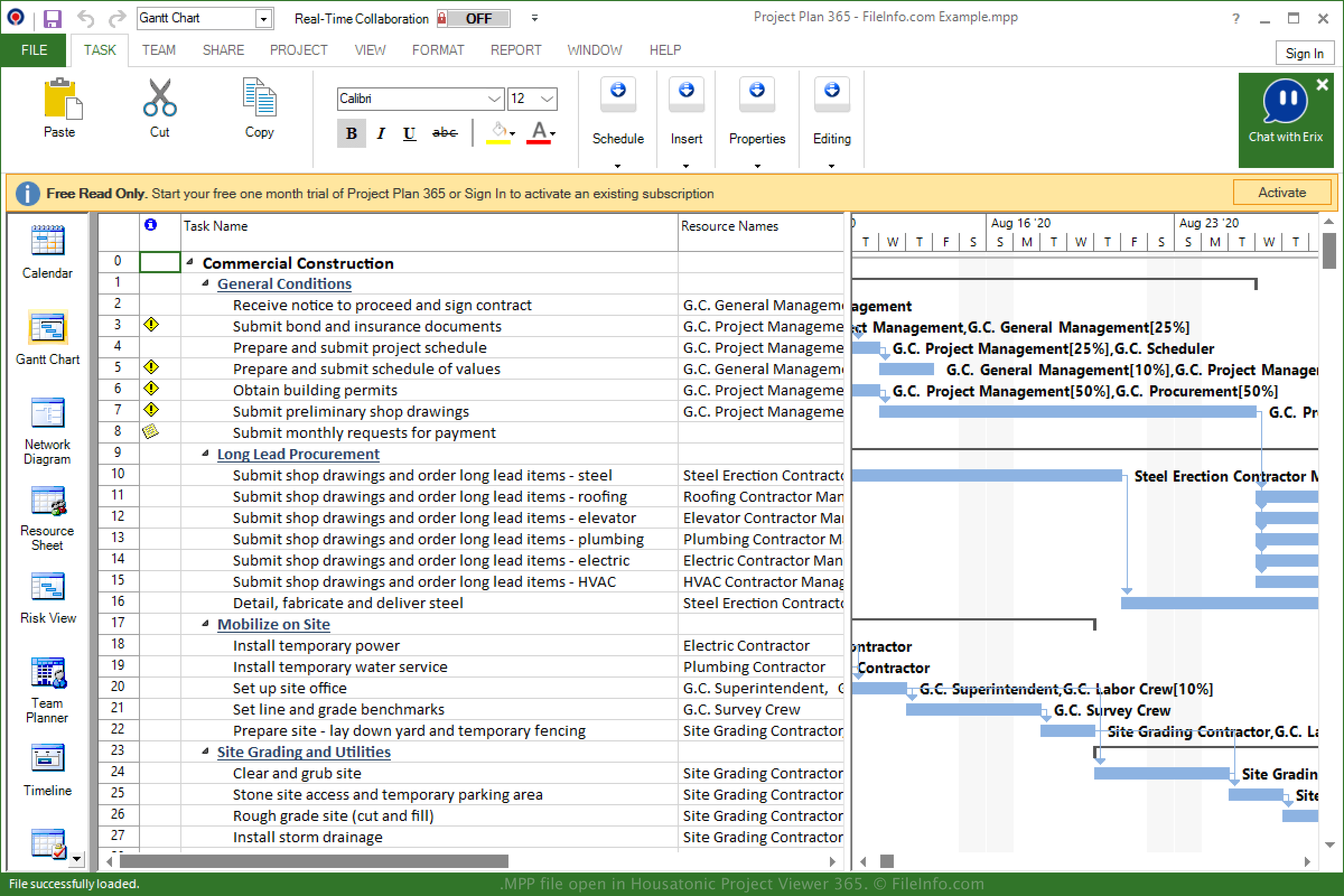
A Microsoft lançou o Project em 1984 para gerenciar projetos, desenvolver cronogramas, definir orçamentos e alocar recursos. O formato MPP é o tipo de arquivo nativo associado ao Microsoft Project e armazena informações do projeto quando um projeto é salvo.
Desde 1984, a Microsoft lançou diferentes versões do Project e do formato MPP. Você pode consultar a lista a seguir para verificar quais versões de arquivos MPP são compatíveis com diferentes versões do Project:
- O MS Project 98 pode abrir arquivos do Project 4.x e do Project 98.
- O MS Project 2000 pode abrir arquivos do Project 98 e do Project 2000.
- O MS Project 2002 pode abrir arquivos do Project 98, do Project 2000 e do Project 2002.
- O MS Project 2003 pode abrir arquivos do Project 98, 2000, 2002 e 2003.
- O MS Project 2007 pode abrir arquivos do Project 98, 2000-2003 e 2007.
- O MS Project 2010 pode abrir arquivos do Project 98, 2000-2003, 2007 e 2010.
- O MS Project 2013 pode abrir arquivos do Project 2000-2003, 2007, 2010 e 2013.
- O MS Project 2016 pode abrir arquivos do Project 2000-2003, 2007, 2010, 2013 e 2016.
- O MS Project 2019 pode abrir arquivos do Project 2000-2003, 2007, 2010, 2013, 2016 e 2019.
Como abrir um arquivo MPP
Você pode abrir e editar um arquivo MPP com o Microsoft Project no Windows. Para abrir um arquivo MPP com o Project, selecione .
Você também pode abrir um arquivo MPP com aplicativos de terceiros, como o MOOS Project Viewer (multiplataforma), o OpenProj (multiplataforma) e o Steelray Project Viewer (multiplataforma).
O Housatonic Project Viewer 365 é outro aplicativo compatível com arquivos MPP. Ele está disponível para Android, iOS e como aplicativo web.
Como converter um arquivo MPP
Vários aplicativos, incluindo o Microsoft Project e o OpenProj, podem converter arquivos MPP para outros formatos.
Por exemplo, o Microsoft Project pode converter arquivos MPP para vários tipos de arquivo, incluindo os seguintes formatos quando você seleciona :