

.MPP Rozszerzenie pliku
Plik Microsoft Project
| Deweloper | Microsoft |
| Popularność |
3,5 | 161 Głosów |
Czym jest plik MPP?
Plik MPP to projekt utworzony w programie Microsoft Project, służącym do organizowania, śledzenia i prowadzenia projektów. Zawiera oś czasu, listę zadań, budżety, zasoby przypisane do zadań oraz inne informacje o projekcie. Pliki MPP są często używane do przechowywania obciążeń, harmonogramów i informacji finansowych.
Więcej informacji
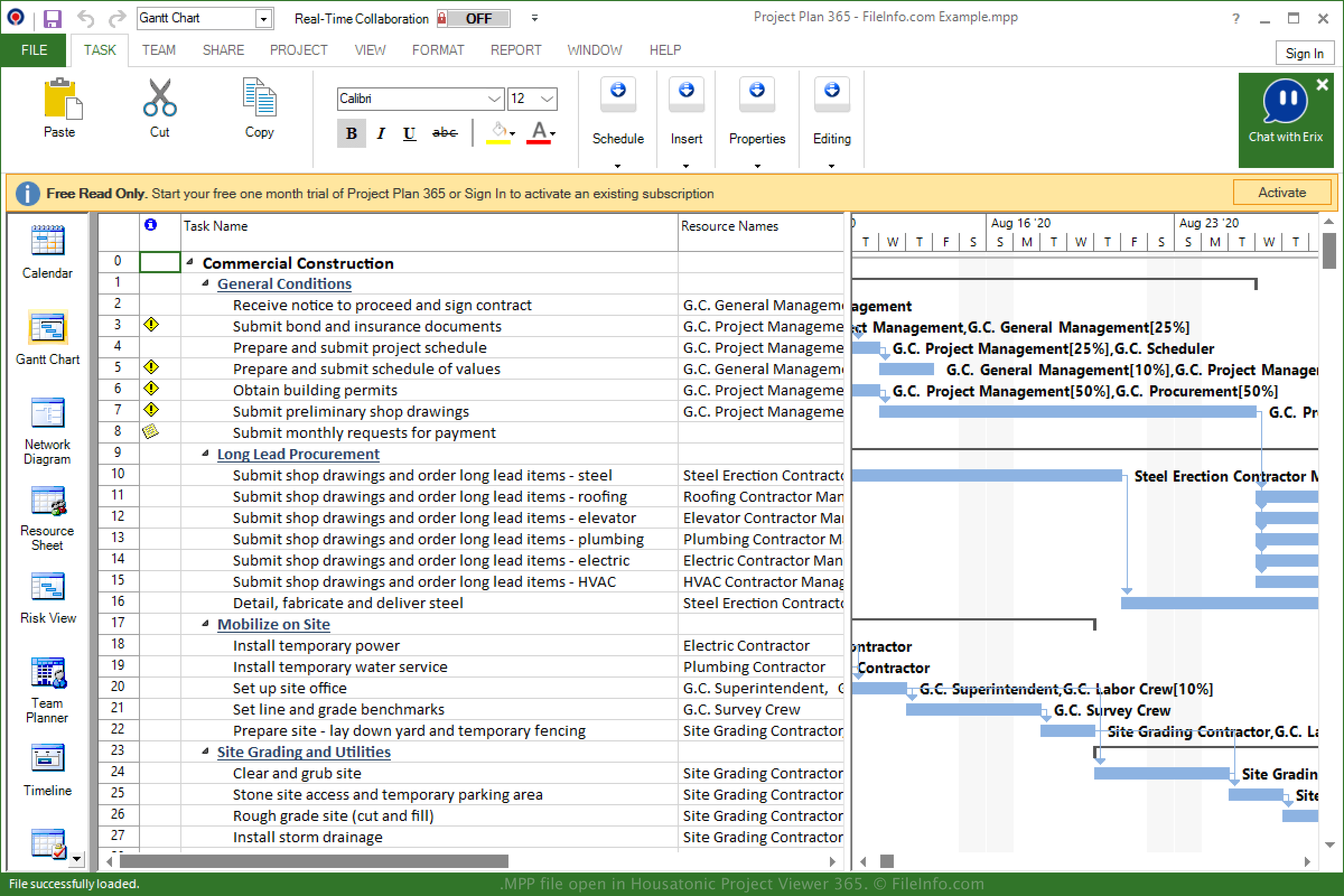
Firma Microsoft wydała program Project w 1984 roku do zarządzania projektami, tworzenia harmonogramów, ustalania budżetów i przydzielania zasobów. Format MPP jest natywnym typem pliku powiązanym z programem Microsoft Project i przechowuje informacje o projekcie podczas jego zapisywania.
Od 1984 roku firma Microsoft wydała różne wersje programu Project i formatu MPP. Możesz wyświetlić poniższą listę, aby sprawdzić, które wersje plików MPP są obsługiwane przez poszczególne wersje programu Project:
- MS Project 98 może otwierać pliki Project 4.x i Project 98.
- MS Project 2000 może otwierać pliki Project 98 i Project 2000.
- MS Project 2002 może otwierać pliki Project 98, Project 2000 i Project 2002.
- MS Project 2003 może otwierać pliki Project 98, 2000, 2002 i 2003.
- MS Project 2007 może otwierać pliki Project 98, 2000–2003 i 2007.
- MS Project 2010 może otwierać pliki Project 98, 2000–2003, 2007 i 2010.
- MS Project 2013 może otwierać pliki Project 2000–2003, 2007, 2010 i 2013.
- MS Project 2016 może otwierać pliki Project 2000–2003, 2007, 2010, 2013 i 2016.
- MS Project 2019 może otwierać pliki Project 2000–2003, 2007, 2010, 2013, 2016 i 2019.
Jak otworzyć plik MPP
Plik MPP można otwierać i edytować w programie Microsoft Project dla systemu Windows. Aby otworzyć plik MPP w programie Project, wybierz .
Plik MPP można także otworzyć za pomocą aplikacji innych firm, takich jak MOOS Project Viewer (wieloplatformowa), OpenProj (wieloplatformowa) i Steelray Project Viewer (wieloplatformowa).
Inną aplikacją obsługującą pliki MPP jest Housatonic Project Viewer 365. Jest ona dostępna na systemy Android i iOS oraz jako aplikacja internetowa.
Jak przekonwertować plik MPP
Kilka aplikacji, w tym Microsoft Project i OpenProj, może konwertować pliki MPP do innych formatów.
Na przykład Microsoft Project może konwertować pliki MPP na wiele typów plików, w tym na następujące formaty po wybraniu opcji :