

.HWP Bestandsextensie
Hanword-document
| Ontwikkelaar | Hancom |
| Populariteit |
3,1 | 113 stemmen |
Een HWP-bestand is een document dat is gemaakt met Hancom Hanword, een Koreaanse tekstverwerker. HWP-bestanden bevatten meestal tekst die is geschreven met Hangul, het Koreaanse alfabet. Ze kunnen ook afbeeldingen en informatie over de opmaak van het document bevatten.
Meer informatie
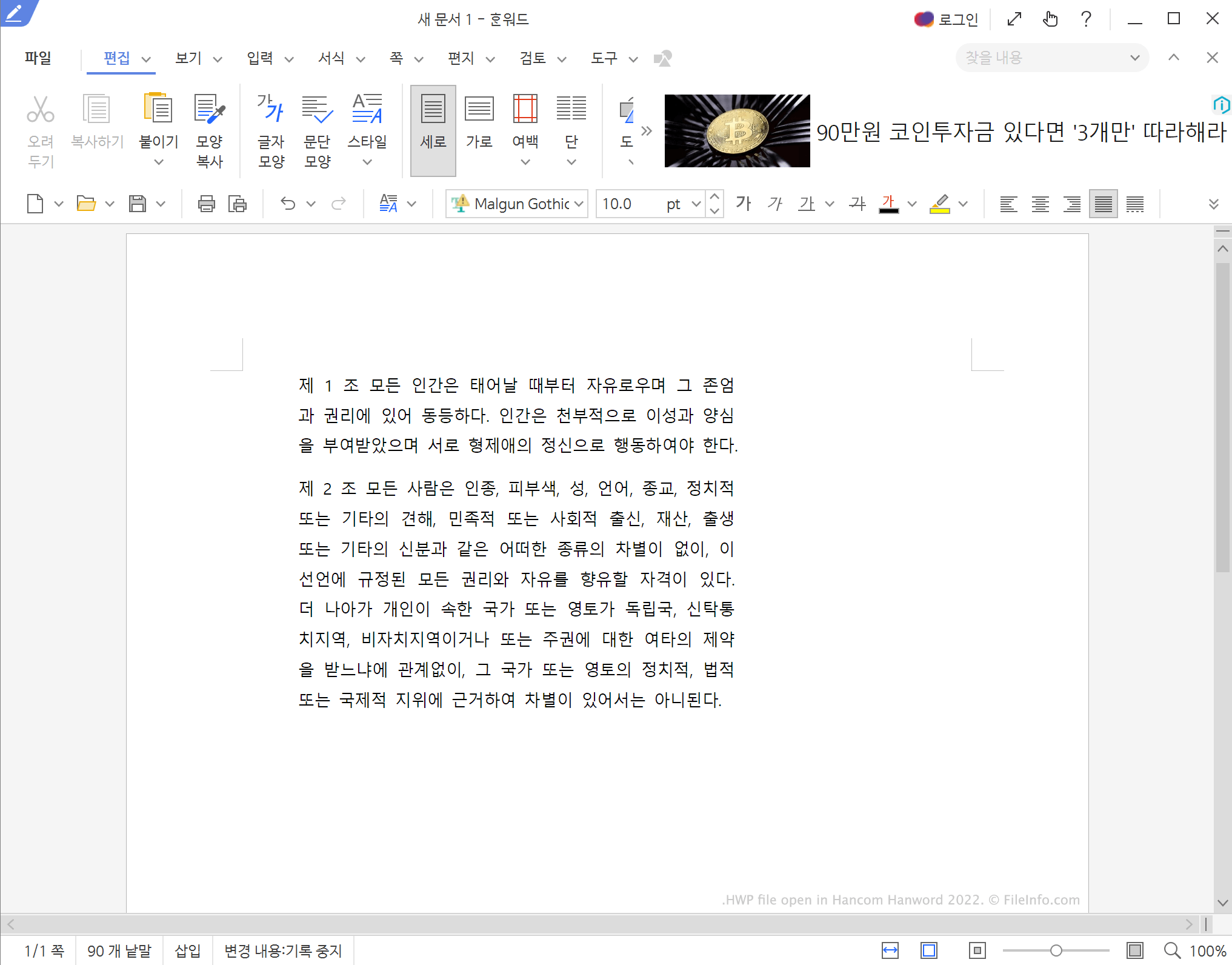
Hanword, voorheen bekend als Hangul Word Processor, maakt deel uit van de Hancom Office-suite. De Hancom Office-suite is vergelijkbaar met Microsoft Office en Hanword is vergelijkbaar met Microsoft Word. Gebruikers die documenten in het Koreaans moeten schrijven, gebruiken Hanword om HWP-bestanden te maken.
Je komt waarschijnlijk een HWP-bestand tegen wanneer je contact hebt met een Zuid-Koreaanse persoon of organisatie. Sommige Zuid-Koreaanse overheidsinstanties gebruiken bijvoorbeeld documenten die als HWP-bestanden zijn opgeslagen.
OPMERKING: Hanword is alleen opgenomen in de Koreaanse versie van Hancom Office.
Een HWP-bestand openen
Je kunt elk HWP-bestand openen in Hancom Hanword (meerdere platforms), Hancom Office Viewer (iOS, Android), Polaris Office Web Hangul (web) of Cloud HWP Viewer (web). Je kunt HWP-bestanden die zijn gemaakt door Hangul Word Processor '97 en eerdere versies openen in LibreOffice Writer (meerdere platforms), OpenOffice Writer (meerdere platforms) en Planamesa NeoOffice (Mac).
Een HWP-bestand converteren
Je kunt Microsoft's gratis Hanword HWP Document Converter for Microsoft Word gebruiken om HWP-bestanden te converteren naar .DOCX-bestanden. Je kunt Cloud HWP Viewer gebruiken om een HWP-bestand op te slaan als een .ZIP-bestand dat een .HTML-versie van de inhoud van het bestand bevat.
Als je vertrouwd bent met een programma in de Koreaanse taal, kun je Hancom Hanword gebruiken om HWP-bestanden naar de volgende indelingen te converteren: