.HWP Přípona souboru

Hangul Text Document

Vývojář Neuvedeno
Popularita
3.2  |  132 Hlasů
 

Co je soubor HWP?

An HWP file may be a plain text document written using Hangul, the Korean alphabet. However, this kind of HWP file is uncommon, as the .hwp extension is now more commonly used for Hanword Documents.

Jak otevřít soubor HWP

You can open an HWP file in Microsoft Notepad, Apple TextEdit, or any other text editor. You may have to install an Asian font pack to view the file's contents correctly.

Jak převést soubor HWP

After opening an HWP file in a text editor, you can use the text editor to convert the file to other text and document formats. For example, you can use Microsoft WordPad to convert HWP files to:

  • .RTF - Rich Text Format
  • .DOCX - Microsoft Word Document
  • .ODT - OpenDocument Text Document
  • .TXT - Plain Text
Otevřete více než 400 formátů souborů pomocí File Viewer Plus.Stáhnout zdarma

Programy, které otevírají soubory HWP

Windows
Součást operačního systému
Mac
Součást operačního systému
Linux
Zdarma
Kategorie: Text
Aktualizováno: 2022-06-02

Hanword Document

Vývojář Hancom
Popularita
3.1  |  113 Hlasů
 

An HWP file is a document created by Hancom Hanword, a Korean word processing application. HWP files typically contain text written using Hangul, the Korean alphabet. They may also contain graphics and document formatting information.

Další informace

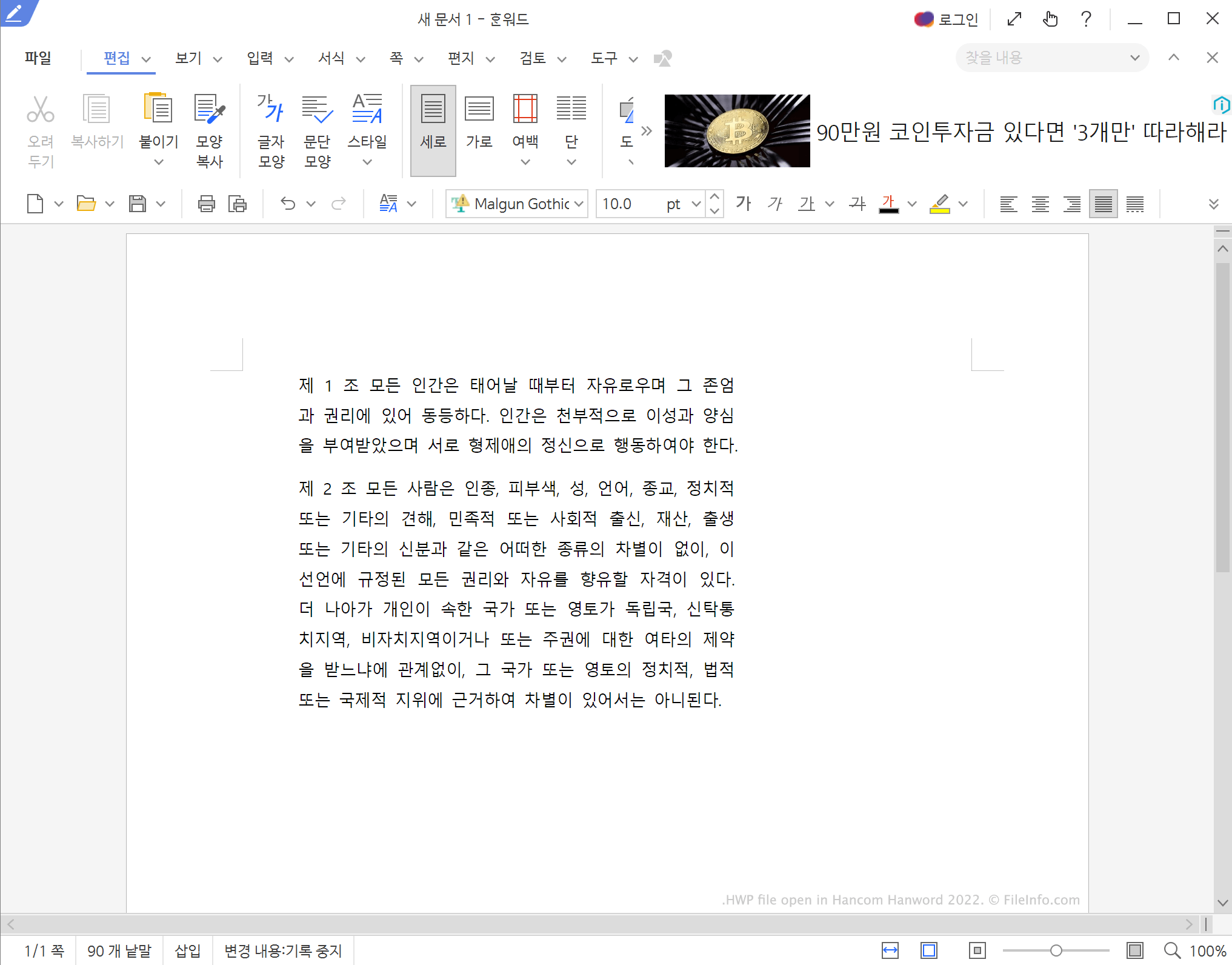
Snímek obrazovky souboru .hwp v Hancom Hanword 2022
Soubor HWP otevřený v Hancom Hanword 2022

Hanword, formerly known as Hangul Word Processor, is part of the Hancom Office suite. The Hancom Office suite is akin to Microsoft Office, and Hanword is akin to Microsoft Word. Users who need to write documents in Korean use Hanword to create HWP files.

You're most likely to encounter an HWP file while interacting with a South Korean person or organization. For example, some South Korean government agencies use documents saved as HWP files.

POZNÁMKA: Hanword is included in only the Korean version of Hancom Office.

Jak otevřít soubor HWP

You can open any HWP file in Hancom Hanword (multiplatform), Hancom Office Viewer (iOS, Android), Polaris Office Web Hangul (Web), or Cloud HWP Viewer (Web). You can open HWP files created by Hangul Word Processor '97 and earlier versions in LibreOffice Writer (multiplatform), OpenOffice Writer (multiplatform), and Planamesa NeoOffice (Mac).

Jak převést soubor HWP

You can use Microsoft's free Hanword HWP Document Converter for Microsoft Word to convert HWP files to .DOCX files. You can use Cloud HWP Viewer to save an HWP file as a .ZIP file that includes an .HTML version of the file's contents.

If you are comfortable using a Korean language program, you can use Hancom Hanword to convert HWP files to the following formats:

  • .DOC, .DOCX - Microsoft Word Document
  • .HWDT - Thinkfree Office NEO Word Template
  • .TXT - Plain Text
  • .PDF - Portable Document Format
  • .ODT - OpenDocument Text Document
  • .HTML - Hypertext Markup Language
  • .JPG - JPEG Image
  • .PNG - Portable Network Graphic

Programy, které otevírají soubory HWP

Mac
Zkušební verze zdarma
Linux
Web
Zkušební verze zdarma
iOS
Zkušební verze zdarma
Android
Zkušební verze zdarma
Kategorie: Text
Aktualizováno: 2022-06-02

Ověřil FileInfo.com

Tým FileInfo.com nezávisle prozkoumal všechny formáty souborů a programy uvedené na této stránce. Naším cílem je 100% přesnost a zveřejňujeme pouze informace o typech souborů, které jsme ověřili.

Pokud chcete navrhnout doplnění nebo aktualizaci této stránky, dejte nám vědět.