.FTM Bestandsextensie

FamiTracker Module

Ontwikkelaar N.v.t.
Populariteit
3.8  |  14 Stemmen
 

Wat is een FTM-bestand?

An FTM file is a music module created with FamiTracker, a free audio composition program that produces chiptune-style music for the Nintendo Entertainment System (NES) and Famicom consoles. It contains pattern data comprised of musical notes, instrument definitions, and sound effects that emulate the NES's audio hardware.

Meer informatie

Musicians, game developers, and retro music enthusiasts who want to create or reproduce NES-style soundtracks are the primary users of FamiTracker and the FTM format. The program’s name, "FamiTracker," is derived from “Famicom Tracker,” referencing the original Japanese name for the NES, "Family Computer."

Een FTM-bestand openen

You can open FTM files with FamiTracker in Windows. To open an FTM file with FamiTracker, select File → Open. tildearrow Furnace can also open FTM files.

Een FTM-bestand converteren

FamiTracker can convert FTM files to more common formats, such as .WAV for general playback or .NSF (NES Sound Format) for use in emulators or NES-compatible playback tools.

Open meer dan 400 bestandsformaten met File Viewer Plus.Gratis downloaden

Programma's die FTM-bestanden openen

Windows
Mac
Linux
Categorie: Audio
Bijgewerkt: 2016-12-29

Family Tree Maker for DOS File

Ontwikkelaar Ancestry.com
Populariteit
3.7  |  12 Stemmen
 

Family tree created with Family Tree Maker for DOS, an older version of the popular family tree creation program; contains genealogy data that can be viewed as a family tree.

Meer informatie

Family Tree Maker for Windows saves family trees as .FTW files.

Programma's die FTM-bestanden openen

Windows
Ancestry.com Family Tree Maker for DOS
Categorie: Gegevens
Bijgewerkt: 2009-02-16

Finale 2012 Score Template

Ontwikkelaar MakeMusic
Populariteit
4.3  |  3 Stemmen
 

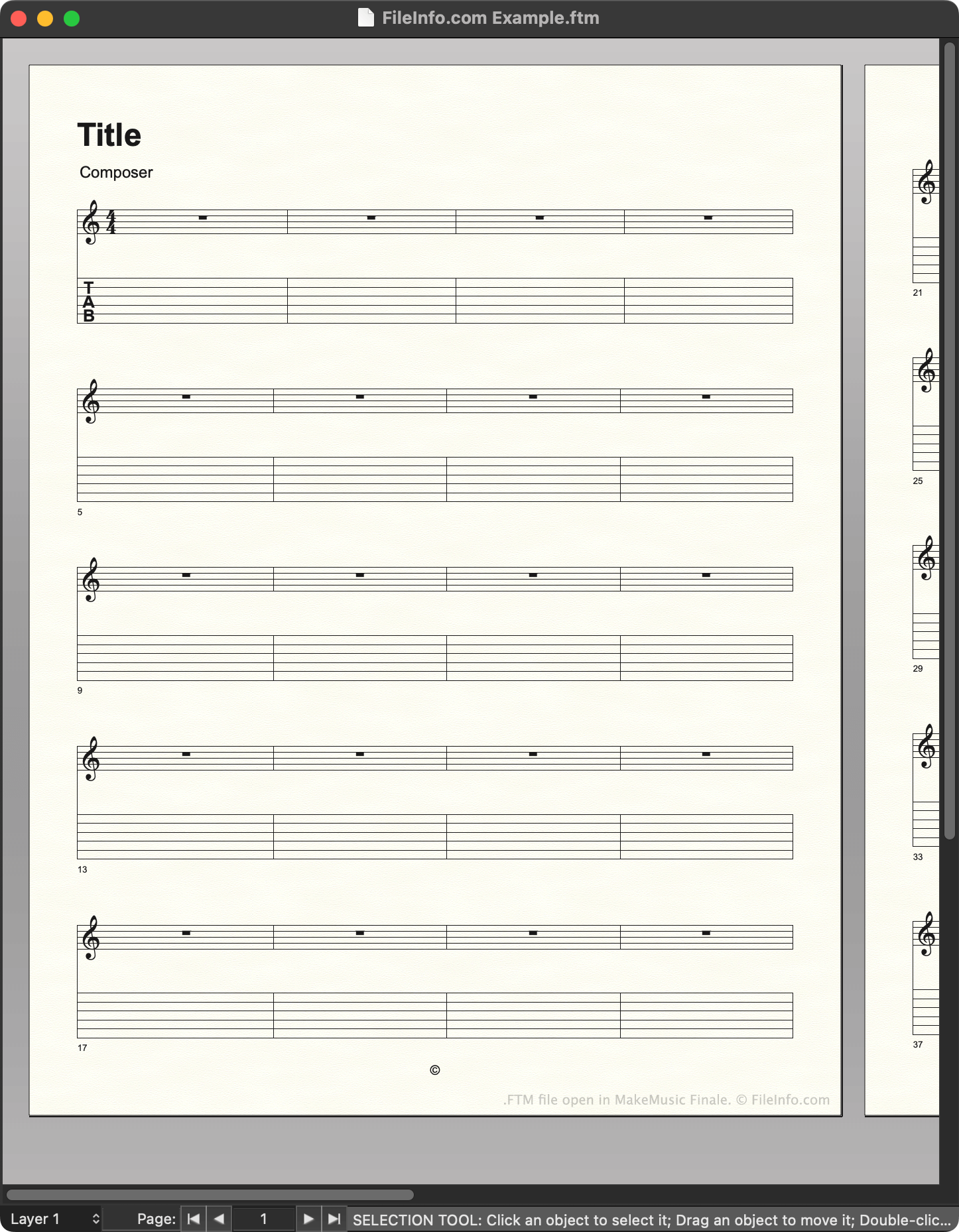
An FTM file is a template created by MakeMusic Finale, a music notation program. It contains a pre-set layout that a composer can use to quickly create a new musical score. Versions 2012 and earlier save templates as FTM files.

Meer informatie

Schermafbeelding van een .ftm-bestand in MakeMusic Finale
FTM-bestand geopend in MakeMusic Finale

Composers use MakeMusic Finale to create musical scores. When creating a new score, composers can choose to start from a template, which contains preset notation, text, and other settings. For example, a composer creating a new guitar piece might choose to start from a guitar score template.

In Finale 2012 and earlier versions, templates are saved as FTM files. Finale stores a set of default FTM files in the following directory:

~/​MakeMusic/​Finale ####/​Music Files/​Templates

Composers can also create their own templates, by using File → Save As... to save a score they've created as an FTM file. It is recommended that composers save the templates they create in the Templates directory, to make managing templates easier.

OPMERKING: Finale 2014 to 26 save templates as .FTMX files. Finale 27 saves templates as .MUSX files.

Een FTM-bestand openen

You can open an FTM file with MakeMusic Finale (Windows, Mac). In versions up to 26, you can select File → Open..., navigate to your FTM file, and select Open to open it. In version 27, you must right-click your FTM file, select Open with..., and then manually open the file with Finale. (Or, you can change the file's extension to .mus and open it as you would a .MUS file.)

Programma's die FTM-bestanden openen

Windows
Gratis proefversie
Mac
Gratis proefversie
Categorie: Audio
Bijgewerkt: 2023-02-23

Geverifieerd door FileInfo.com

Het FileInfo.com-team heeft onafhankelijk onderzoek gedaan naar alle bestandsformaten en softwareprogramma's die op deze pagina worden vermeld. Ons doel is 100% nauwkeurigheid en we publiceren alleen informatie over bestandstypen die we hebben geverifieerd.

Als u aanvullingen of updates voor deze pagina wilt voorstellen, kunt u het ons laten weten.