.FTM 파일 확장자

FamiTracker Module

개발사 해당 없음
인기도
3.8  |  14 투표
 

FTM 파일이란 무엇인가요?

An FTM file is a music module created with FamiTracker, a free audio composition program that produces chiptune-style music for the Nintendo Entertainment System (NES) and Famicom consoles. It contains pattern data comprised of musical notes, instrument definitions, and sound effects that emulate the NES's audio hardware.

추가 정보

Musicians, game developers, and retro music enthusiasts who want to create or reproduce NES-style soundtracks are the primary users of FamiTracker and the FTM format. The program’s name, "FamiTracker," is derived from “Famicom Tracker,” referencing the original Japanese name for the NES, "Family Computer."

FTM 파일을 여는 방법

You can open FTM files with FamiTracker in Windows. To open an FTM file with FamiTracker, select File → Open. tildearrow Furnace can also open FTM files.

FTM 파일을 변환하는 방법

FamiTracker can convert FTM files to more common formats, such as .WAV for general playback or .NSF (NES Sound Format) for use in emulators or NES-compatible playback tools.

File Viewer Plus(으)로 400개 이상의 파일 형식을 여세요.무료 다운로드

FTM 파일을 여는 프로그램

Windows
Mac
Linux
카테고리: 오디오
업데이트: 2016-12-29

Family Tree Maker for DOS File

개발사 Ancestry.com
인기도
3.7  |  12 투표
 

Family tree created with Family Tree Maker for DOS, an older version of the popular family tree creation program; contains genealogy data that can be viewed as a family tree.

추가 정보

Family Tree Maker for Windows saves family trees as .FTW files.

FTM 파일을 여는 프로그램

Windows
Ancestry.com Family Tree Maker for DOS
카테고리: 데이터
업데이트: 2009-02-16

Finale 2012 Score Template

개발사 MakeMusic
인기도
4.3  |  3 투표
 

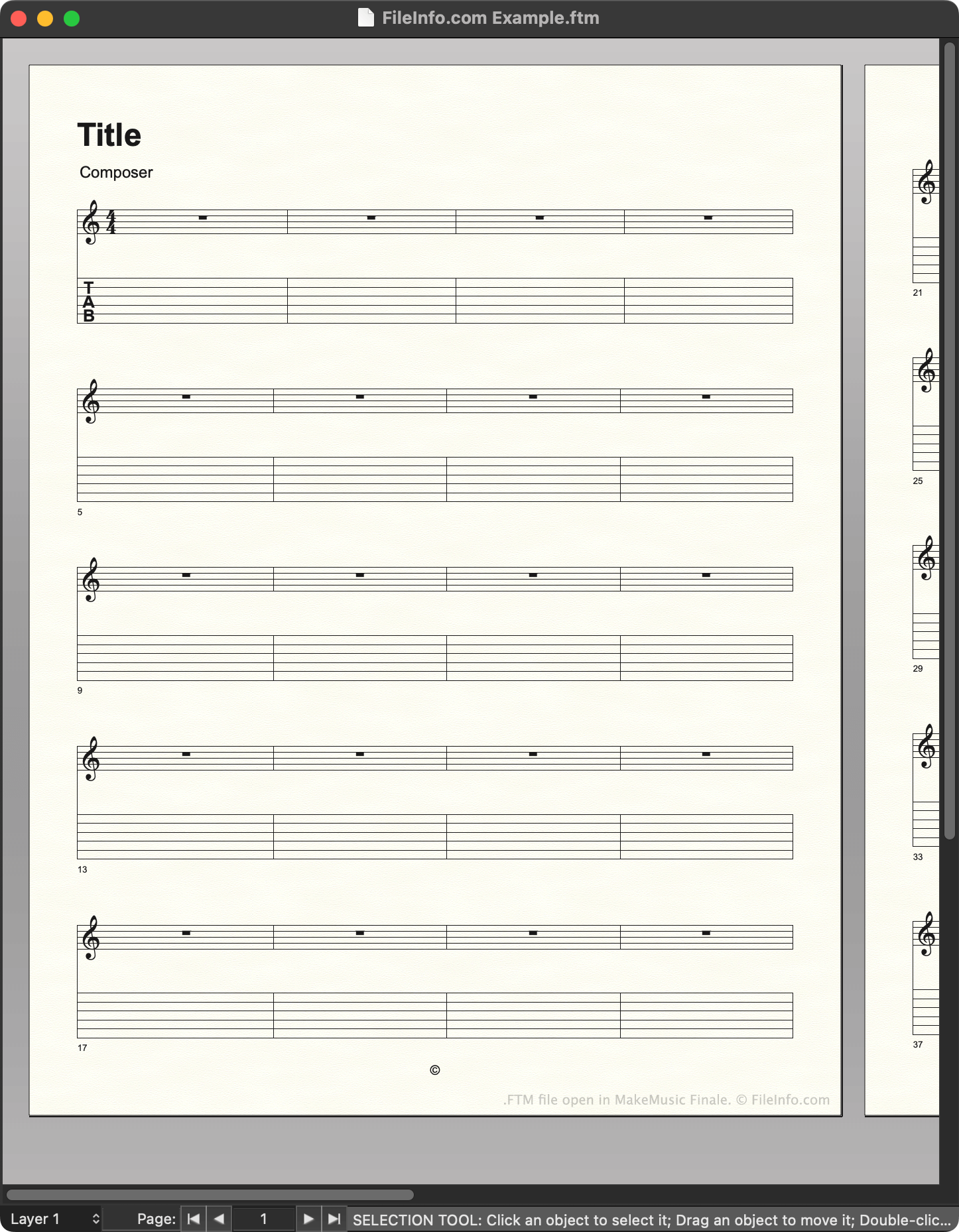
An FTM file is a template created by MakeMusic Finale, a music notation program. It contains a pre-set layout that a composer can use to quickly create a new musical score. Versions 2012 and earlier save templates as FTM files.

추가 정보

MakeMusic Finale에서 열린 .ftm 파일의 스크린샷
MakeMusic Finale에서 열린 FTM 파일

Composers use MakeMusic Finale to create musical scores. When creating a new score, composers can choose to start from a template, which contains preset notation, text, and other settings. For example, a composer creating a new guitar piece might choose to start from a guitar score template.

In Finale 2012 and earlier versions, templates are saved as FTM files. Finale stores a set of default FTM files in the following directory:

~/​MakeMusic/​Finale ####/​Music Files/​Templates

Composers can also create their own templates, by using File → Save As... to save a score they've created as an FTM file. It is recommended that composers save the templates they create in the Templates directory, to make managing templates easier.

참고: Finale 2014 to 26 save templates as .FTMX files. Finale 27 saves templates as .MUSX files.

FTM 파일을 여는 방법

You can open an FTM file with MakeMusic Finale (Windows, Mac). In versions up to 26, you can select File → Open..., navigate to your FTM file, and select Open to open it. In version 27, you must right-click your FTM file, select Open with..., and then manually open the file with Finale. (Or, you can change the file's extension to .mus and open it as you would a .MUS file.)

FTM 파일을 여는 프로그램

Windows
무료 체험판
Mac
무료 체험판
카테고리: 오디오
업데이트: 2023-02-23

검증자 FileInfo.com

FileInfo.com 팀 이 페이지에 나열된 모든 파일 형식과 소프트웨어 프로그램을 독자적으로 조사했습니다. 저희의 목표는 100% 정확성이며, 검증한 파일 유형에 대한 정보만 게시합니다.

이 페이지에 추가하거나 업데이트할 내용을 제안하고 싶으시면 알려 주세요.