.FFF Bestandsextensie
Hasselblad RAW Image
| Ontwikkelaar | Hasselblad |
| Populariteit |
3.3 | 34 Stemmen |
Wat is een FFF-bestand?
An FFF file is a camera raw image created by various Hasselblad digital camera models, including H6D-400C MS and X1D II 50C. It stores uncompressed image data exactly how it was captured by the CCD, which allows for higher resolution images than compressed image data. Professional photographers typically use FFF files because they store higher-quality images they can more accurately edit.
Meer informatie
Since FFF files store uncompressed image data, the files can become very large, typically in the 100s of MBs range. Therefore, if you want to share an image captured as an FFF file, you should convert it to a more widely supported format, such as .JPEG, .PNG, or .TIFF. Converting the FFF image to one of these formats compresses the image data, making it easier to share it online.
OPMERKING: Hasselblad cameras may also capture images as .3FR files.
Een FFF-bestand openen
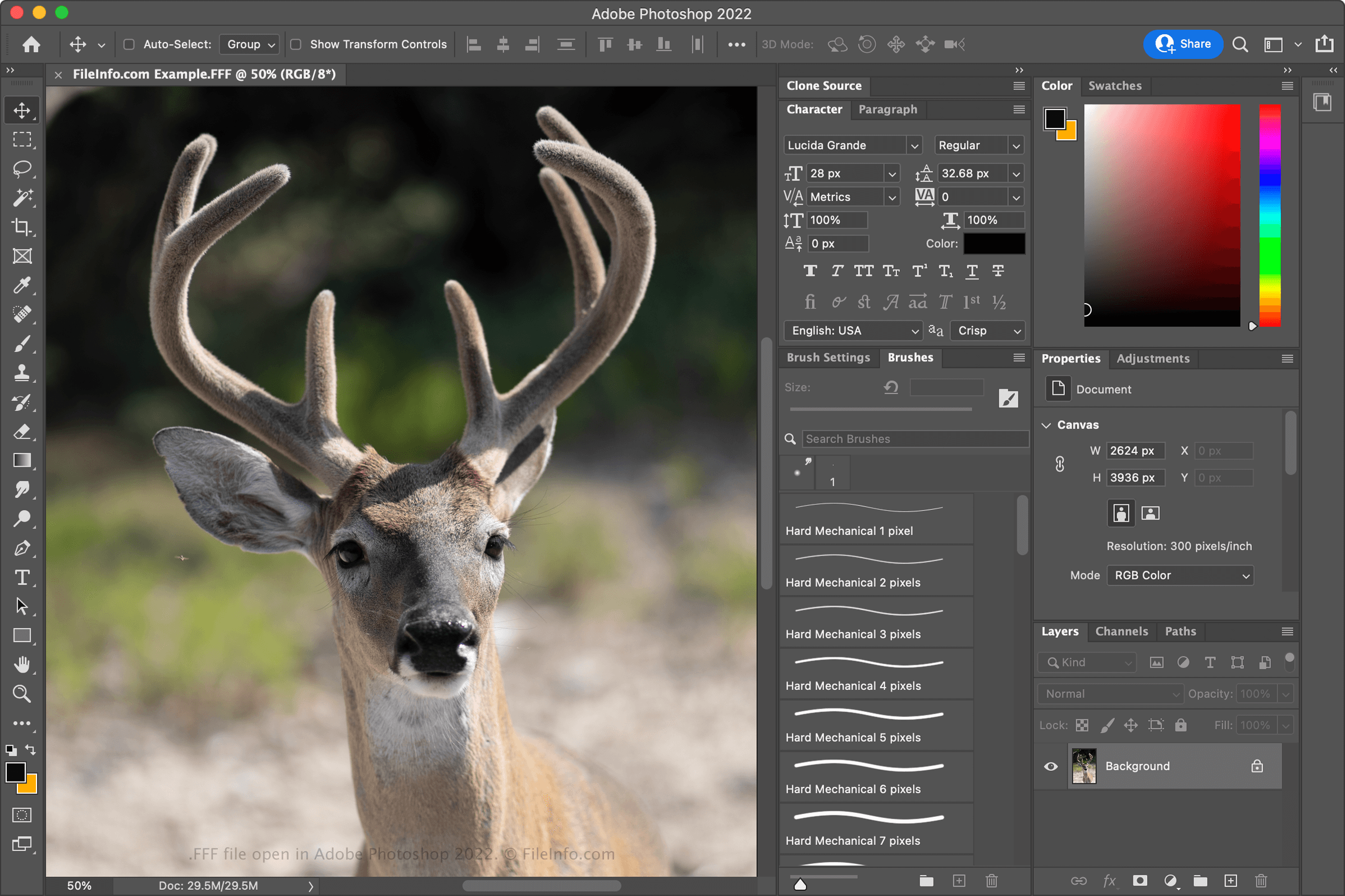
You can open and edit FFF files with various image editing programs, Hasselblad Phocus, a free image-viewing application for Hasselblad users. Some other image editors that support FFF files are Microsoft Photos (bundled with Windows), Apple Preview, Corel PaintShop Pro (Mac) and Adobe Photoshop (Windows and Mac).
Programma's die FFF-bestanden openen
Gravis UltraSound Sound Bank
| Ontwikkelaar | Advanced Gravis Computer Technology |
| Populariteit |
2.8 | 4 Stemmen |
An FFF file is a sound bank used by the Gravis UltraSound (GUS) sound card, a popular audio device from the 1990s. It contains a collection of digital sound samples, such as musical notes, sound effects, and other audio clips, that can be played by the sound card. FFF files were commonly used in video games, music production, and other audio applications to enhance the sound experience by providing high-quality sound effects and music.
Meer informatie
Advanced Gravis Computer Technology released the GUS sound card in 1992. It provided advanced computer audio capabilities, including multi-timbral music playback and high-fidelity sound reproduction. Logitech eventually acquired Gravis in 1998, discontinuing the sound card. While the GUS sound card is no longer widely used, retro gaming enthusiasts may still use the file format when playing legacy sound banks.
Additionally, FFF files are typically accompanied by .DAT files with the same filename (e.g., example.fff and example.dat). While FFF files are sound bank files containing digital sound samples, the accompanying DAT files typically store data that supports the operation of the GUS sound card, such as configuration settings, additional sound information, or other system-specific data.
Een FFF-bestand openen
You can open FFF files with several programs, including Gravis UltraSound and FMJ-Software Awave Studio. For example, to open an FFF file with Awave Studio, select File → Open.
Een FFF-bestand converteren
Programma's die FFF-bestanden openen
MAGGI Face File
| Ontwikkelaar | SOLution LABoratory |
| Populariteit |
3.0 | 2 Stemmen |
Facial design file created by MAGGI - Hairstyles & Cosmetics Software, a program used for creating mockups of hairstyles and cosmetics; saves settings for the hairstyle, eyes, lipstick, lipliner, and brush; can be exported to a .JPG file for sharing with others.
Meer informatie
OPMERKING: The MAGGI - Hairstyles & Cosmetics Software is no longer supported.