

.TEXT 파일 확장자
일반 텍스트 파일
| 개발사 | 해당 없음 |
| 인기도 |
3.6 | 145 표 |
TEXT 파일이란 무엇인가요?
TEXT 파일은 서식이 지정되지 않은 ASCII 텍스트가 포함된 간단한 텍스트 문서입니다. 모든 텍스트 편집기나 워드 프로세서에서 열고 편집할 수 있습니다. TEXT 파일은 일반적으로 .TXT 파일로 더 많이 저장됩니다.
추가 정보
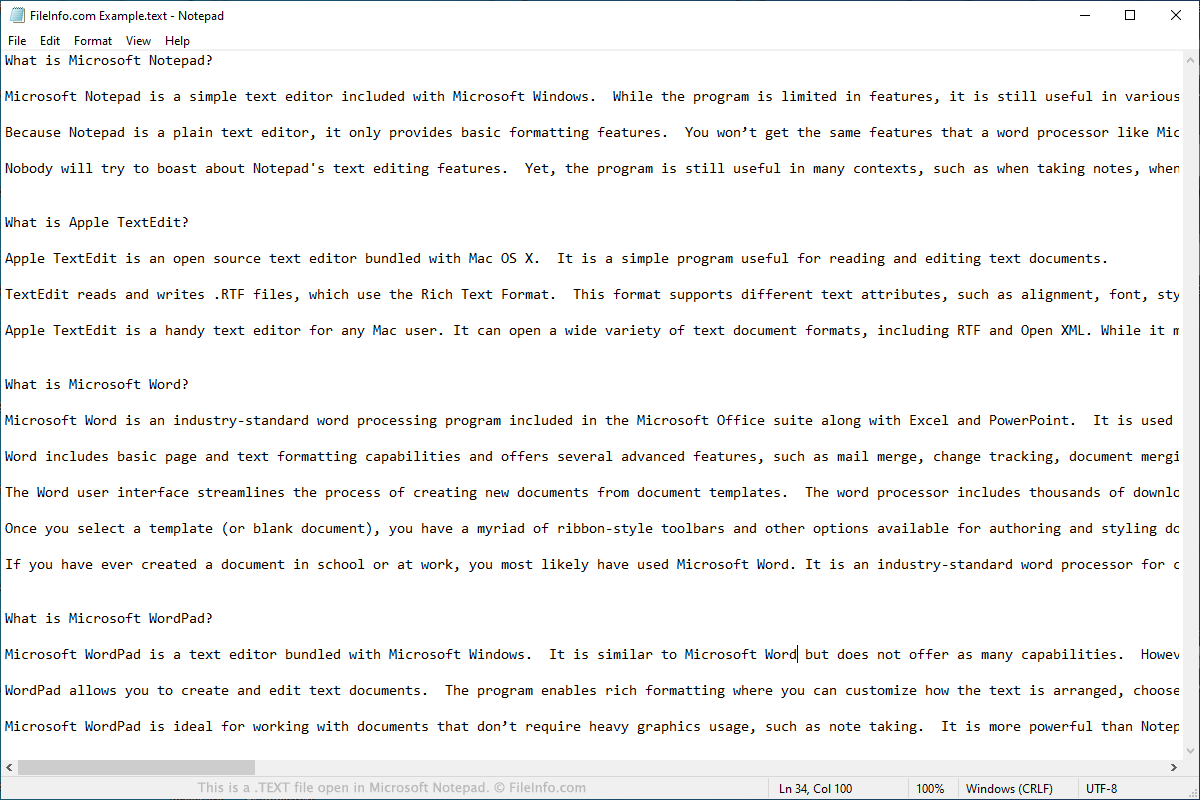
TEXT 파일에는 Microsoft Notepad, Apple TextEdit 및 기타 텍스트 편집기에서 보고 편집할 수 있는 텍스트가 저장됩니다. .RTF, .DOCX, .PAGES 파일과 달리 TEXT 파일에는 굵게 표시, 기울임꼴, 글꼴 스타일, 텍스트 정렬과 같은 고급 서식을 포함할 수 없습니다.
TEXT 파일에는 서식을 포함할 수 없으므로 일반적으로 메모, 단계별 지침, 프로그램 정보 로그와 같은 기본 정보만 포함됩니다. 소프트웨어 개발자는 배포하는 게임 및 도구에 TEXT 파일을 함께 넣어 소프트웨어에 대한 지침이나 기타 정보를 제공할 수도 있습니다.
이력서, 보고서, 편지, 전단지와 같이 더 복잡한 텍스트 문서를 만들어야 하는 사용자는 일반적으로 해당 문서를 TEXT 파일로 저장하지 않습니다. 대신 Microsoft Word 또는 Apple Pages를 사용해 문서를 만들고 DOCX 또는 PAGES 파일로 저장합니다.
TEXT 파일을 여는 방법
모든 텍스트 편집기와 대부분의 인기 웹 브라우저에서 TEXT 파일을 열 수 있습니다. 아래에서 TEXT 파일을 여는 플랫폼별 지침을 확인할 수 있습니다.
Windows에서 TEXT 파일을 어떻게 여나요?
Windows에서는 Windows에 기본으로 포함된 Microsoft Notepad 또는 Microsoft WordPad에서 TEXT 파일을 열 수 있습니다. Notepad에서 TEXT 파일을 열려면:
- Windows 시작 메뉴에서 를 선택합니다.
- Notepad가 열리면 을 선택합니다.
- TEXT 파일이 있는 위치로 이동해 엽니다.
Mac에서 TEXT 파일을 어떻게 여나요?
macOS에서는 운영 체제에 기본으로 포함된 Apple TextEdit에서 TEXT 파일을 열 수 있습니다. TextEdit에서 TEXT 파일을 열려면:
- Finder 또는 Launchpad에서 TextEdit를 엽니다.
- 나타나는 파일 브라우저 창에서 TEXT 파일이 있는 위치로 이동해 엽니다.
Chrome OS에서 TEXT 파일을 어떻게 여나요?
Chromebook에서는 Chrome OS에 기본으로 포함된 Google Chrome Text에서 TEXT 파일을 열 수 있습니다. Google Chrome Text에서 TEXT 파일을 열려면:
- Chrome OS 런처를 엽니다. 그런 다음 Google Chrome Text를 엽니다.
- Google Chrome Text의 버튼을 선택합니다.
- TEXT 파일이 있는 위치로 이동해 엽니다.
웹 브라우저에서 TEXT 파일을 어떻게 여나요?
Google Chrome, Mozilla Firefox, Microsoft Edge 웹 브라우저에서는 모두 TEXT 파일을 열 수 있습니다. 하지만 웹 브라우저에서는 TEXT 파일을 편집할 수 없다는 점에 유의하세요.
Chrome과 Firefox에서는 파일을 브라우저 창으로 끌어다 놓기만 하면 열 수 있습니다. Microsoft Edge에서는 파일을 열려면 파일 위치를 복사해 Edge의 주소 표시줄에 붙여 넣어야 합니다.
TEXT 파일을 여는 프로그램
Windows 바이너리 기계어 파일
| 개발사 | Microsoft |
| 인기도 |
4.0 | 4 표 |
추가 정보
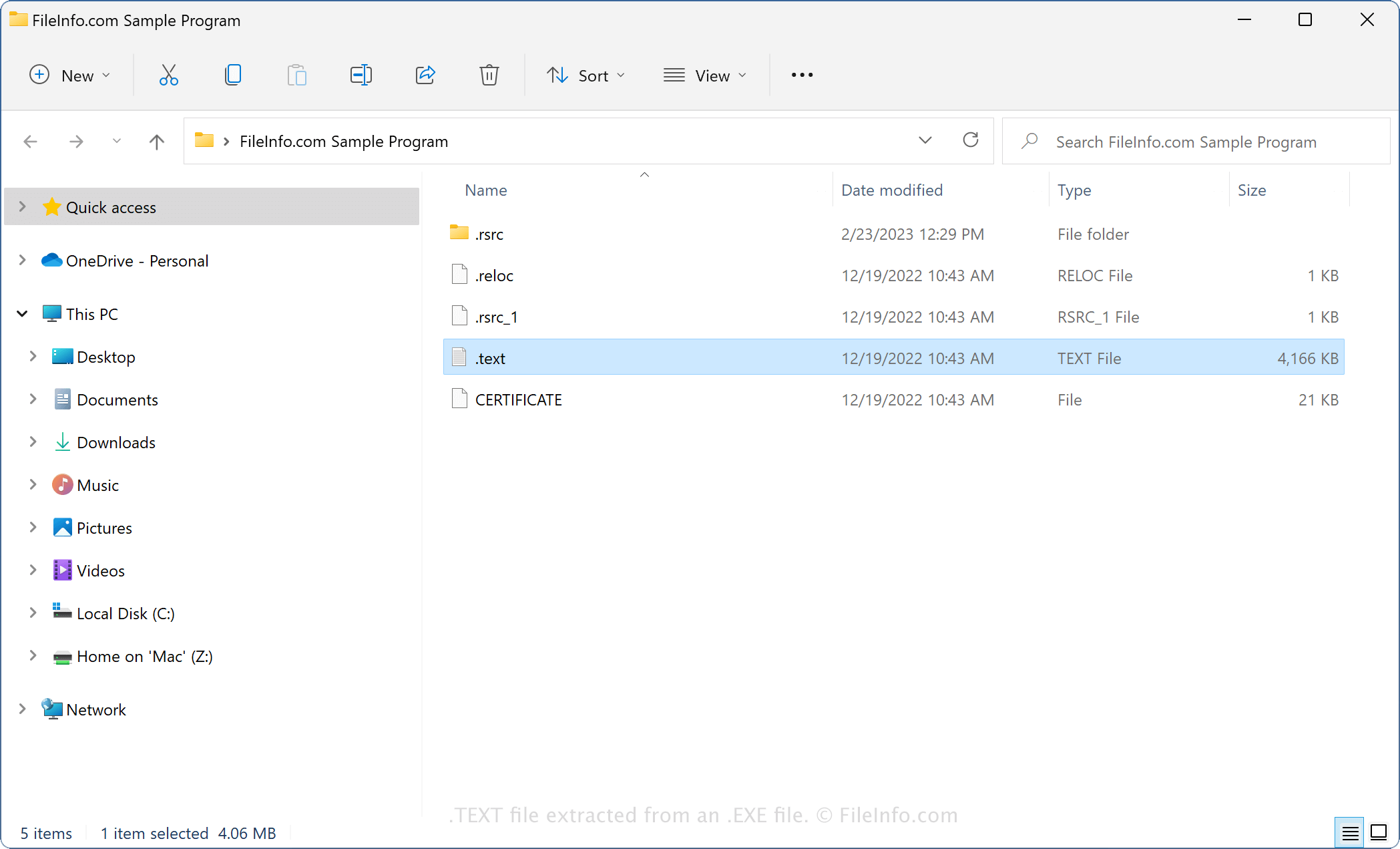
바이너리 TEXT 파일은 EXE 또는 DLL 파일에 패키징되어 있으므로, 아카이브 유틸리티(예: 7-Zip)로 EXE 또는 DLL 파일의 내용을 추출할 때 접하게 될 가능성이 가장 높습니다. 모든 EXE 및 DLL 파일에 TEXT 파일이 포함되는 것은 아니지만, 대부분의 최신 EXE 파일(Portable Executable 형식으로 저장됨)과 DLL 파일에는 TEXT 파일이 포함되어 있습니다.
예를 들어, 이식 가능한 실행 파일인 EXE 파일의 내용을 추출하면 다음과 같은 파일을 볼 수 있습니다.
- .text - 이식 가능한 실행 파일을 실행하기 위한 바이너리 기계어를 저장합니다.
- .reloc - 이식 가능한 실행 파일이 메모리에 로드되고 실행되는 방식에 대한 정보를 저장합니다(.RELOC).
- .rsrc - 이식 가능한 실행 파일에서 사용하는 리소스에 대한 정보를 저장합니다.
참고: Mac 및 Linux 실행 파일에도 TEXT 파일이 포함될 수 있습니다. 이러한 TEXT 파일에도 플랫폼별 형식으로 저장된 바이너리 기계어 명령이 포함되어 있습니다.
일반적인 .TEXT 파일 이름
.text - 바이너리 TEXT 파일에는 이름이 없으며 .text 파일 확장자만 있습니다.
TEXT 파일을 여는 방법
바이너리 TEXT 파일은 열도록 만들어진 파일이 아닙니다. 대신 Windows 실행 파일(EXE 파일)이 실행될 때 바이너리 TEXT 파일을 참조하거나, DLL 파일을 사용하는 프로그램이 해당 파일을 참조합니다.