.PSXPRJ 파일 확장자

PhotoScape X Project

개발사 Mooii Tech
인기도
4.0  |  2 투표
 

PSXPRJ 파일이란 무엇인가요?

A PSXPRJ file is an image-editing project created by Photoscape X, an image editor developed by Mooii Tech. It contains an image and a record of any adjustments, effects, or transformations applied to that image. Saving projects as PSXPRJ files allows users to revert or continue making changes to an image.

추가 정보

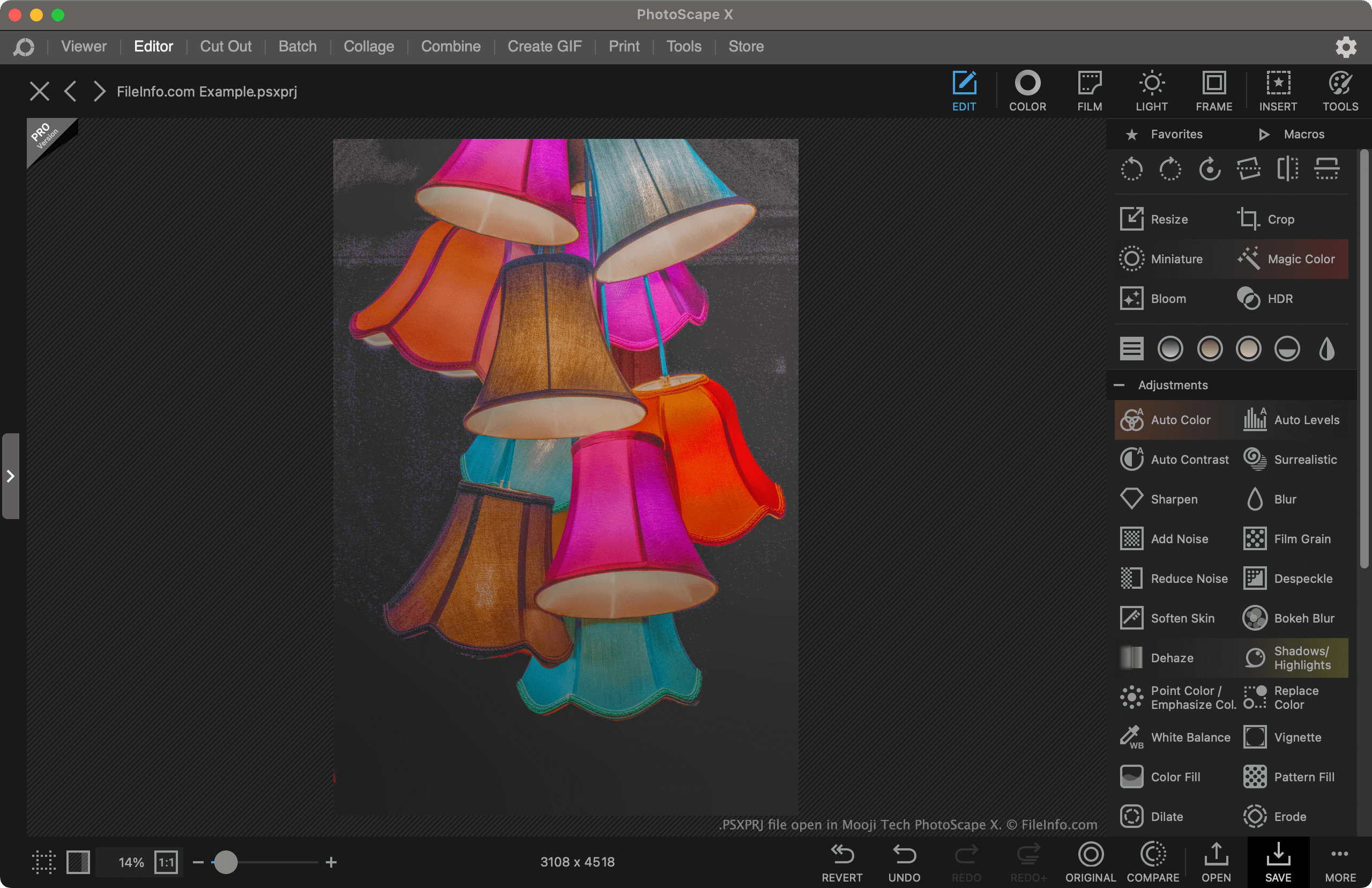
Mooji Tech Photoscape X에서 열린 .psxprj 파일의 스크린샷
Mooji Tech Photoscape X에서 열린 PSXPRJ 파일

Photoscape X is a free image editor available for Windows and macOS. It allows users to import images and apply adjustments, effects, and transformations to them. For example, a user could use Photoscape X to crop, recolor, and add a text mask to an image.

If a user wants to continue editing an image in Photoscape X in the future, they can save their current editing project as a PSXPRJ file. This retains a record of the modifications the user has made to the image, so they can remove them, adjust them, or compare their edited image to the original.

How to save a Photoscape X project as a PSXPRJ file

To save a Photoscape X project as a PSXPRJ file:

  1. Select the Save button.
  2. From the Save window, select Save Project....
  3. Name and save your PSXPRJ file.

PSXPRJ 파일을 여는 방법

You can open a PSXPRJ file with Photoscape X (Windows, Mac). To do so, select the Open link that appears on the program's main screen. Then, navigate to and open your PSXPRJ file.

PSXPRJ 파일을 변환하는 방법

After opening a PSXPRJ file in Photoscape X, you can save it as a .JPEG, .PNG, .GIF, .BMP, .TIFF, or .WEBP file. To do so:

  1. Select Save.
  2. From the Save window, select Save As....
  3. Choose the format and location in which you want to save your edited image.
File Viewer Plus(으)로 400개 이상의 파일 형식을 여세요.무료 다운로드

PSXPRJ 파일을 여는 프로그램

검증자 FileInfo.com

FileInfo.com 팀 이 페이지에 나열된 PhotoScape X Project 파일 형식과 Mac and Windows 앱을 독자적으로 조사했습니다. 저희의 목표는 100% 정확성이며, 검증한 파일 유형에 대한 정보만 게시합니다.

이 페이지에 추가하거나 업데이트할 내용을 제안하고 싶으시면 알려 주세요.