.PSXPRJ ファイル拡張子

PhotoScape X Project

開発元 Mooii Tech
人気度
4.0  |  2 
 

PSXPRJファイルとは?

A PSXPRJ file is an image-editing project created by Photoscape X, an image editor developed by Mooii Tech. It contains an image and a record of any adjustments, effects, or transformations applied to that image. Saving projects as PSXPRJ files allows users to revert or continue making changes to an image.

詳細情報

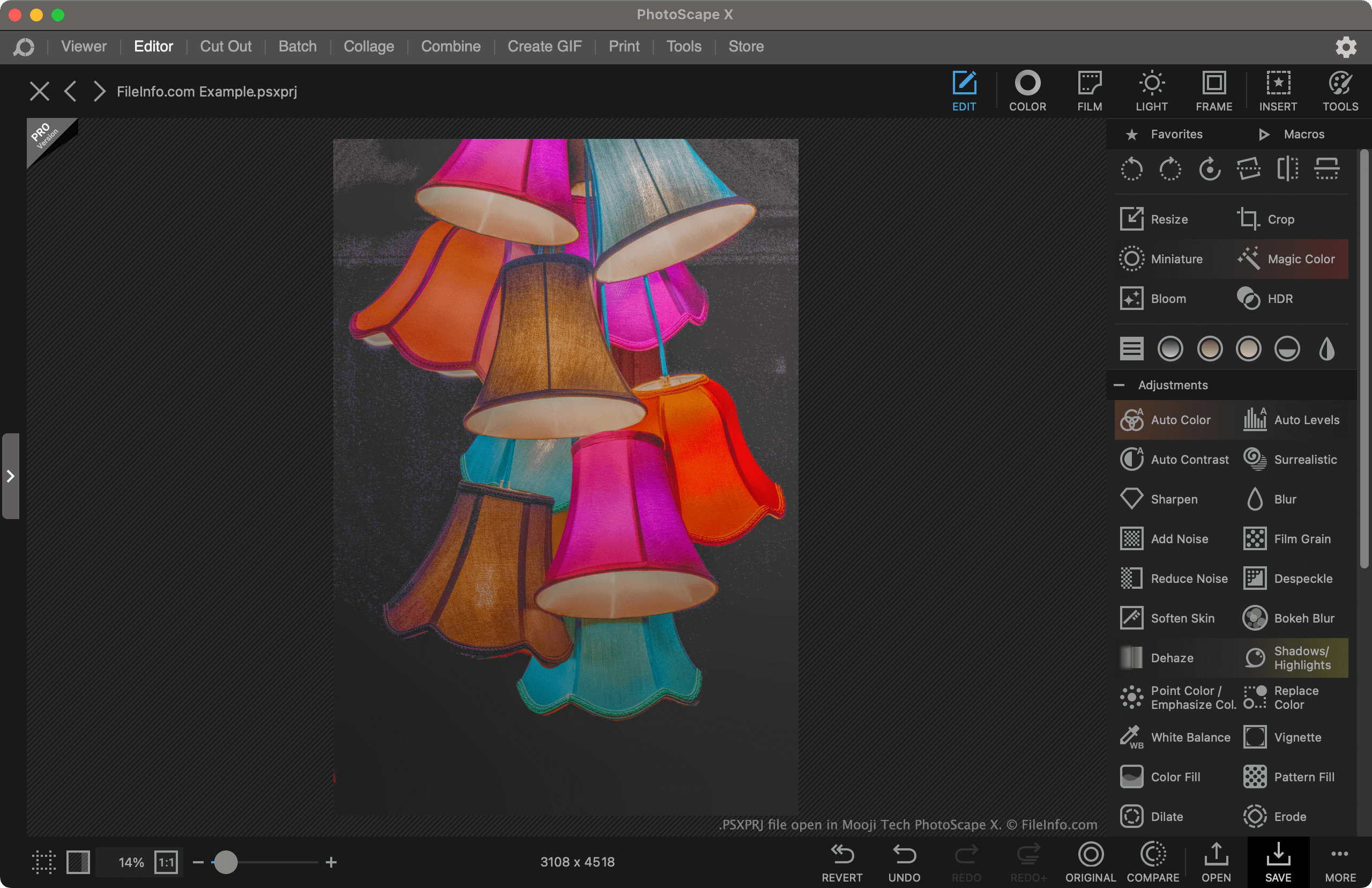
Mooji Tech Photoscape Xで開いた.psxprjファイルのスクリーンショット
Mooji Tech Photoscape Xで開いたPSXPRJファイル

Photoscape X is a free image editor available for Windows and macOS. It allows users to import images and apply adjustments, effects, and transformations to them. For example, a user could use Photoscape X to crop, recolor, and add a text mask to an image.

If a user wants to continue editing an image in Photoscape X in the future, they can save their current editing project as a PSXPRJ file. This retains a record of the modifications the user has made to the image, so they can remove them, adjust them, or compare their edited image to the original.

How to save a Photoscape X project as a PSXPRJ file

To save a Photoscape X project as a PSXPRJ file:

  1. Select the Save button.
  2. From the Save window, select Save Project....
  3. Name and save your PSXPRJ file.

PSXPRJファイルの開き方

You can open a PSXPRJ file with Photoscape X (Windows, Mac). To do so, select the Open link that appears on the program's main screen. Then, navigate to and open your PSXPRJ file.

PSXPRJファイルの変換方法

After opening a PSXPRJ file in Photoscape X, you can save it as a .JPEG, .PNG, .GIF, .BMP, .TIFF, or .WEBP file. To do so:

  1. Select Save.
  2. From the Save window, select Save As....
  3. Choose the format and location in which you want to save your edited image.
File Viewer Plusで400種類以上のファイル形式を開けます。無料ダウンロード

PSXPRJファイルを開くプログラム

検証者 FileInfo.com

FileInfo.comチーム は、このページに掲載されているPhotoScape X Projectファイル形式とMac and Windowsアプリについて独自に調査しました。 私たちの目標は100%の正確性であり、検証済みのファイルタイプに関する情報のみを公開しています。

このページへの追加や更新をご提案いただける場合は、お知らせください。