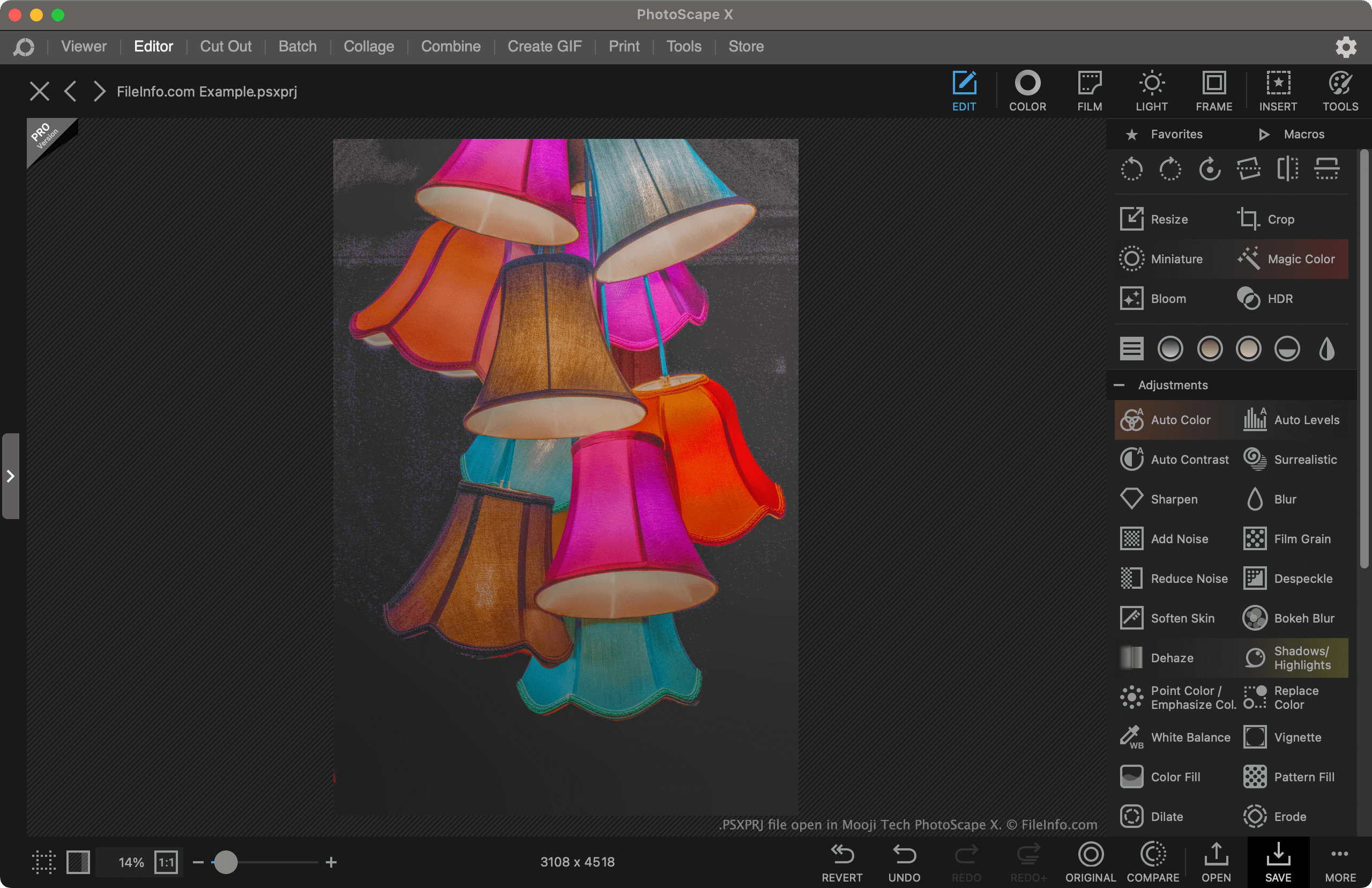
.PSXPRJ 文件扩展名
PhotoScape X Project
| 开发者 | Mooii Tech |
| 受欢迎程度 |
4.0 | 2 票 |
什么是 PSXPRJ 文件?
A PSXPRJ file is an image-editing project created by Photoscape X, an image editor developed by Mooii Tech. It contains an image and a record of any adjustments, effects, or transformations applied to that image. Saving projects as PSXPRJ files allows users to revert or continue making changes to an image.
更多信息
Photoscape X is a free image editor available for Windows and macOS. It allows users to import images and apply adjustments, effects, and transformations to them. For example, a user could use Photoscape X to crop, recolor, and add a text mask to an image.
If a user wants to continue editing an image in Photoscape X in the future, they can save their current editing project as a PSXPRJ file. This retains a record of the modifications the user has made to the image, so they can remove them, adjust them, or compare their edited image to the original.
How to save a Photoscape X project as a PSXPRJ file
To save a Photoscape X project as a PSXPRJ file:
- Select the Save button.
- From the Save window, select Save Project....
- Name and save your PSXPRJ file.
如何打开 PSXPRJ 文件
You can open a PSXPRJ file with Photoscape X (Windows, Mac). To do so, select the Open link that appears on the program's main screen. Then, navigate to and open your PSXPRJ file.