.MMP 파일 확장자

Master Album Maker Project

개발사 Intrepid Mouse
인기도
3.7  |  12 투표
 

MMP 파일이란 무엇인가요?

An MMP file is a project file created by Intrepid Mouse Master Album Maker, a program used to design digital photo albums. It stores the structure of an album, including page layouts, text, transitions, and effects. MMP files also contain references to the images and audio files included in the project, although they do not store the actual media content.

추가 정보

Individuals, such as hobbyists and photographers, who create digital scrapbooks, slideshows, or interactive photo presentations with Master Album Maker are the most likely to encounter MMP files. The files serve as a working format for editing and organizing albums before producing a final shareable version.

Because MMP files only link to external media, the original images and audio files must remain in the same location for the project to open correctly. If the linked files are moved or deleted, the album project may display missing content. When the project is complete, Master Album Maker can export the album to a standalone format that others can view without the software.

MMP 파일을 여는 방법

You can open MMP files with Intrepid Mouse Master Album Maker in Windows. However, Master Album Maker is discontinued.

File Viewer Plus(으)로 400개 이상의 파일 형식을 여세요.무료 다운로드

MMP 파일을 여는 프로그램

Windows
Intrepid Mouse Master Album Maker
카테고리: 데이터
업데이트: 2025-10-03

MixMeister Playlist

개발사 inMusic Brands
인기도
3.3  |  9 투표
 

An MMP file is a playlist created by MixMeister Fusion, a live DJing application. It contains a list of the songs a DJ added to a MixMeister Fusion playlist. Notably, MMP files do not actually contain the songs included in the playlist. Instead, they contain references to those songs' locations and filenames.

추가 정보

DJs use MixMeister Fusion (and other MixMeister software) to create professional-level mixes, using imported audio and various mixing effects. Prior to a performance, a DJ can create a preset playlist of songs they plan to play during that performance. They can then save and load this playlist as an MMP file.

However, MMP files are not audio files, and they do not actually contain a copy of the songs a DJ added to a playlist. Instead, they contain references that allow MixMeister Fusion to load songs from wherever they reside on a DJ's computer. Thus, if a DJ moves a song they added to a MixMeister playlist, MixMeister will not be able to play that song as part of the playlist.

MMP 파일을 여는 방법

You can open an MMP file with MixMeister Fusion (Windows, Mac), to play or edit the playlist it contains. (If you've moved any of the songs your MMP file references, MixMeister Fusion will likely have issues opening your MMP file.)

MMP 파일을 변환하는 방법

You can use MixMeister Fusion to export all the songs an MMP file references, as well as any mixing effects applied to those songs, as .WAV, .MP3, or .WMA files. To do so, open your MMP file and select File → Export Playlist to file....

MMP 파일을 여는 프로그램

Windows
inMusic Brands MixMeister Fusion  —  단종됨
Mac
inMusic Brands MixMeister Fusion  —  단종됨
카테고리: 오디오
업데이트: 2023-07-11

Symbian Project Specification File

개발사 Nokia
인기도
2.9  |  10 투표
 

Project file used by Symbian OS development tools; contains project properties used to build the project regardless of the platform or compiler being used; used by the Symbian SDK's makmake or abld tools to convert the file into a makefile for a specific platform.

추가 정보

MMP files may contain references to targets, source code files to be compiled, include directories, and application resources.

참고: Nokia Symbian SDK is no longer available.

MMP 파일을 열거나 참조하는 프로그램

Windows
Nokia Symbian SDK
카테고리: 설정
업데이트: 2015-08-12

LMMS Project File

개발사 LMMS
인기도
3.3  |  3 투표
 

Project created by LMMS (Linux MultiMedia Studio), a music creation program; contains LMMS project data such as track edits, tempo, pitch, volume, and included instrument types; can be exported as .WAV and .OGG audio files.

추가 정보

To create the MMP file, click the save icon in the top-left of the application or select Project → Save or Save As..., name your project, choose the save location, and click Save.

To open the MMP file, you can simply double-click the file. You can also open the project inside of the application, select Project → Open..., navigate to your file, select it, and click Open.

참고: LMMS replaced the MMP file extension with the .MMPZ extension.

MMP 파일을 여는 프로그램

Windows
무료
Mac
무료
Linux
무료
카테고리: 오디오
업데이트: 2016-05-31

MindManager Mind Map

개발사 Mindjet
인기도
3.0  |  3 투표
 

Data file created by MindManager, an application used for developing and organizing ideas visually; created by the Windows version of MindManager and cannot be opened on Mac versions of the software.

추가 정보

Mindjet replaced MMP files with .MMAP files.

MMP 파일을 여는 프로그램

사용 가능한 프로그램이 없습니다
카테고리: 데이터
업데이트: 2011-09-12

MovieMator Video Editor Pro Project

개발사 EffectMatrix
인기도
3.5  |  2 투표
 

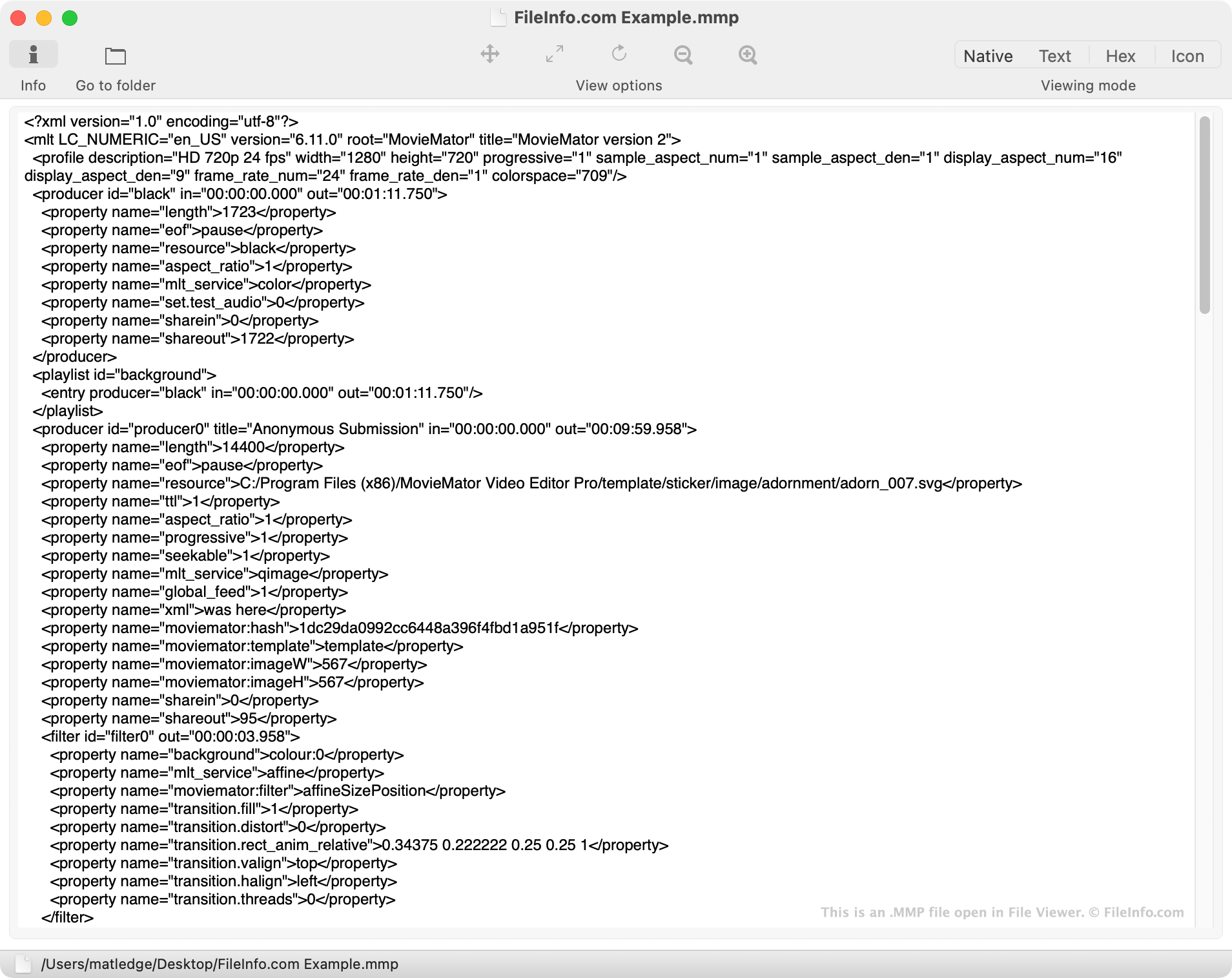
An MMP file is a video editing project created in EffectMatrix MovieMator Video Editor Pro, a video editing program available for Windows and macOS. It contains XML-formatted text used to load a project in MovieMator Video Editor Pro. MMP files can be used to create .MP4, .FLV, .AVI, and .MOV videos.

추가 정보

File Viewer에서 열린 .mmp 파일의 스크린샷
File Viewer에서 열린 MMP 파일

MovieMator Video Editor Pro is a video editing program that amateur video editors can use to create edited videos. The application allows editors to import video and audio clips, edit clips and splice them together along Video Editor Pro's timeline, and add images, animations, and other visual effects to their videos.

When an editor saves a MovieMator Video Editor Pro video editing project, the project is saved as an MMP file. Though MMP files are used to open projects in MovieMator Video Editor Pro, they do not contain any video, audio, or image assets. Instead, MMP files contain XML-formatted text that MovieMator Video Editor Pro "reads" to load video editing projects.

Most notably, MMP files contain references to the locations at which the video, audio, and image assets used in a project are stored. If an editor moves an asset from the location referenced in their MMP file, the file will not load correctly in MovieMator Video Editor Pro.

After an editor finishes editing their video, they can export it as an MP4, FLV, AVI, MOV, or other type of video file. Editors can either manually select the type of video file they want to export their video as, or they can select the device or website their video is intended to be used with. If an editor selects a device or website, MovieMator Video Editor Pro will export the editor's video in a format optimized for that device or website.

MMP 파일을 여는 방법

You can open an MMP file (MovieMator Video Editor Pro Project) in MovieMator Video Editor Pro (Windows, Mac). To do so, select File → Open File... from the program's menu bar.

MMP 파일을 여는 프로그램

카테고리: 비디오
업데이트: 2021-04-12

검증자 FileInfo.com

FileInfo.com 팀 이 페이지에 나열된 모든 파일 형식과 소프트웨어 프로그램을 독자적으로 조사했습니다. 저희의 목표는 100% 정확성이며, 검증한 파일 유형에 대한 정보만 게시합니다.

이 페이지에 추가하거나 업데이트할 내용을 제안하고 싶으시면 알려 주세요.