

.KMZ 파일 확장자
Google Earth 장소표시 파일
| 개발사 | |
| 인기도 |
3.7 | 397 표 |
KMZ 파일이란 무엇인가요?
KMZ 파일은 다양한 지리 정보 시스템(GIS) 애플리케이션에서 볼 수 있는 지도 위치를 저장하는 Zip으로 압축된 .KML 파일이며, 특히 Google Earth에서 주로 사용됩니다. 하나 이상의 장소표시를 포함하며, 각 장소표시에는 위치의 사용자 지정 이름과 위도 및 경도 좌표가 포함될 수 있습니다. KMZ 파일에는 KML 파일에서 참조하는 COLLADA 3D 모델, 오버레이 및 이미지도 포함될 수 있습니다.
추가 정보
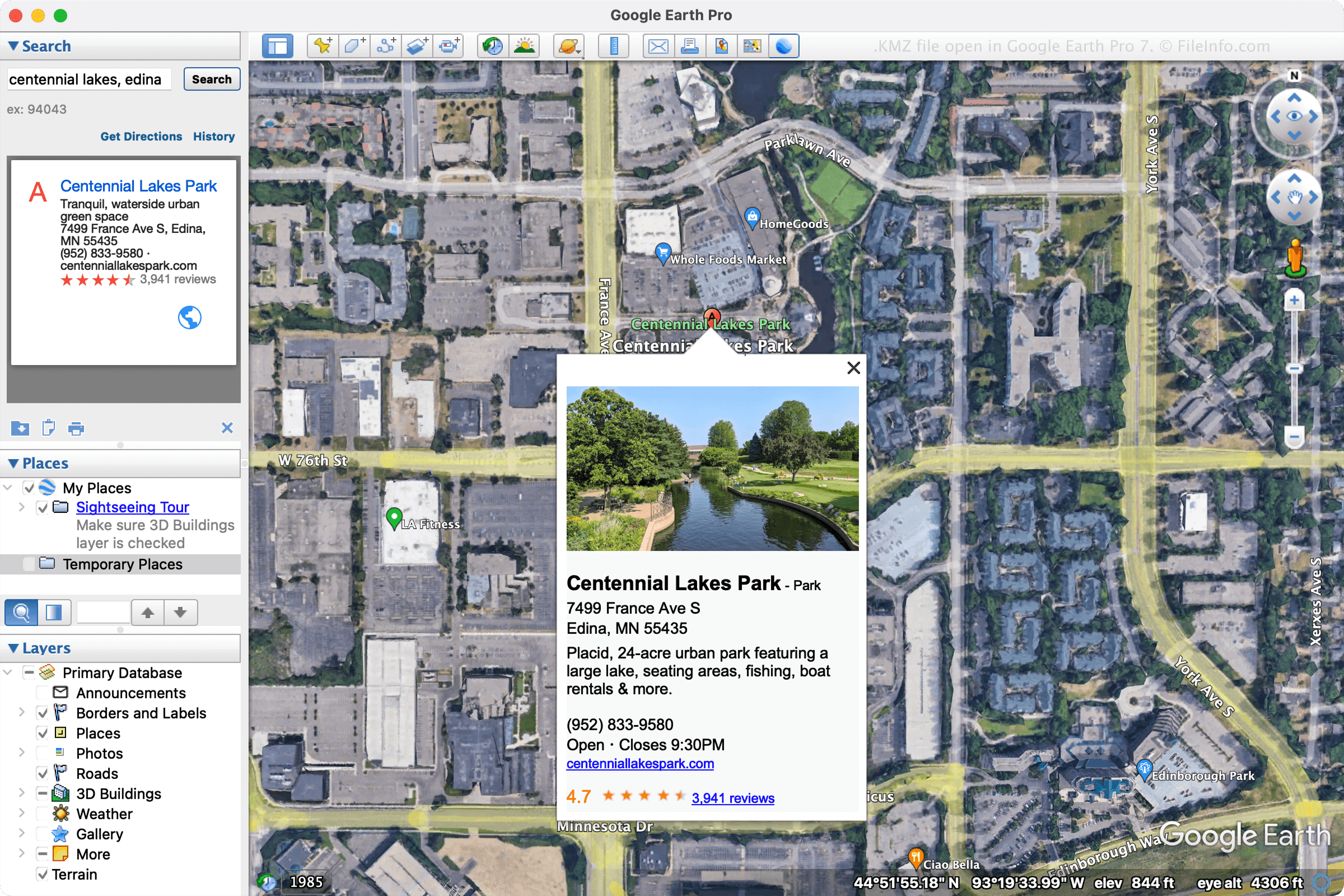
Google은 KML 파일이 차지하는 공간을 줄여 여러 사용자에게 더 쉽게 배포하고 공유할 수 있도록 KMZ 파일을 설계했습니다. KMZ 파일은 이메일을 통해 사용자와 장소표시 또는 투어를 공유하거나 웹페이지에 게시할 때 주로 사용됩니다.
여러 프로그램에서 KMZ 파일을 만들 수 있지만, 주로 Google Earth Pro에서 파일을 만듭니다. Google Earth Pro에서 KMZ 파일을 만들려면 를 선택한 다음 드롭다운 메뉴에서 "Kmz"를 선택합니다.
참고: KMZ 파일에 포함된 3D 모델에는 위치 데이터가 함께 제공됩니다. 파일을 여는 애플리케이션은 이 데이터를 참조하여 지도에서 특정 위치에 모델을 배치합니다. 이 데이터는 해당 지역에서 건물이 어떻게 보이는지 더 잘 이해하는 데 도움이 됩니다.
KMZ 파일을 여는 방법
Windows, macOS, Linux, Android 및 iOS용 다양한 지도 애플리케이션에서 KMZ 파일을 열 수 있습니다. 데스크톱 애플리케이션인 Google Earth Pro는 KMZ 파일을 여는 데 흔히 사용됩니다. Google Earth Pro에서 KMZ 파일을 열려면 을 선택합니다.
온라인 위치에 KMZ 파일을 저장한 다음 Google 지도 검색창에 URL을 입력하여 Google 지도에서 KMZ 파일을 열 수도 있습니다. 예를 들어 파일이 http://mywebsite.com/myfile.kmz에서 호스팅되는 경우 검색창에 URL을 입력하면 Google 지도에 파일이 표시됩니다.
또는 Google 지도에 KMZ 파일을 표시하려면 http://maps.google.com/maps?q=를 앞에 붙여 직접 URL을 만들 수 있습니다. 따라서 위와 동일한 URL을 사용하면 웹 브라우저에 다음 URL을 입력합니다:
http://maps.google.com/maps?q=http://mywebsite.com/myfile.kmz
참고: KMZ 파일은 Zip으로 압축된 KML 파일이므로 .kmz 파일 확장자를 .zip으로 변경한 다음 Zip 유틸리티로 압축을 풀어 열 수도 있습니다. 그런 다음 Google Earth, Google Earth Pro, Blue Marble Geographics Global Mapper 또는 ESRI ArcGIS Pro와 같은 GIS 애플리케이션에서 결과로 생성된 KML 파일을 열 수 있습니다. 또는 파일이 일반 텍스트 형식으로 정보를 저장하므로 텍스트 편집기로 KML 파일을 열 수 있습니다.