

.KMZ Dateiendung
Google Earth-Ortsmarkierungsdatei
| Entwickler | |
| Beliebtheit |
3,7 | 397 Stimmen |
Was ist eine KMZ-Datei?
Eine KMZ-Datei ist eine ZIP-komprimierte .KML-Datei, in der Kartenpositionen gespeichert werden, die in verschiedenen Anwendungen für geografische Informationssysteme (GIS) angezeigt werden können, insbesondere in Google Earth. Sie enthält eine oder mehrere Ortsmarkierungen, die einen benutzerdefinierten Namen sowie den Breiten- und Längengrad der Position enthalten können. KMZ-Dateien können außerdem COLLADA-3D-Modelle, Überlagerungen und Bilder enthalten, auf die in der KML-Datei verwiesen wird.
Weitere Informationen
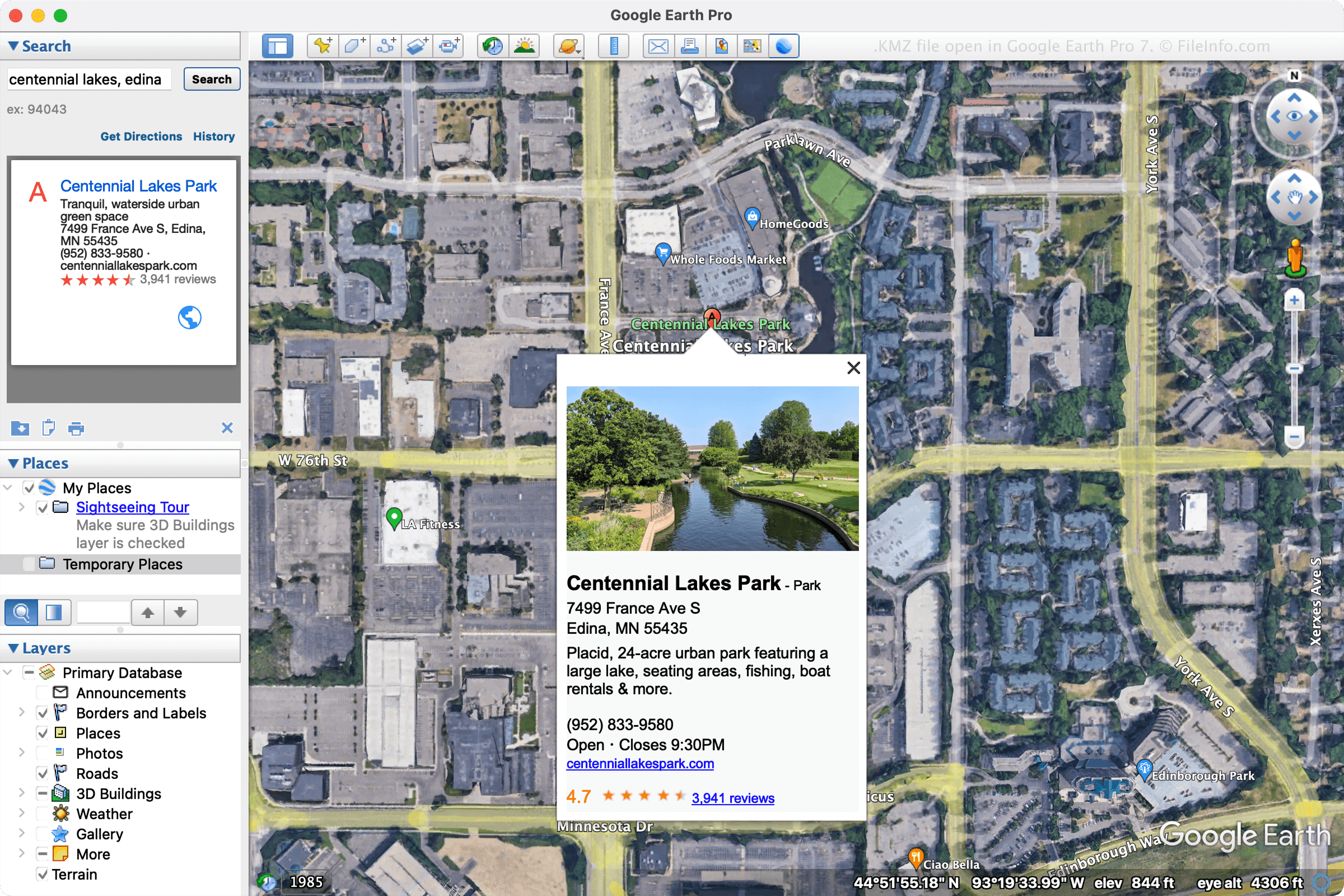
Google hat KMZ-Dateien entwickelt, um den von KML-Dateien benötigten Speicherplatz zu reduzieren und sie dadurch einfacher zu verteilen und mit mehreren Benutzern zu teilen. Zu den häufigsten Verwendungszwecken für KMZ-Dateien gehören das Teilen von Ortsmarkierungen oder Touren mit Benutzern per E-Mail oder das Veröffentlichen auf einer Webseite.
Verschiedene Programme können KMZ-Dateien erstellen, aber hauptsächlich werden diese Dateien von Google Earth Pro erstellt. Um mit Google Earth Pro eine KMZ-Datei zu erstellen, wählen Sie aus und wählen Sie anschließend "Kmz" im Dropdown-Menü.
HINWEIS: 3D-Modelle in KMZ-Dateien werden von Positionsdaten begleitet. Die Anwendung, die die Datei öffnet, verwendet diese Daten, um das Modell an einer bestimmten Position auf der Karte zu platzieren. Diese Daten helfen Ihnen, das Aussehen des Gebäudes in der Umgebung besser zu verstehen.
So öffnen Sie eine KMZ-Datei
Sie können KMZ-Dateien mit verschiedenen Kartenanwendungen für Windows, macOS, Linux, Android und iOS öffnen. Die Desktopanwendung Google Earth Pro ist eine häufig verwendete Option zum Öffnen von KMZ-Dateien. Um eine KMZ-Datei mit Google Earth Pro zu öffnen, wählen Sie aus.
Sie können eine KMZ-Datei auch in Google Maps öffnen, indem Sie die KMZ-Datei an einem Online-Speicherort speichern und anschließend die URL in das Suchfeld von Google Maps eingeben. Wenn Ihre Datei beispielsweise unter http://mywebsite.com/myfile.kmz gehostet wird, geben Sie die URL in das Suchfeld ein, woraufhin Google Maps sie anzeigt.
Alternativ können Sie die URL selbst erstellen, um Ihre KMZ-Datei in Google Maps anzuzeigen, indem Sie ihr http://maps.google.com/maps?q= voranstellen. Wenn Sie also dieselbe URL wie oben verwenden, würden Sie die folgende URL in Ihren Webbrowser eingeben:
http://maps.google.com/maps?q=http://mywebsite.com/myfile.kmz
HINWEIS: Da KMZ-Dateien ZIP-komprimierte KML-Dateien sind, können Sie sie auch öffnen, indem Sie die Dateierweiterung .kmz in .zip ändern und sie anschließend mit einem ZIP-Programm dekomprimieren. Die daraus resultierende KML-Datei können Sie dann mit einer GIS-Anwendung wie Google Earth, Google Earth Pro, Blue Marble Geographics Global Mapper oder ESRI ArcGIS Pro öffnen. Sie können die KML-Datei auch mit einem Texteditor öffnen, da sie Informationen in einem Nur-Text-Format speichert.