

.KMZ Bestandsextensie
Google Earth-plaatsmarkeringsbestand
| Ontwikkelaar | |
| Populariteit |
3,7 | 397 stemmen |
Wat is een KMZ-bestand?
Een KMZ-bestand is een met Zip gecomprimeerd .KML-bestand waarin kaartlocaties worden opgeslagen die in verschillende toepassingen voor geografische informatiesystemen (GIS) kunnen worden bekeken, met name in Google Earth. Het bevat een of meer plaatsmarkeringen die een aangepaste naam en de breedte- en lengtegraad van de locatie kunnen bevatten. KMZ-bestanden kunnen ook COLLADA 3D-modellen, overlays en afbeeldingen bevatten waarnaar wordt verwezen door het KML-bestand.
Meer informatie
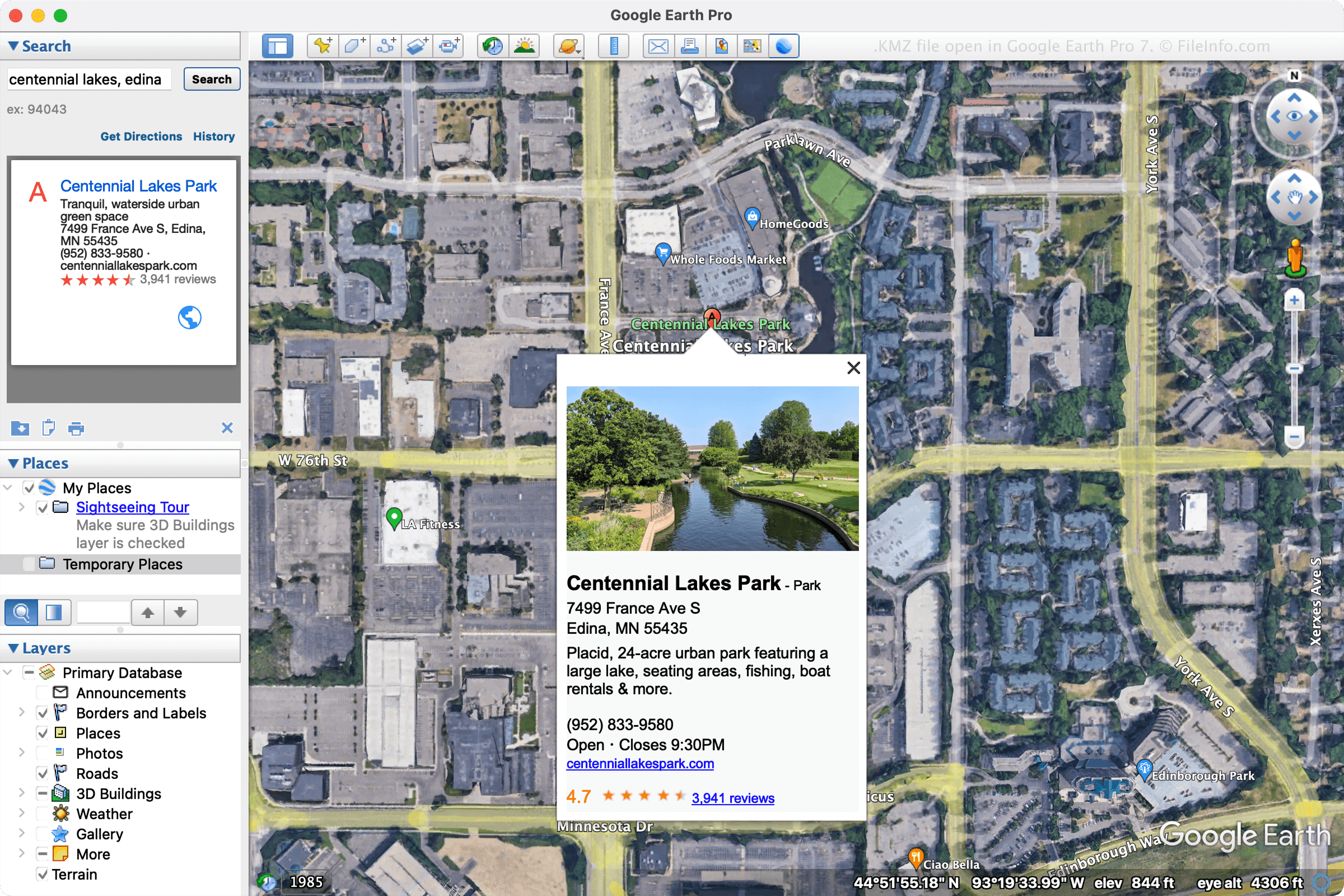
Google heeft KMZ-bestanden ontworpen om de ruimte die KML-bestanden innemen te verminderen, zodat ze gemakkelijker kunnen worden verspreid en met meerdere gebruikers kunnen worden gedeeld. Veelvoorkomende toepassingen voor KMZ-bestanden zijn het delen van plaatsmarkeringen of rondleidingen met gebruikers via e-mail of bij het publiceren op een webpagina.
Verschillende programma's kunnen KMZ-bestanden maken, maar Google Earth Pro maakt deze bestanden voornamelijk. Om een KMZ-bestand te maken met Google Earth Pro, selecteer je en kies je vervolgens "Kmz" in het vervolgkeuzemenu.
OPMERKING: 3D-modellen in KMZ-bestanden worden vergezeld door locatiegegevens. De toepassing waarmee het bestand wordt geopend, gebruikt deze gegevens om het model op een specifieke locatie op de kaart te plaatsen. Deze gegevens helpen je de vormgeving van het gebouw in het gebied beter te begrijpen.
Een KMZ-bestand openen
Je kunt KMZ-bestanden openen met verschillende kaarttoepassingen voor Windows, macOS, Linux, Android en iOS. De desktoptoepassing Google Earth Pro is een veelgebruikte keuze voor het openen van KMZ-bestanden. Om een KMZ-bestand te openen met Google Earth Pro, selecteer je .
Je kunt een KMZ-bestand ook openen in Google Maps door het KMZ-bestand op een online locatie op te slaan en vervolgens de URL in het zoekvak van Google Maps te typen. Als je bestand bijvoorbeeld wordt gehost op http://mywebsite.com/myfile.kmz, typ je de URL in het zoekvak en wordt het bestand in Google Maps weergegeven.
Je kunt je KMZ-bestand ook in Google Maps weergeven door zelf de URL samen te stellen door er http://maps.google.com/maps?q= voor te zetten. Als je daarom dezelfde URL als hierboven gebruikt, typ je de volgende URL in je webbrowser:
http://maps.google.com/maps?q=http://mywebsite.com/myfile.kmz
OPMERKING: Omdat KMZ-bestanden met Zip gecomprimeerde KML-bestanden zijn, kun je ze ook openen door de .kmz-bestandsextensie te wijzigen in .zip en ze vervolgens te decomprimeren met een Zip-hulpprogramma. Je kunt het resulterende KML-bestand daarna openen met een GIS-toepassing, zoals Google Earth, Google Earth Pro, Blue Marble Geographics Global Mapper of ESRI ArcGIS Pro. Je kunt het KML-bestand ook openen met een teksteditor, omdat het bestand informatie opslaat in een indeling met platte tekst.