.KNO 파일 확장자

DigIN Serialized Break Model

개발사 EvREsearch
인기도
3.6  |  5 투표
 

KNO 파일이란 무엇인가요?

A KNO file is a data file created by DigIN, a program used for information management and knowledge discovery. It contains a "break model," which classifies the information from a set of digital resources (documents, webpages, etc.) into a structure that allows patterns, relationships, and origins of data to be discovered. KNO files organize data by content, context, and structure, using a figure referred to as a Borromean ring.

추가 정보

Break models organize data in such a way that information can be derived and extracted at any level of granularity that the user selects. Each break model can be analyzed at multiple levels of granularity and may be used to generate additional break models.

참고: DigIN stands for Digital Integration and is a registered trademark of EvREsearch. DigIN is no longer available.

File Viewer Plus(으)로 400개 이상의 파일 형식을 여세요.무료 다운로드

KNO 파일을 여는 프로그램

Windows
EvREsearch DigIN Kno-How
Mac
EvREsearch DigIN Kno-How
카테고리: 데이터
업데이트: 2021-01-15

SuperMemo Knowledge Collection

개발사 SuperMemo World
인기도
1.5  |  2 투표
 

A KNO file is a knowledge collection created by SuperMemo, a memorization app for Windows. It contains a set of digital question-and-answer flashcards. Users can create, open, and back up KNO files in SuperMemo.

추가 정보

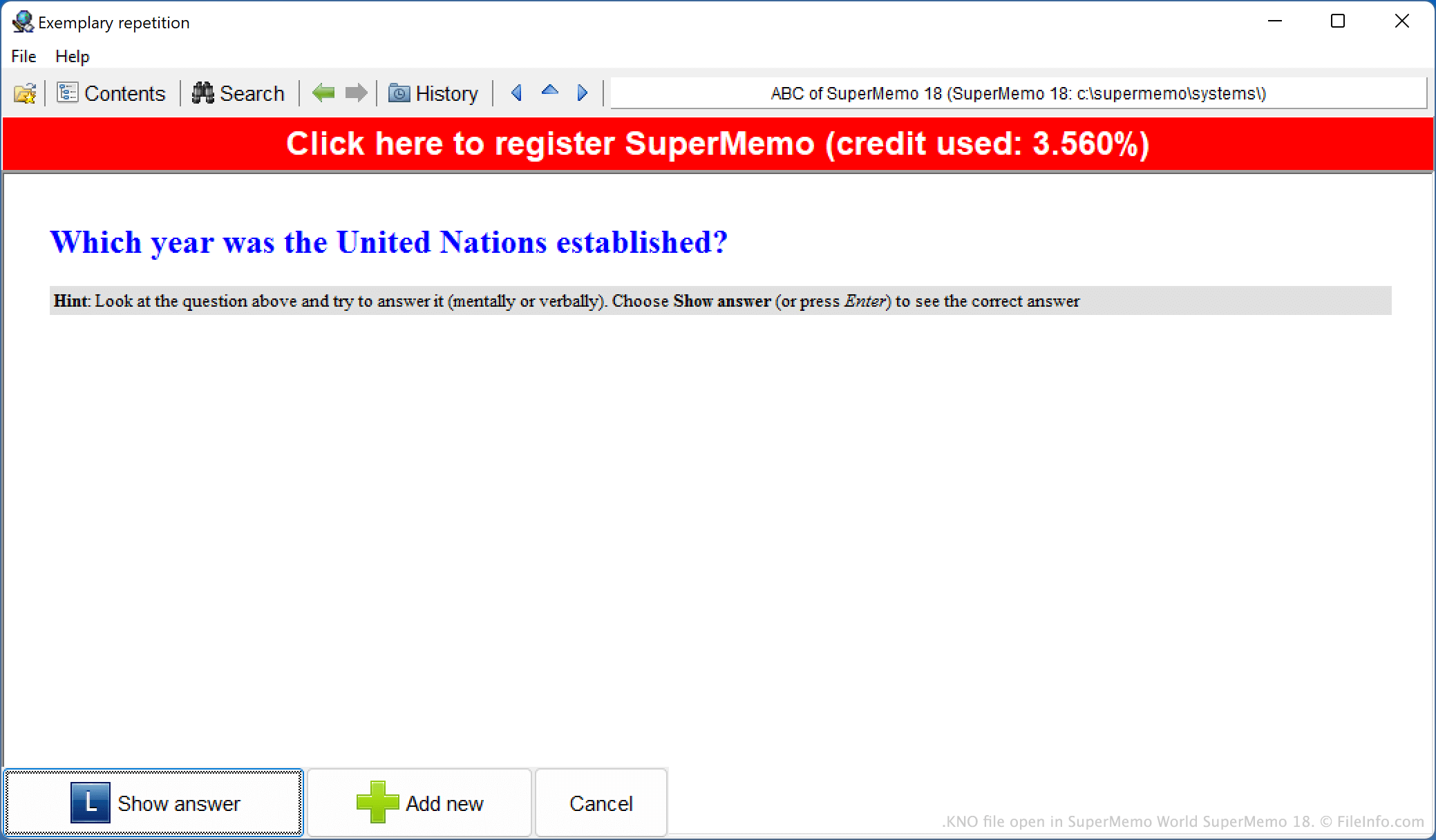
SuperMemo World SuperMemo 18에서 열린 .kno 파일의 스크린샷
SuperMemo World SuperMemo 18에서 열린 KNO 파일

SuperMemo is a knowledge memorization app published by SuperMemo World. In the past, the app was available primarily for Windows and supported generalized memorization, via question-and-answer flashcards. (Current versions of SuperMemo are available for Windows and mobile devices, and they specialize in language-learning courses that consist of vocabulary words and phrases.)

These versions of SuperMemo save users' flashcard collections as KNO files. To create a new KNO file, users select File → New collection. SuperMemo then creates the KNO file in its SuperMemo/​systems directory. In some versions of SuperMemo, users can also manually back up their KNO files to additional locations.

KNO 파일을 여는 방법

You can open a KNO file in SuperMemo 18 (Windows) and some preceding versions of SuperMemo. Note that KNO files created by newer versions of SuperMemo may not open in older versions of the program (for example, a KNO file created by SuperMemo 18 may not open in SuperMemo 15).

KNO 파일을 여는 프로그램

Windows

검증자 FileInfo.com

FileInfo.com 팀 이 페이지에 나열된 모든 파일 형식과 소프트웨어 프로그램을 독자적으로 조사했습니다. 저희의 목표는 100% 정확성이며, 검증한 파일 유형에 대한 정보만 게시합니다.

이 페이지에 추가하거나 업데이트할 내용을 제안하고 싶으시면 알려 주세요.