.GPL 파일 확장자

GIMP Palette

개발사 GIMP
인기도
3.7  |  3 투표
 

GPL 파일이란 무엇인가요?

A GPL file is a color palette created for use in GIMP or another image editing program. It contains settings that allow you to quickly load and select from a group of related colors while editing an image. You can create GPL files in GIMP, or you can create them using a separate color palette creation tool, like Paletton.

추가 정보

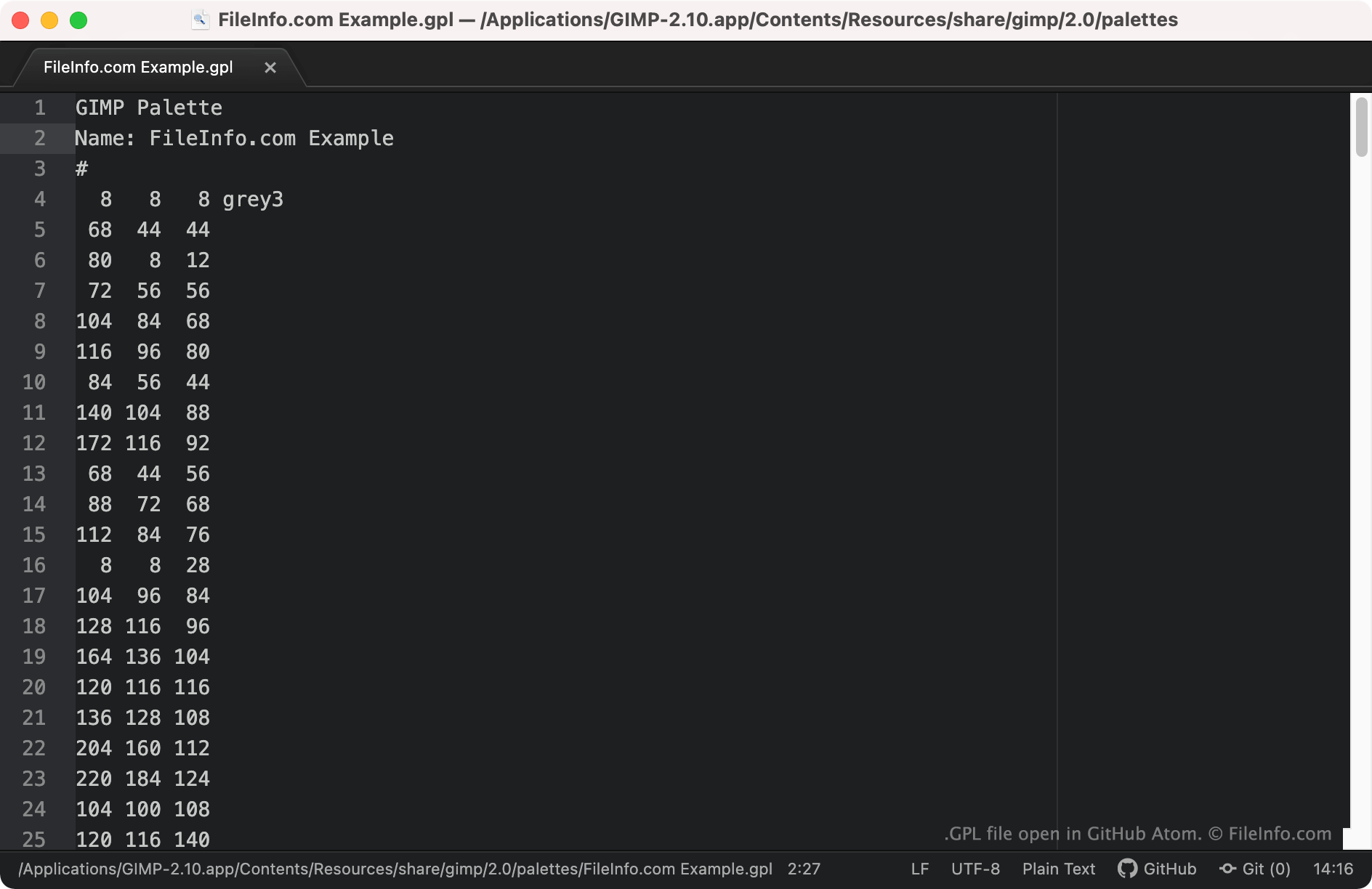
GitHub Atom에서 열린 .gpl 파일의 스크린샷
GitHub Atom에서 열린 GPL 파일

Graphic designers use color palettes to group specific colors together, making it easy to use the correct colors when designing an image. For example, a graphic designer might create a color palette for a particular brand, to ensure they use the correct colors while designing that brand's marketing materials.

GIMP and some other image editing programs allow users to create, save, and import color palettes saved as GPL files. These files are plain text files that contain RGB values for each color included in the palette. GPL files are recognizable because they always start with the header GIMP Palette.

GPL 파일을 여는 방법

You can open a GPL file with GIMP (cross-platform) and other image editing applications that support the GIMP Palette format. To import a GPL file into GIMP:

  1. Open GIMP and select Windows → Dockable Dialogs → Palettes.
  2. When the Palettes window appears, right-click in it and select Import Palette....
  3. In the Import a New Palette window, select the Palette file radio button. Then select the Import File icon.
  4. Navigate to and open your GPL file.

If you want to view the RGB values a GPL file contains, you can open the file in any text editor, such as Microsoft Notepad (Windows), Apple TextEdit (Mac), or GitHub Atom (cross-platform).

File Viewer Plus(으)로 400개 이상의 파일 형식을 여세요.무료 다운로드

GPL 파일을 여는 프로그램

Windows
무료
무료
무료 체험판
OS에 포함됨
무료
Mac
무료
무료
무료 체험판
OS에 포함됨
무료
Linux
무료
무료
무료 체험판
무료
Web
무료
카테고리: 설정
업데이트: 2021-10-08

검증자 FileInfo.com

FileInfo.com 팀 이 페이지에 나열된 GIMP Palette 파일 형식과 Mac, Windows, and Linux 앱을 독자적으로 조사했습니다. 저희의 목표는 100% 정확성이며, 검증한 파일 유형에 대한 정보만 게시합니다.

이 페이지에 추가하거나 업데이트할 내용을 제안하고 싶으시면 알려 주세요.