

.GPL Bestandsextensie
GIMP-palet
| Ontwikkelaar | GIMP |
| Populariteit |
3,7 | 3 stemmen |
Wat is een GPL-bestand?
Een GPL-bestand is een kleurenpalet dat is gemaakt voor gebruik in GIMP of een ander beeldbewerkingsprogramma. Het bevat instellingen waarmee je tijdens het bewerken van een afbeelding snel een groep verwante kleuren kunt laden en selecteren. Je kunt GPL-bestanden maken in GIMP of met een afzonderlijk hulpmiddel voor het maken van kleurenpaletten, zoals Paletton.
Meer informatie
Grafisch ontwerpers gebruiken kleurenpaletten om specifieke kleuren bij elkaar te groeperen, zodat ze tijdens het ontwerpen van een afbeelding gemakkelijk de juiste kleuren kunnen gebruiken. Een grafisch ontwerper kan bijvoorbeeld een kleurenpalet voor een bepaald merk maken om ervoor te zorgen dat de juiste kleuren worden gebruikt bij het ontwerpen van marketingmateriaal voor dat merk.
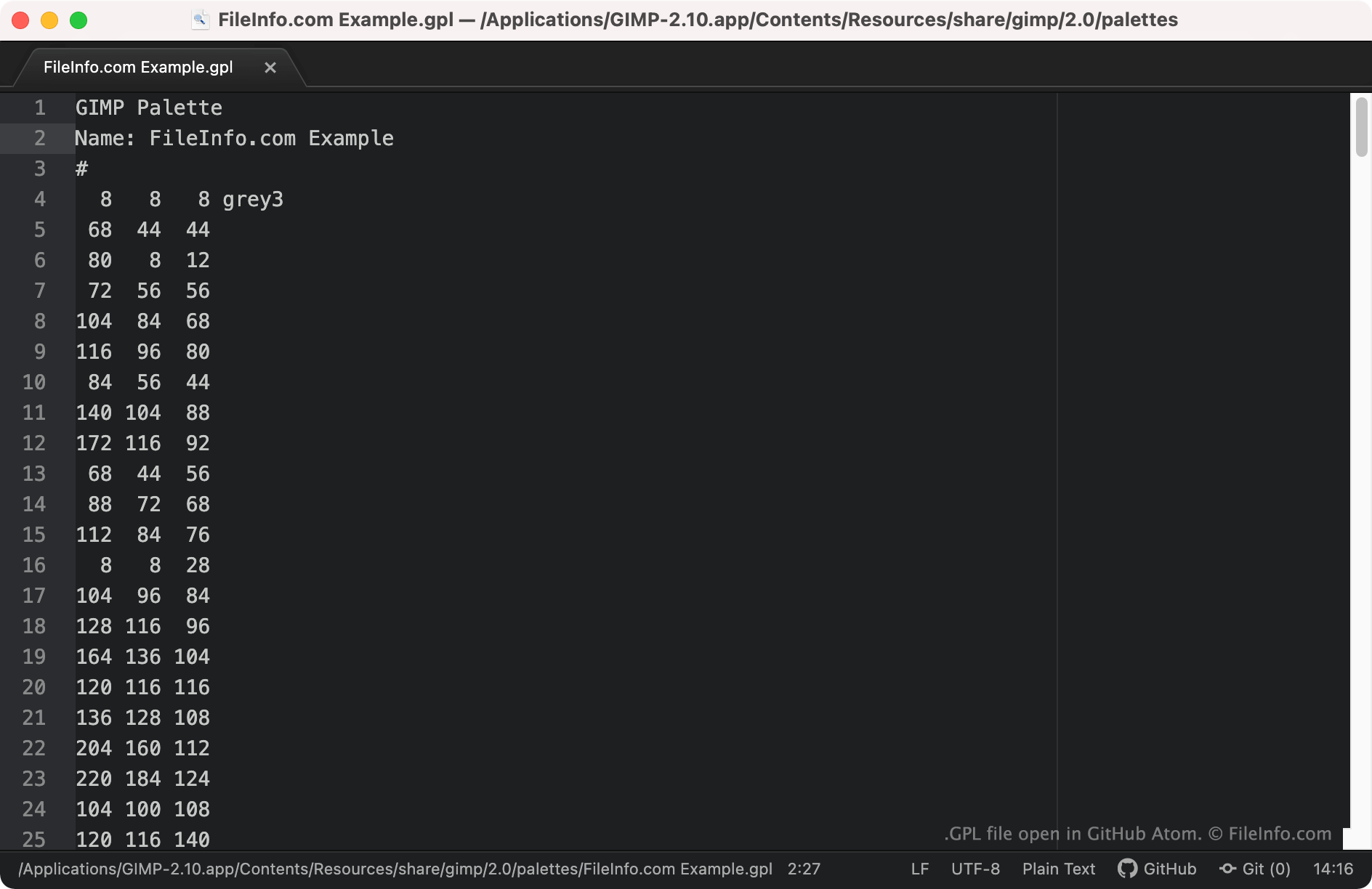
Met GIMP en enkele andere beeldbewerkingsprogramma's kunnen gebruikers kleurenpaletten maken, opslaan en importeren die als GPL-bestanden zijn opgeslagen. Deze bestanden zijn platte tekst-bestanden met RGB-waarden voor elke kleur in het palet. GPL-bestanden zijn herkenbaar omdat ze altijd beginnen met de koptekst GIMP Palette.
Een GPL-bestand openen
Je kunt een GPL-bestand openen met GIMP (platformonafhankelijk) en andere beeldbewerkingsprogramma's die de indeling GIMP Palette ondersteunen. Zo importeer je een GPL-bestand in GIMP:
- Open GIMP en selecteer .
- Wanneer het venster Palettes verschijnt, klik je er met de rechtermuisknop in en selecteer je .
- Selecteer in het venster het keuzerondje . Selecteer vervolgens het pictogram voor het importeren van een bestand.
- Ga naar je GPL-bestand en open het.
Als je de RGB-waarden in een GPL-bestand wilt bekijken, kun je het bestand openen in elke teksteditor, zoals Microsoft Notepad (Windows), Apple TextEdit (Mac) of GitHub Atom (platformonafhankelijk).