

.GPL Dateiendung
GIMP-Palette
| Entwickler | GIMP |
| Beliebtheit |
3,7 | 3 Stimmen |
Was ist eine GPL-Datei?
Eine GPL-Datei ist eine Farbpalette, die für die Verwendung in GIMP oder einem anderen Bildbearbeitungsprogramm erstellt wurde. Sie enthält Einstellungen, mit denen Sie beim Bearbeiten eines Bildes schnell eine Gruppe zusammengehöriger Farben laden und auswählen können. Sie können GPL-Dateien in GIMP erstellen oder dafür ein separates Werkzeug zum Erstellen von Farbpaletten wie Paletton verwenden.
Weitere Informationen
Grafikdesigner verwenden Farbpaletten, um bestimmte Farben zusammenzufassen. Dadurch können sie beim Entwerfen eines Bildes einfach die richtigen Farben verwenden. Beispielsweise könnte ein Grafikdesigner eine Farbpalette für eine bestimmte Marke erstellen, um sicherzustellen, dass er beim Entwerfen der Marketingmaterialien dieser Marke die richtigen Farben verwendet.
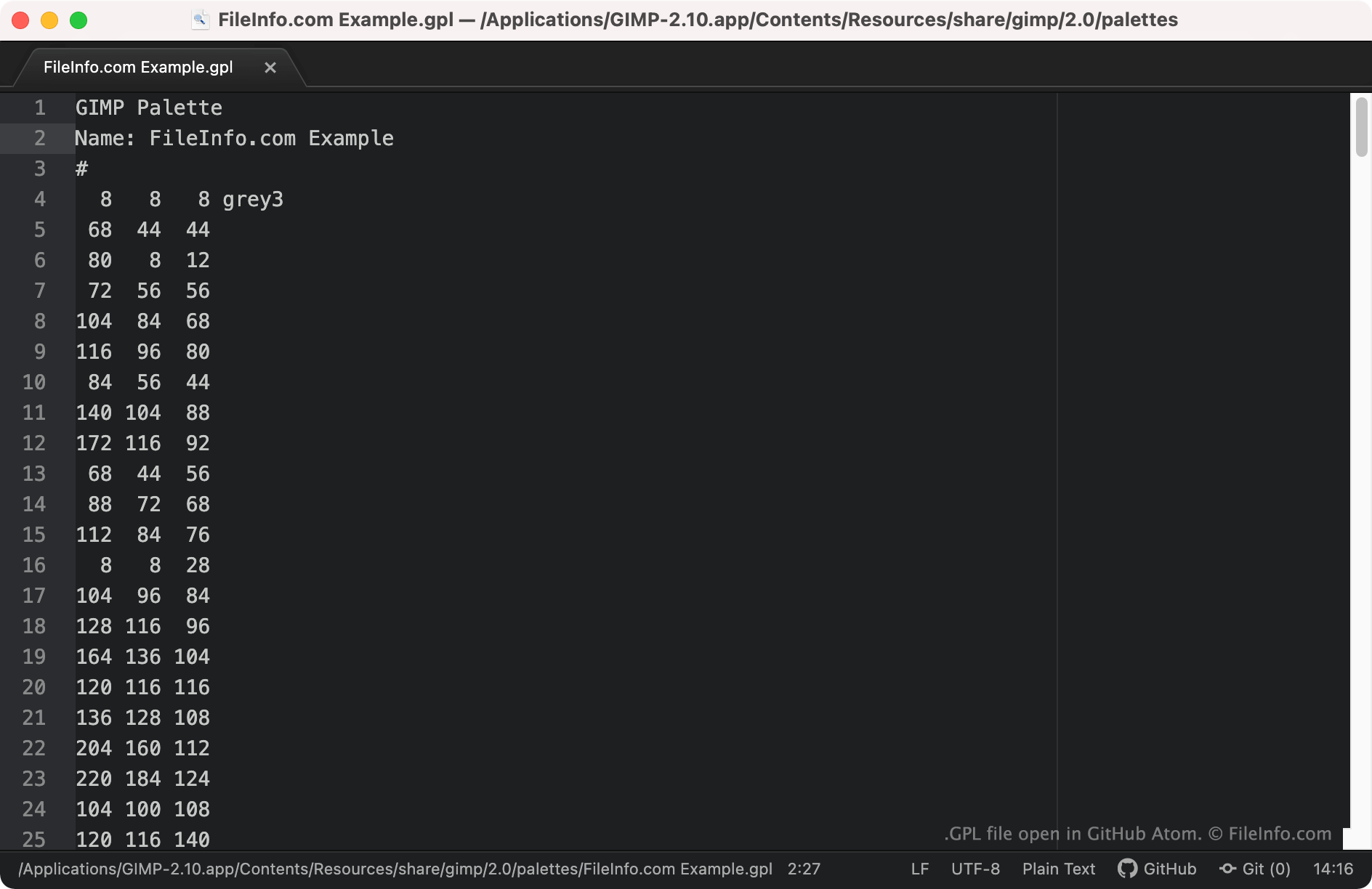
GIMP und einige andere Bildbearbeitungsprogramme ermöglichen es Benutzern, als GPL-Dateien gespeicherte Farbpaletten zu erstellen, zu speichern und zu importieren. Diese Dateien sind Klartext-Dateien, die RGB-Werte für jede in der Palette enthaltene Farbe enthalten. GPL-Dateien sind daran zu erkennen, dass sie immer mit der Kopfzeile GIMP Palette beginnen.
So öffnen Sie eine GPL-Datei
Sie können eine GPL-Datei mit GIMP (plattformübergreifend) und anderen Bildbearbeitungsprogrammen öffnen, die das GIMP-Palettenformat unterstützen. So importieren Sie eine GPL-Datei in GIMP:
- Öffnen Sie GIMP und wählen Sie .
- Wenn das Fenster „Palettes“ angezeigt wird, klicken Sie mit der rechten Maustaste hinein und wählen Sie .
- Wählen Sie im Fenster das Optionsfeld aus. Wählen Sie anschließend das Symbol zum Importieren einer Datei.
- Navigieren Sie zu Ihrer GPL-Datei und öffnen Sie sie.
Wenn Sie die RGB-Werte einer GPL-Datei anzeigen möchten, können Sie die Datei in jedem Texteditor öffnen, beispielsweise in Microsoft Notepad (Windows), Apple TextEdit (Mac) oder GitHub Atom (plattformübergreifend).