.FBR 파일 확장자

2개의 파일 유형.fbr 확장자를 사용합니다.

FlashBack Recording

개발사 Blueberry
인기도
3.9  |  28 투표
 

FBR 파일이란 무엇인가요?

An FBR file is a screen recording created by Blueberry FlashBack Pro, a screen recorder for Windows. It contains a video of actions a user performed in Windows. It may also contain annotations, transitions, and other special effects.

추가 정보

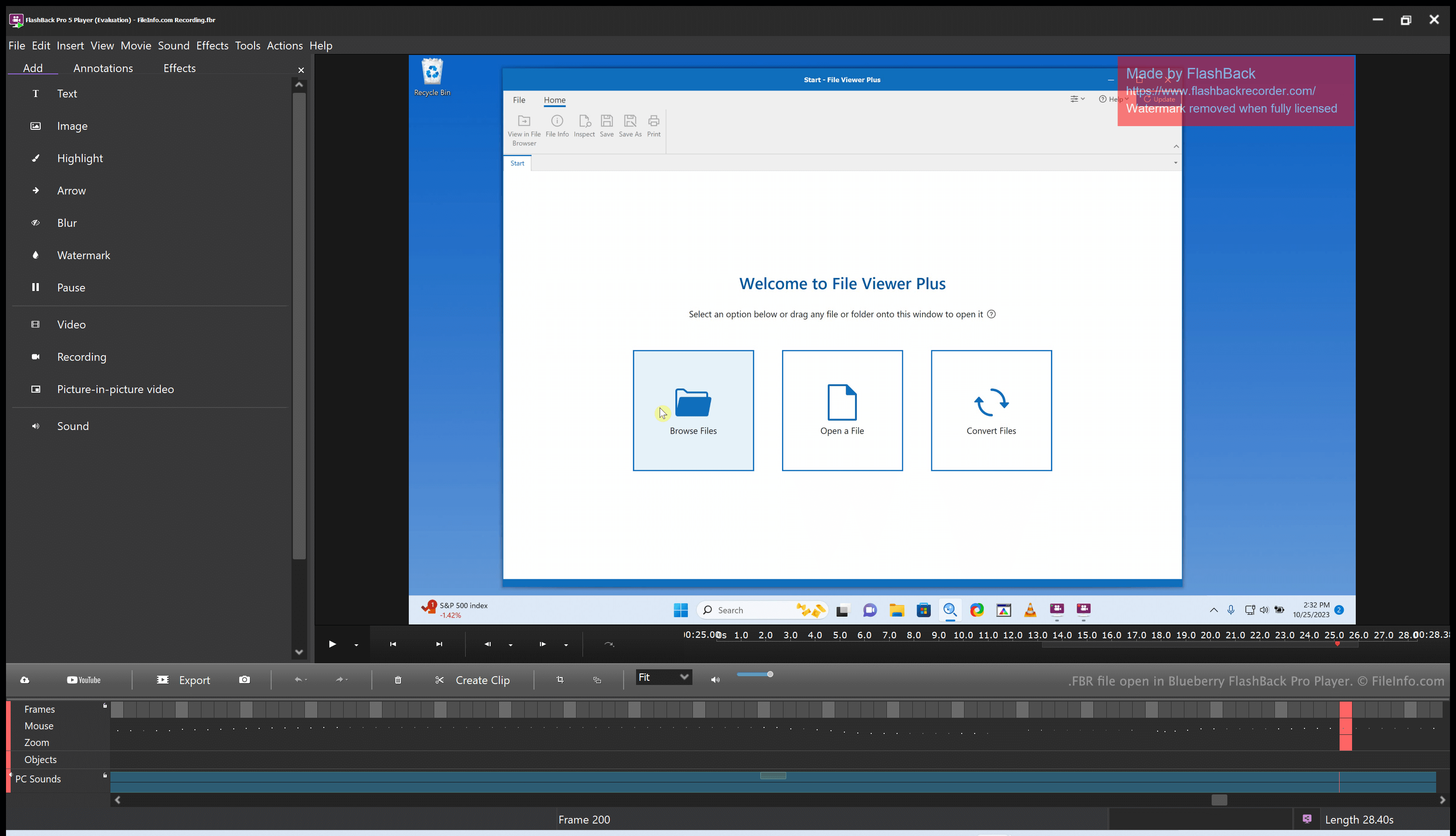
Blueberry FlashBack Pro Player에서 열린 .fbr 파일의 스크린샷
Blueberry FlashBack Pro Player에서 열린 FBR 파일

Blueberry FlashBack Pro is a screen recording suite that consists of two programs: FlashBack Pro Recorder and FlashBack Pro Player. Using FlashBack Pro Recorder, a user can record the actions they take on their computer. (For example, a user might create a recording for use as a video tutorial.) FlashBack Pro saves screen recordings as FBR files.

After creating an FBR file, a user can open that file with FlashBack Pro Player. Doing so allows the user to watch, edit, and export the recording they created. For example, a user could trim their screen recording, add text and transitions, and then export the edited recording as an .MP4 file. (They can also save the edited recording as an FBR file, if they plan to continue editing it in the future.)

FBR 파일을 여는 방법

You can open an FBR file with Blueberry FlashBack Pro Player, which is included with FlashBack Pro. FlashBack Pro Player allows you to watch, edit, and convert the screen recording an FBR file contains.

FBR 파일을 변환하는 방법

You can use Blueberry FlashBack Pro Player (included with FlashBack Pro) to convert an FBR file to the following formats:

  • .MP4 - MPEG-4 Video
  • .AVI - Audio Video Interleave
  • .GIF - Graphical Interchange Format
  • .EXE - Executable File

To do so:

  1. Open your FBR file with FlashBack Player.
  2. Select File → Export...
  3. Choose your desired export format.
  4. Click OK.
  5. Click Export.
  6. Name and save your converted file.
File Viewer Plus(으)로 400개 이상의 파일 형식을 여세요.무료 다운로드

FBR 파일을 여는 프로그램

Windows
무료 체험판
카테고리: 비디오
업데이트: 2023-10-25

Mercury Screen Recording

개발사 HP
인기도
3.5  |  2 투표
 

Screen recording created by Mercury Screen Recorder, an application that integrates with the HP Quality Center quality assurance software; contains real-time video captured while a user interacts with the computer; often used for documenting defects during the software testing phase.

추가 정보

After being recorded, FBR files can be viewed and edited using the Mercury Screen Player application.

FBR 파일을 여는 프로그램

Windows
HP Mercury Screen Recorder
HP Mercury Screen Player
카테고리: 비디오
업데이트: 2017-05-08

검증자 FileInfo.com

FileInfo.com 팀 이 페이지에 나열된 모든 파일 형식과 소프트웨어 프로그램을 독자적으로 조사했습니다. 저희의 목표는 100% 정확성이며, 검증한 파일 유형에 대한 정보만 게시합니다.

이 페이지에 추가하거나 업데이트할 내용을 제안하고 싶으시면 알려 주세요.