

.FBR Přípona souboru
Záznam FlashBack
| Vývojář | Blueberry |
| Popularita |
3,9 | 28 hlasů |
Co je soubor FBR?
Soubor FBR je záznam obrazovky vytvořený programem Blueberry FlashBack Pro, který slouží k nahrávání obrazovky ve Windows. Obsahuje video akcí, které uživatel provedl ve Windows. Může také obsahovat poznámky, přechody a další speciální efekty.
Další informace
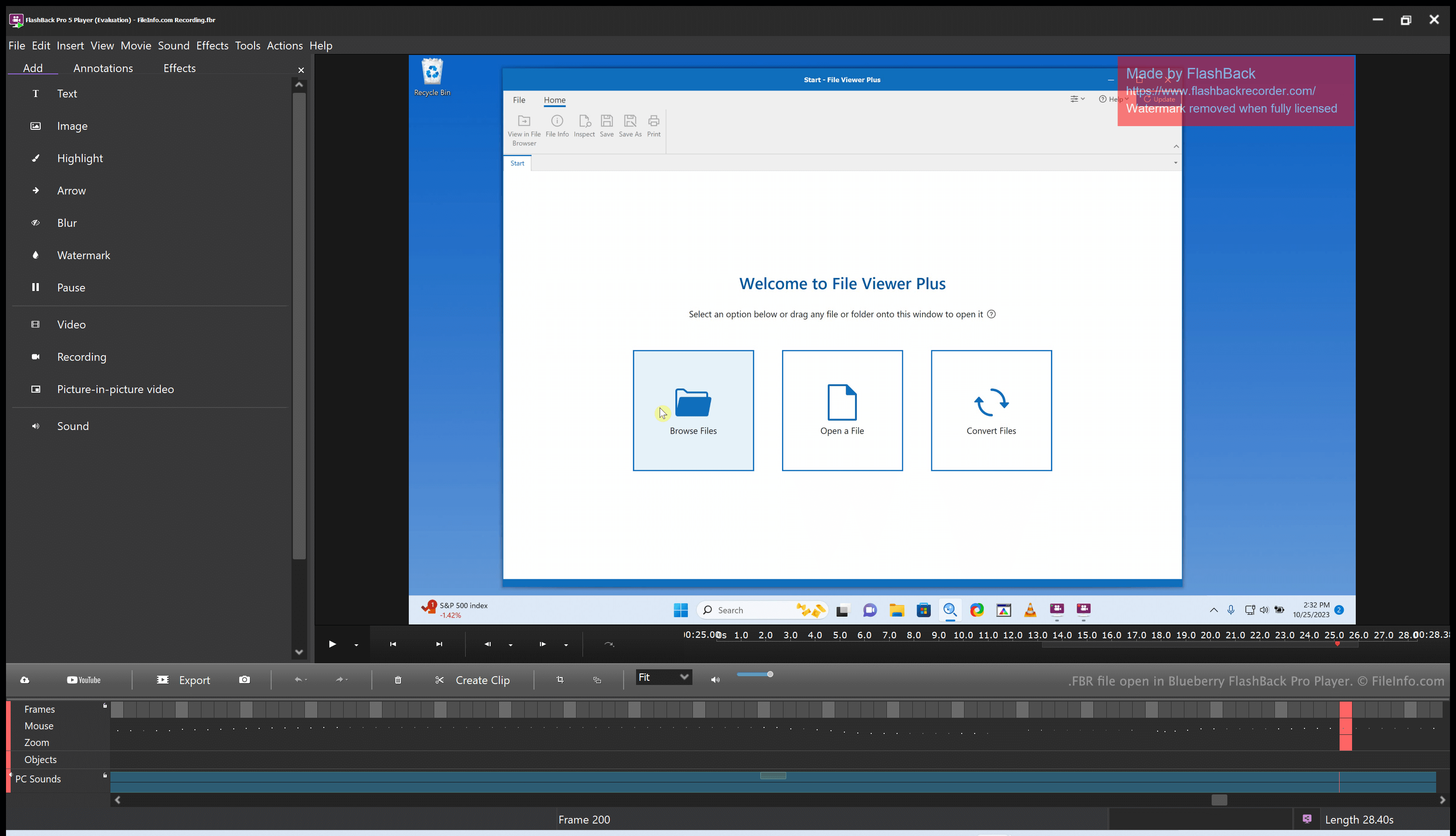
Blueberry FlashBack Pro je sada pro nahrávání obrazovky, která se skládá ze dvou programů: FlashBack Pro Recorder a FlashBack Pro Player. Pomocí programu FlashBack Pro Recorder může uživatel nahrávat akce, které provádí na počítači. (Uživatel může například vytvořit záznam pro použití jako videonávod.) FlashBack Pro ukládá záznamy obrazovky jako soubory FBR.
Po vytvoření souboru FBR jej může uživatel otevřít v programu FlashBack Pro Player. To uživateli umožní vytvořený záznam sledovat, upravovat a exportovat. Uživatel může například oříznout záznam obrazovky, přidat text a přechody a poté upravený záznam exportovat jako soubor .MP4. (Upravený záznam může také uložit jako soubor FBR, pokud jej plánuje v budoucnu dále upravovat.)
Jak otevřít soubor FBR
Soubor FBR můžete otevřít v programu Blueberry FlashBack Pro Player, který je součástí sady FlashBack Pro. FlashBack Pro Player umožňuje sledovat, upravovat a převádět záznam obrazovky obsažený v souboru FBR.
Jak převést soubor FBR
Pomocí programu Blueberry FlashBack Pro Player (součásti sady FlashBack Pro) můžete soubor FBR převést do následujících formátů:
- .MP4 - MPEG-4 Video
- .AVI - Audio Video Interleave
- .GIF - Graphical Interchange Format
- .EXE - Spustitelný soubor
Postup:
- Otevřete soubor FBR v programu FlashBack Player.
- Vyberte
- Vyberte požadovaný formát exportu.
- Klikněte na .
- Klikněte na .
- Pojmenujte a uložte převedený soubor.