.FBR 文件扩展名

FlashBack Recording

开发者 Blueberry
受欢迎程度
3.9  |  28 
 

什么是 FBR 文件?

An FBR file is a screen recording created by Blueberry FlashBack Pro, a screen recorder for Windows. It contains a video of actions a user performed in Windows. It may also contain annotations, transitions, and other special effects.

更多信息

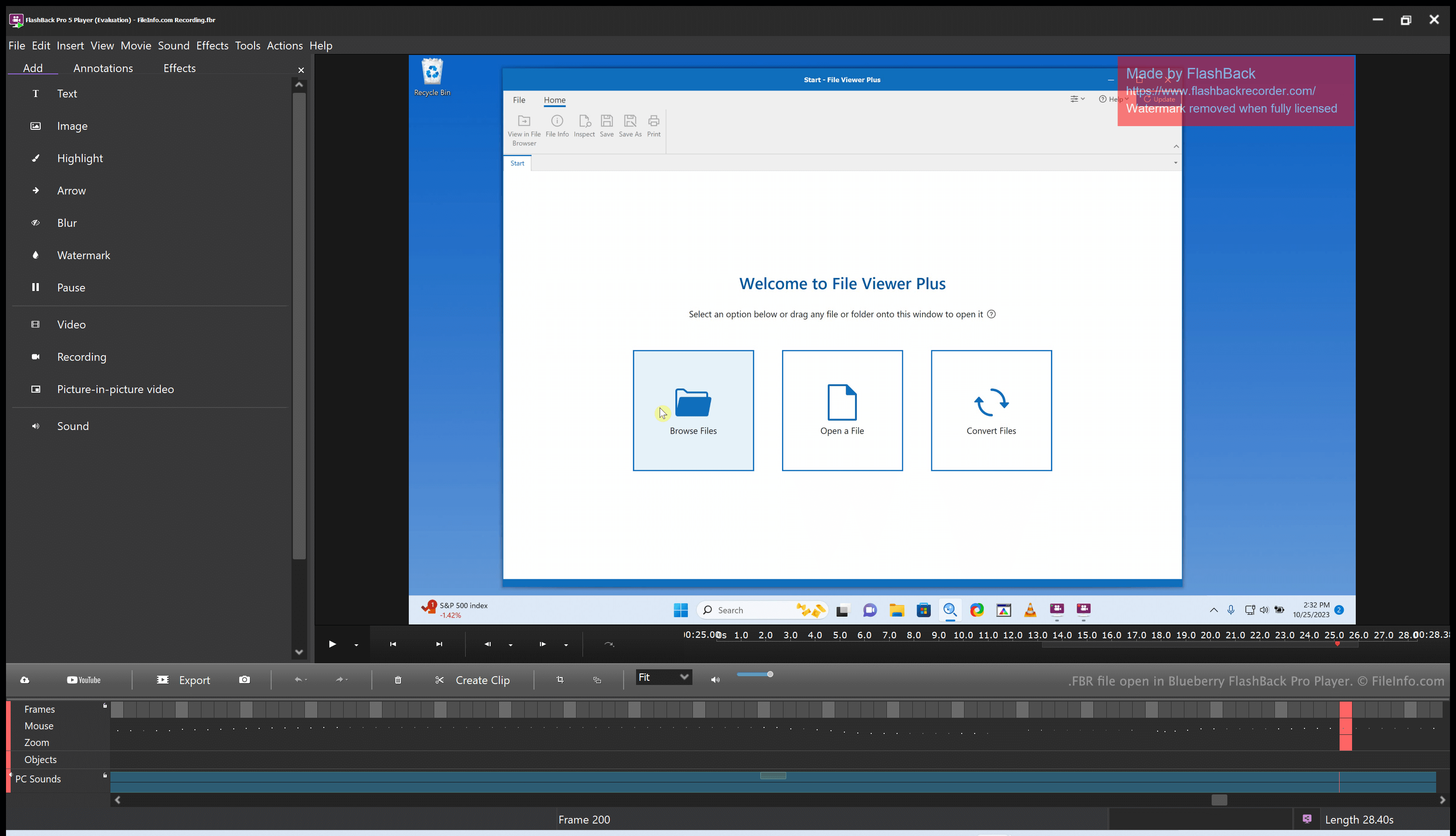
在 Blueberry FlashBack Pro Player 中打开的 .fbr 文件截图
在 Blueberry FlashBack Pro Player 中打开的 FBR 文件

Blueberry FlashBack Pro is a screen recording suite that consists of two programs: FlashBack Pro Recorder and FlashBack Pro Player. Using FlashBack Pro Recorder, a user can record the actions they take on their computer. (For example, a user might create a recording for use as a video tutorial.) FlashBack Pro saves screen recordings as FBR files.

After creating an FBR file, a user can open that file with FlashBack Pro Player. Doing so allows the user to watch, edit, and export the recording they created. For example, a user could trim their screen recording, add text and transitions, and then export the edited recording as an .MP4 file. (They can also save the edited recording as an FBR file, if they plan to continue editing it in the future.)

如何打开 FBR 文件

You can open an FBR file with Blueberry FlashBack Pro Player, which is included with FlashBack Pro. FlashBack Pro Player allows you to watch, edit, and convert the screen recording an FBR file contains.

如何转换 FBR 文件

You can use Blueberry FlashBack Pro Player (included with FlashBack Pro) to convert an FBR file to the following formats:

  • .MP4 - MPEG-4 Video
  • .AVI - Audio Video Interleave
  • .GIF - Graphical Interchange Format
  • .EXE - Executable File

To do so:

  1. Open your FBR file with FlashBack Player.
  2. Select File → Export...
  3. Choose your desired export format.
  4. Click OK.
  5. Click Export.
  6. Name and save your converted file.
使用File Viewer Plus打开 400 多种文件格式。免费下载

可打开 FBR 文件的程序

Windows
分类: 视频
更新时间: 2023-10-25

Mercury Screen Recording

开发者 HP
受欢迎程度
3.5  |  2 
 

Screen recording created by Mercury Screen Recorder, an application that integrates with the HP Quality Center quality assurance software; contains real-time video captured while a user interacts with the computer; often used for documenting defects during the software testing phase.

更多信息

After being recorded, FBR files can be viewed and edited using the Mercury Screen Player application.

可打开 FBR 文件的程序

Windows
HP Mercury Screen Recorder
HP Mercury Screen Player
分类: 视频
更新时间: 2017-05-08

验证者 FileInfo.com

FileInfo.com 团队 独立研究了本页面列出的所有文件格式和软件程序。 我们的目标是达到 100% 的准确率,并且仅发布我们已验证过的文件类型信息。

如果您想为此页面提出新增或更新建议,请告诉我们