

.FBR Extension de fichier
Enregistrement FlashBack
| Développeur | Blueberry |
| Popularité |
3,9 | 28 Votes |
Qu'est-ce qu'un fichier FBR ?
Un fichier FBR est un enregistrement d’écran créé par Blueberry FlashBack Pro, un logiciel d’enregistrement d’écran pour Windows. Il contient une vidéo des actions effectuées par un utilisateur dans Windows. Il peut également contenir des annotations, des transitions et d’autres effets spéciaux.
Plus d'informations
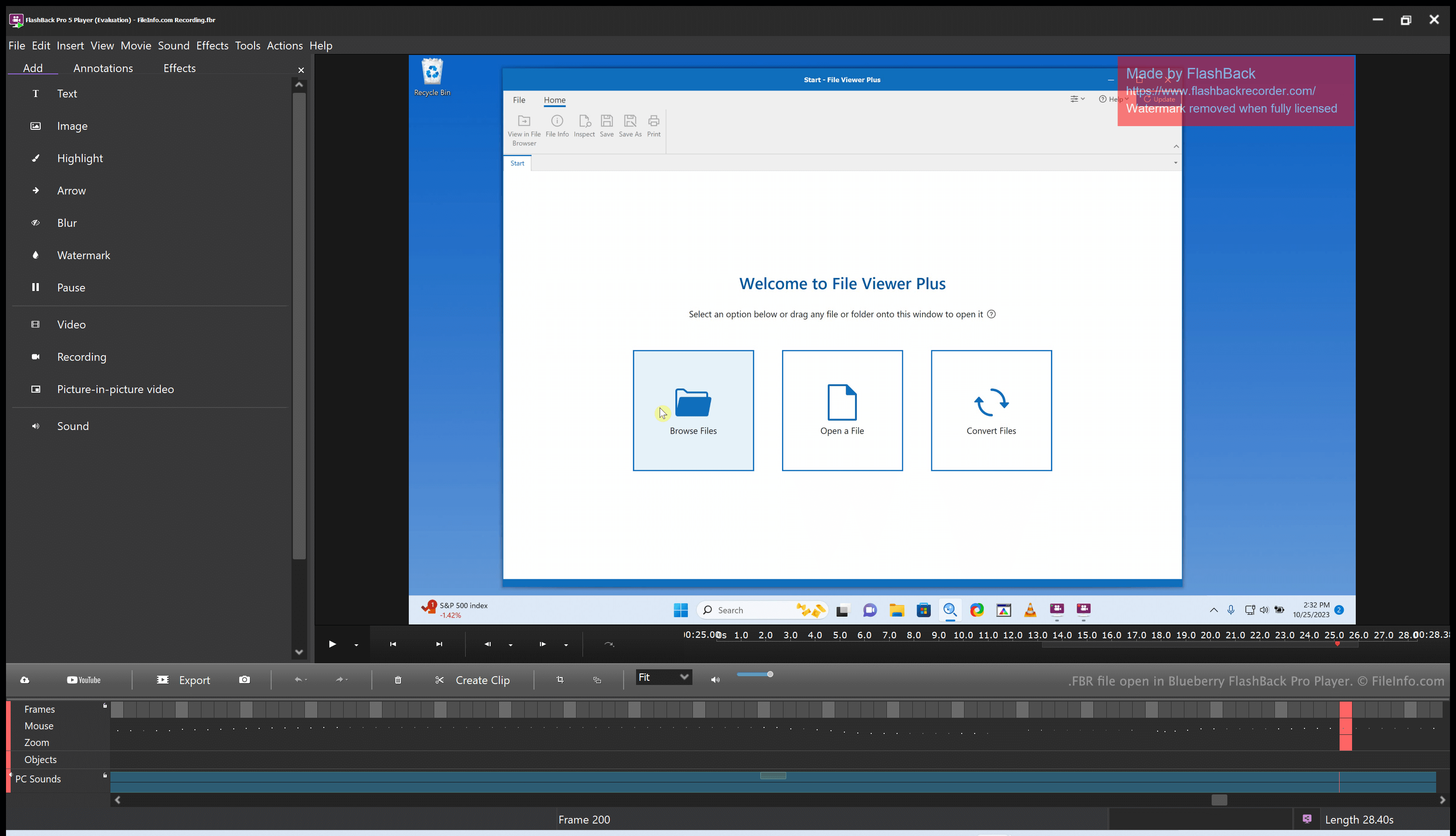
Blueberry FlashBack Pro est une suite d’enregistrement d’écran composée de deux programmes : FlashBack Pro Recorder et FlashBack Pro Player. Avec FlashBack Pro Recorder, un utilisateur peut enregistrer les actions qu’il effectue sur son ordinateur. (Par exemple, un utilisateur peut créer un enregistrement destiné à servir de tutoriel vidéo.) FlashBack Pro enregistre les enregistrements d’écran sous forme de fichiers FBR.
Après avoir créé un fichier FBR, un utilisateur peut l’ouvrir avec FlashBack Pro Player. Cela lui permet de regarder, de modifier et d’exporter l’enregistrement qu’il a créé. Par exemple, un utilisateur peut couper des passages de son enregistrement d’écran, ajouter du texte et des transitions, puis exporter l’enregistrement modifié sous forme de fichier .MP4. (Il peut également enregistrer l’enregistrement modifié sous forme de fichier FBR s’il prévoit de continuer à le modifier ultérieurement.)
Comment ouvrir un fichier FBR
Vous pouvez ouvrir un fichier FBR avec Blueberry FlashBack Pro Player, inclus avec FlashBack Pro. FlashBack Pro Player vous permet de regarder, de modifier et de convertir l’enregistrement d’écran contenu dans un fichier FBR.
Comment convertir un fichier FBR
Vous pouvez utiliser Blueberry FlashBack Pro Player (inclus avec FlashBack Pro) pour convertir un fichier FBR dans les formats suivants :
- .MP4 - Vidéo MPEG-4
- .AVI - Audio Video Interleave
- .GIF - Graphical Interchange Format
- .EXE - Fichier exécutable
Pour ce faire :
- Ouvrez votre fichier FBR avec FlashBack Player.
- Sélectionnez
- Choisissez le format d’exportation souhaité.
- Cliquez sur .
- Cliquez sur .
- Nommez et enregistrez votre fichier converti.