.DJVU 파일 확장자

2개의 파일 유형.djvu 확장자를 사용합니다.

DjVu Image

개발사 AT&T Labs
인기도
3.8  |  754 투표
 

DJVU 파일이란 무엇인가요?

A DJVU file is a scanned document saved in the DjVu image format. It may contain text, images, and/or drawings. The DjVu format was developed by AT&T and marketed by LizardTech.

추가 정보

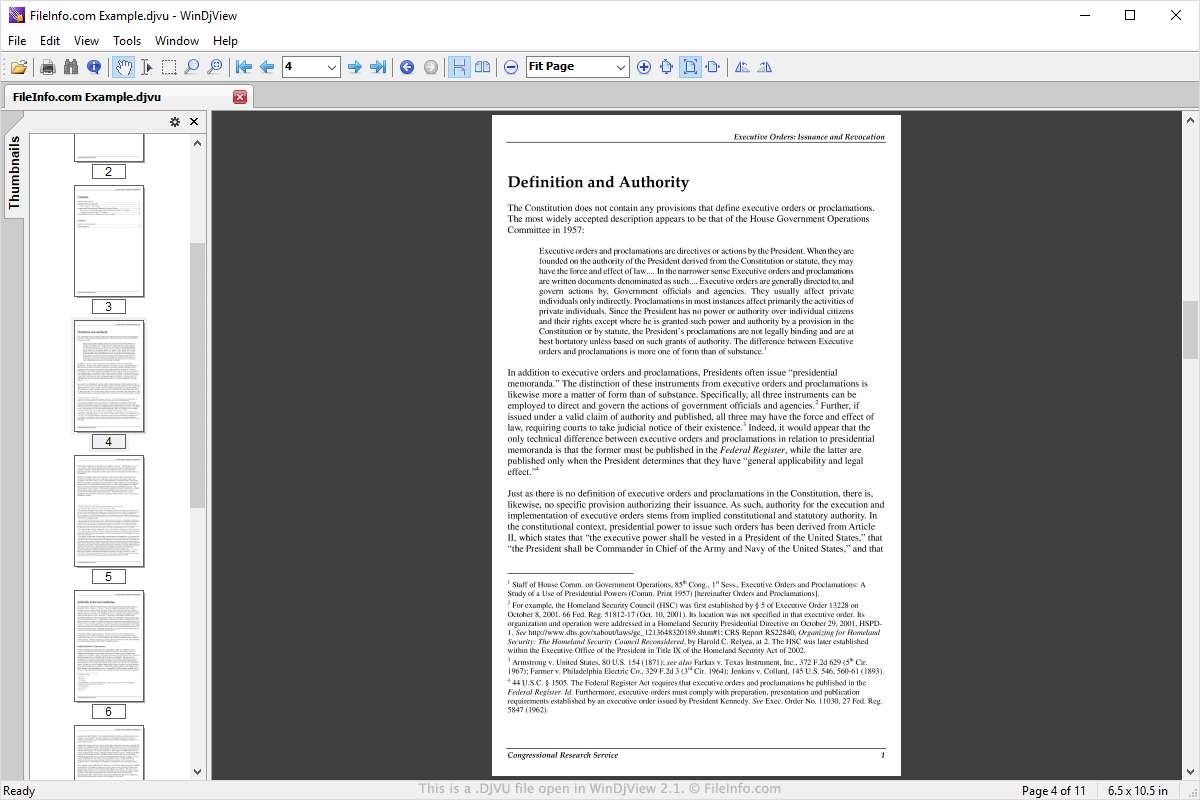
WinDjView 2.1에서 열린 .djvu 파일의 스크린샷
WinDjView 2.1에서 열린 DJVU 파일

DJVU (pronounced "deja vu") files are very similar to .PDF files. Using DJVU creators, users can scan high-resolution color pages of books, magazines, comics, catalogs, and other documents and publish them on the web. Many DJVU files contain ebooks, archived and published by book digitization projects.

AT&T Labs published the initial version of the DJVU format in 1998. The format was most recently revised in 2005. Before Adobe standardized the PDF format in 2008, DJVU was considered the superior document format. Notably, DJVU is open source, and it can compress documents to smaller sizes than .JPEG, .GIF, and .TIFF compression.

DJVU 파일을 여는 방법

You can open a DJVU file in many document viewing applications. Some, like WinDjView, MacDJview, and DjVuLibre DjView, are designed specifically to open DJVU files. Others, like Calibre, Sumatra PDF, and KDE Okular, can open many types of documents.

DJVU 파일을 변환하는 방법

You can use Calibre, Sumatra PDF, or DjVu Converter to convert DJVU files to other formats. For example, Calibre can convert DJVU files to the following formats (and several others):

  • .EPUB - Open eBook
  • .AZW3 - Amazon KF8 eBook
  • .MOBI - Mobipocket eBook
  • .DOCX - Microsoft Word Document
  • .FB2 - FictionBook 2.0
  • .HTMLZ - Zipped HTML eBook
  • .LIT - Microsoft LIT eBook
  • .PDF - Portable Document Format
  • .TXT - Plain Text
  • .RTF - Rich Text Format
File Viewer Plus(으)로 400개 이상의 파일 형식을 여세요.무료 다운로드

DJVU 파일을 여는 프로그램

Windows
무료
무료
무료 체험판
Web browser with LizardTech DjVu Browser plug-in
Mac
무료
무료
Web browser with LizardTech DjVu Browser plug-in
Linux
무료
iOS
Android

STOP DJVU Ransomware Encrypted File

개발사 해당 없음
인기도
3.0  |  5 투표
 

In rare cases, a DJVU file may be a file that has been encrypted and renamed by STOP Djvu ransomware, which is malware distributed by cybercriminals. It contains a file, such as a .DOCX, .XLSX, .JPG, or .PNG file, that has been encrypted and renamed by the virus. Users whose PCs have been infected by STOP Djvu can attempt to decrypt their DJVU files using Emsisoft Decryptor for STOP Djvu.

추가 정보

STOP Djvu ransomware is one of the most commonly distributed types of ransomware. After STOP Djvu infects a user's computer and encrypts their files, it produces a ransom message named _readme.txt. The message contains instructions a user is supposed to follow to decrypt their files.

Typically, the ransom message asks for a ransom of $980, unless the user contacts the ransomer in the first 72 hours after infection, in which case the ransom is halved to $490. Other variants of STOP ransomware append users' files with the .STOP, .rumba, .radman, .gero, or .CADQ extensions.

How did my computer get infected by STOP Djvu ransomware?

STOP Djvu ransomware is most commonly distributed in programs that appear to be legitimate but are actually adware and malware bundles. If you recently downloaded and installed an unverified program, that may be how STOP Djvu ransomware infected your computer.

DJVU 파일을 여는 방법

DJVU files are encrypted and cannot be opened. If you want to attempt to decrypt your DJVU files and return them to their pre-infected state, you can use Emsisoft Decryptor for STOP Djvu. The decryptor's website includes detailed instructions for decrypting DJVU files.

경고

FileInfo.com recommends you never pay a ransom to decrypt files encrypted by ransomware. Paying a ransom encourages ransomware distributors to continue their efforts, and there is no guarantee that paying a ransom will give you access to your files. Instead, you should restore your data from a recent backup created before the ransomware infected your computer.

DJVU 파일을 여는 프로그램

카테고리: 인코딩
업데이트: 2021-04-14

검증자 FileInfo.com

FileInfo.com 팀 이 페이지에 나열된 모든 파일 형식과 소프트웨어 프로그램을 독자적으로 조사했습니다. 저희의 목표는 100% 정확성이며, 검증한 파일 유형에 대한 정보만 게시합니다.

이 페이지에 추가하거나 업데이트할 내용을 제안하고 싶으시면 알려 주세요.